Tag Archives: User Experience

What Customers Expect From Your Website’s Checkout

When you’re running a business website, the checkout process is the real test of how much your customers are willing to trust and rely on your business. If you’re not able to convince them of your legitimacy or provide the assurances they need that their transactions are secure, then they’re a lot more likely to abandon the shopping cart than at any other point. As such, here, we’re going to look at the factors that need to be in place.

Speed

Delays hurt your business. This is perhaps most demonstrably true when it comes to your checkout process. Customers expect it ot move quickly without long loading times, unnecessary pages, or repeated processes. The more time it takes, the more time doubt has to creep in, and the more customers are likely to abandon their carts. Keep the process simple with easy layouts, as few steps as possible, and by allowing autofill. 

Transparent Pricing

Customers don’t want surprises during checkout. As such, they expect product costs, taxes, delivery charges, discounts, and any additional fees to be clearly stated before they pay. Hidden costs are one of the fastest ways to lose trust and get them to give up on a purchase. Display shipping options and any other factors that are going to affect the price upfront, where possible, giving more transparency and allowing the customer to feel more in control of their costs.

Trusted Payment Methods

When it comes time to actually pay, customers want to be sure that they’re able to trust you with their financial information. Or, rather, they typically would prefer a recognisable and trusted API hosted payment integration to handle the transactions for them. These can offer fraud protection and data encryption that assures customers that their financial details aren’t going to end up in the hands of anyone they can’t trust, and are designed to handle transactions more smoothly, on top of that.

Predictable Navigation

Just as customers want their checkout process to be as efficient and speedy as possible, they also want a good idea of how many more steps it’s going to take. Breadcrumb navigation can help you break up the process into its chief steps, such as cart, shipping, payment, and confirmation, and shows customers which step of the journey they’re on at every point. When they’re able to see the progress they’re making towards the end, they’re more likely to stick it out.

Mobile Friendliness

More and more people are shopping directly from their phones, so you could be ignoring significant portions of your audience if you don’t cater to the mobile shopping experience. Provide checkout pages that work smoothly on smaller screens, with buttons, forms, and payment fields that can adapt to the change in space and layout. Loading speed is even more important on mobile, too, as poor connections can cause inefficient websites to become tortuously slow, so testing and optimising where possible is crucial. 

If your checkout process doesn’t tick all of your customers’ boxes, then you need to go back to the drawing board. Otherwise, you can end up losing more sales than you make.

SAYPH: The Smartphone That Isn’t Trying to Be Everything

There’s a quiet shift happening in the world of tech. For years, smartphones have been on a relentless march toward doing more, showing more, and demanding more of our attention. Now, a UK startup called Sayph is heading in the opposite direction… and it’s rather refreshing.

Sayph has unveiled what it describes as the UK’s first responsible smartphone for children aged 8 to 16. Not a cut-down adult device. Not a standard handset wrapped in layers of parental controls. Instead, this is something altogether different, a phone designed from the ground up with a very specific purpose in mind.

A Middle Ground That Actually Exists

For many parents, the decision is a familiar dilemma. No phone at all, or a fully fledged smartphone with all the baggage that comes with it. Social media, open internet access, endless notifications… it’s a lot.

Sayph positions itself squarely in the middle.

Out of the box, the device focuses on the essentials. Calls, one-to-one messaging, and location tracking. That’s it. No social media apps. No app store. No web browser unless a parent explicitly decides to enable it.

This isn’t about locking things down after the fact. It’s about starting from a place of simplicity and control.

Built Different, Not Bolted On

What makes this interesting is the philosophy behind it. Most devices rely on add-ons and restrictions layered over a standard smartphone experience. Sayph flips that approach completely.

Everything is intentional.

Contacts must be approved. Communication is controlled. And instead of navigating endless menus and toggles, parents use a companion web app designed to give clear oversight without turning into a full-time job.

It’s less about surveillance, more about structure.

Independence Without the Noise

Co-founder Ben Humphrey sums it up neatly, describing the challenge many families face today: giving children independence without exposing them to the pressures of always-on digital life.

Walking to school. Visiting friends. Staying in touch. These are the real-world use cases Sayph is built around.

Not scrolling. Not chasing likes. Not being pulled into the endless gravity of online platforms.

Fellow co-founder Ami Penolver frames it slightly differently, positioning the device as pro-childhood rather than anti-technology. It’s a subtle but important distinction, and one that feels increasingly relevant.

Pricing and Positioning

At £189 for the handset and £5 per month for the parental platform, Sayph is clearly aiming to sit in an accessible space. Not a premium luxury device, but not a disposable gadget either.

It’s a considered purchase. One that reflects a shift in thinking about what a child’s first phone should actually be.

Tech With a Social Angle

There’s also an interesting layer beyond the hardware itself. Sayph has built a social impact model into its rollout.

For every ten devices purchased within a school, one is donated to a pupil premium child. For every hundred devices sold overall, another is provided to a looked-after child.

It’s a small touch, but one that hints at a broader ambition. Not just selling devices, but shaping how children access technology in the first place.

There’s something quite compelling about a product that deliberately does less. In a market obsessed with features, specs and endless capability, Sayph feels like a bit of a reset button.

A phone that knows exactly what it’s for… and more importantly, what it isn’t.

And in today’s world, that might just be its biggest feature.

Available now at Sayph

This Compact Sensor Brings Real Intelligence to Plant Care

Smart homes have become very good at managing lighting, heating and security, yet plant care has mostly been left to intuition, routines and crossed fingers. That gap is exactly what **Plant With Willow** is aiming to close with **Willow**, a compact sensor designed to take the guesswork out of keeping houseplants healthy.

Rather than relying on fixed watering schedules or vague advice, Willow monitors real conditions around each plant and turns that data into simple, timely guidance through a companion app. The result is plant care that responds to what is actually happening, not what we hope is happening.

This Compact Sensor Brings Real Intelligence to Plant Care

How Willow Works

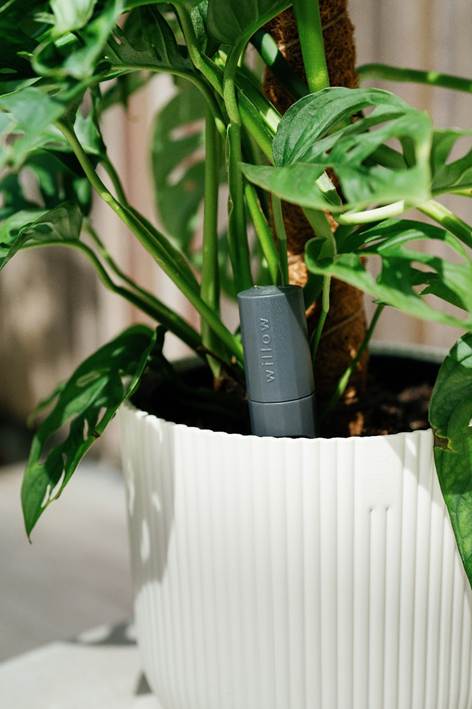
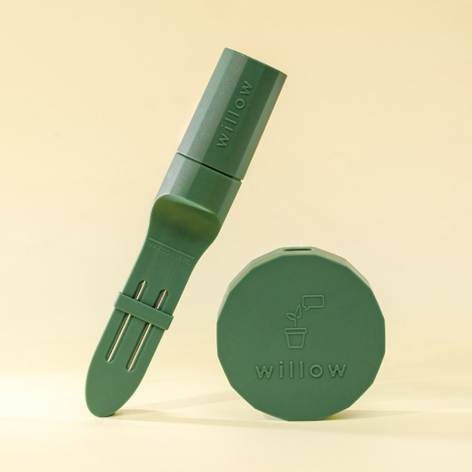
At the heart of the system is a slim sensor that sits discreetly in the soil. It continuously tracks the factors that matter most to plant health, including soil moisture, light intensity, temperature, humidity and nutrient levels.

Data is collected every few minutes and analysed in the Willow app. Instead of generic reminders, users receive clear alerts telling them when to water, move or feed a plant based on its real needs at that moment. It is a small shift in approach that makes a big difference, especially for anyone who has ever overwatered a perfectly healthy plant.

This Compact Sensor Brings Real Intelligence to Plant Care

Smarter Feedback, Not Just Notifications

One of the more thoughtful touches is what happens after you water. The app confirms whether moisture levels have reached the optimal range, removing the usual uncertainty that comes with plant care. Over time, Willow also analyses longer-term soil trends, helping identify nutrient deficiencies or absorption problems before they become visible to the eye.

Light levels are measured every minute, making it easier to position plants correctly, while temperature and humidity monitoring ensures sudden environmental changes do not go unnoticed. Each plant is also given a simple happiness score, providing an at-a-glance snapshot of overall health that works equally well for beginners and seasoned plant owners.

This Compact Sensor Brings Real Intelligence to Plant Care

Designed to Grow With Your Collection

Willow is clearly designed with scalability in mind. The Starter Pack includes one Sensor and one Hub, with the Hub capable of supporting up to 40 Sensors. That makes it just as suitable for a single prized houseplant as it is for a growing indoor jungle.

It is a sensible, modular approach that avoids locking users into buying multiple hubs as their collection expands.

Price and Availability

The Plant With Willow Starter Pack is priced at £34.99 and is available now from plantwithwillow.co.uk.

For anyone who enjoys having plants at home but would like a bit more certainty and a lot less guesswork, Willow feels like a natural extension of the smart home. Sometimes, the smartest upgrade is simply knowing when to water.

Sonos Arc Ultra Review: With Sub 4 and Ace: a system that finally feels complete

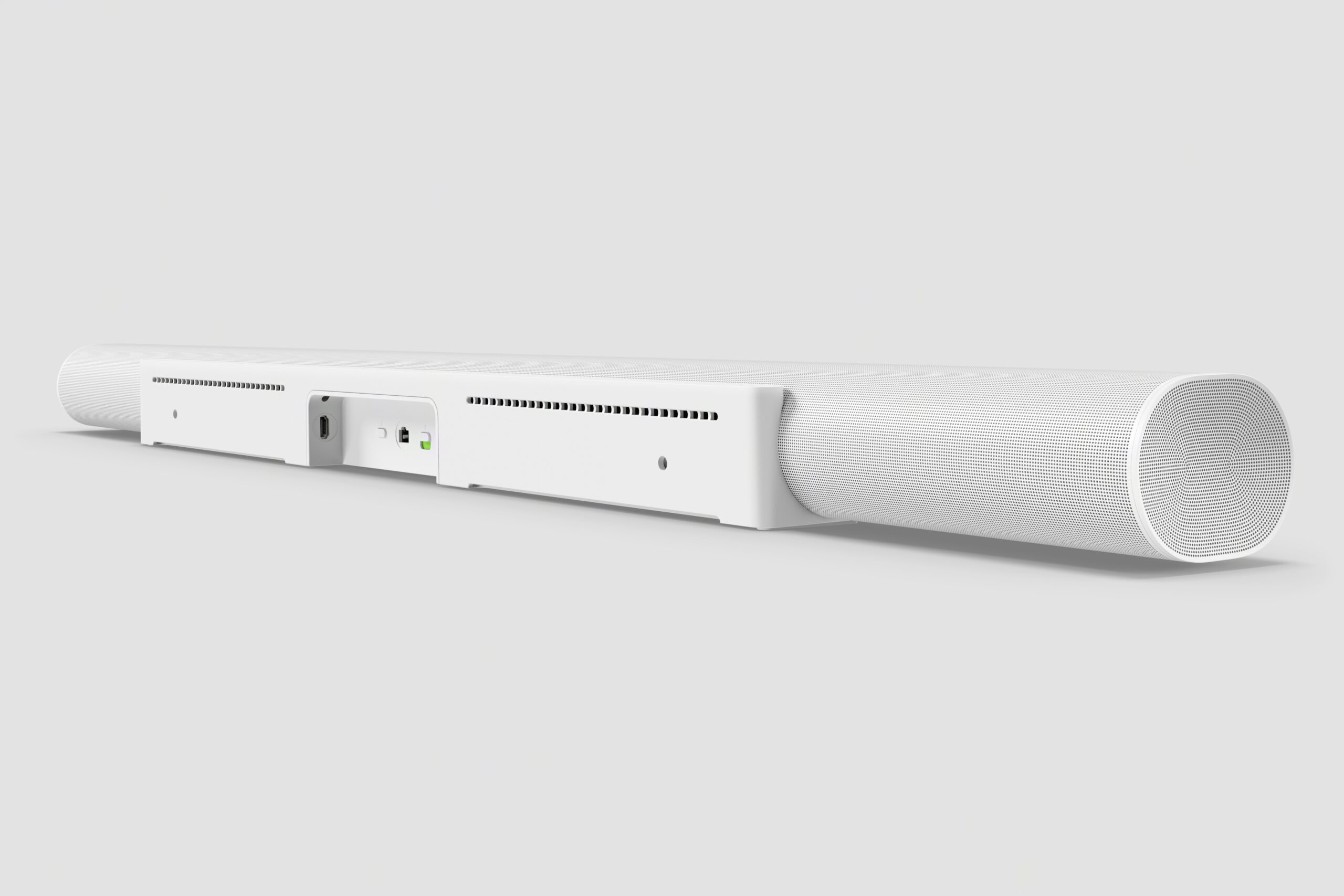
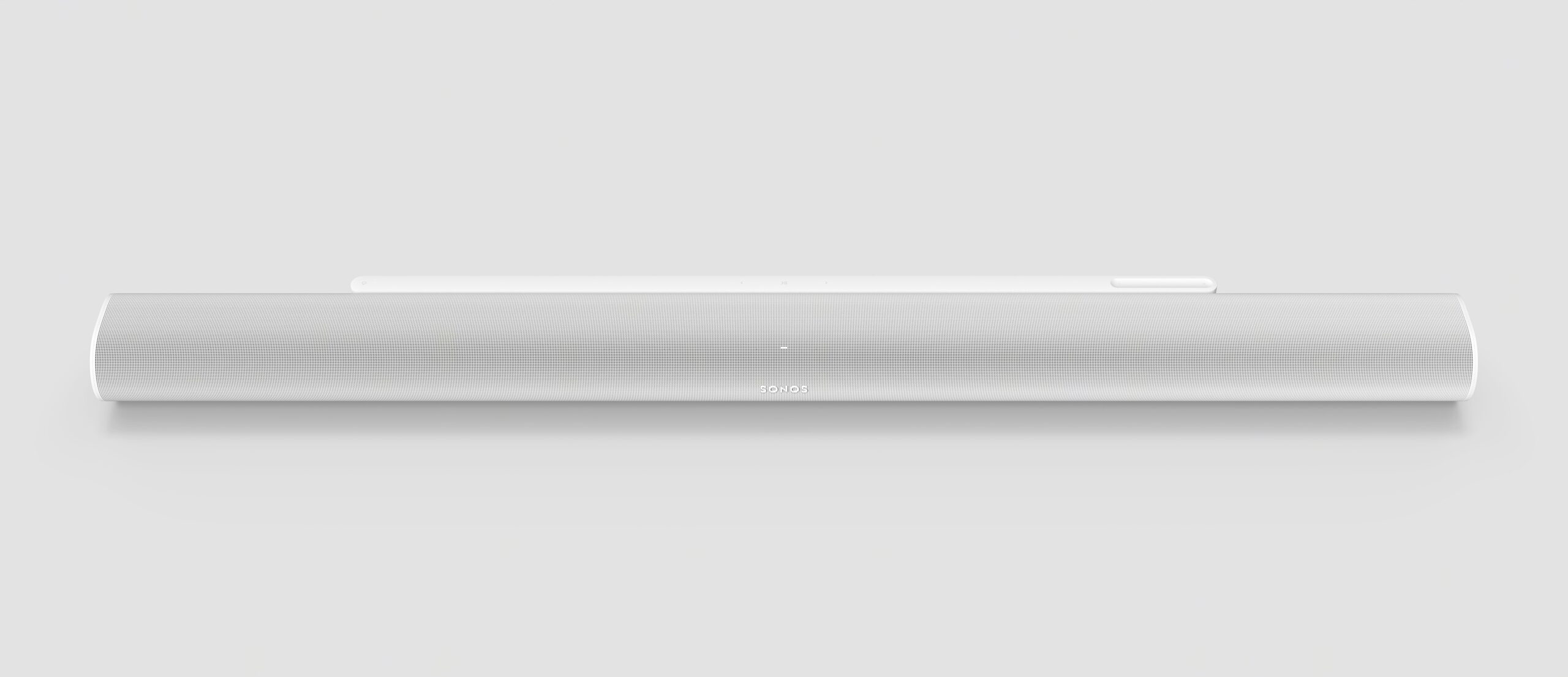
There was always something quietly impressive about the Sonos Arc Ultra. Even before the latest software updates, it delivered an expansive, room-filling Dolby Atmos experience from a single, discreet soundbar. What has changed is not how it looks, or even fundamentally how it sounds, but how finished the entire system now feels.

This is no longer just a very good soundbar. It is the centre of a genuinely flexible home cinema and personal listening system.

Design and presence

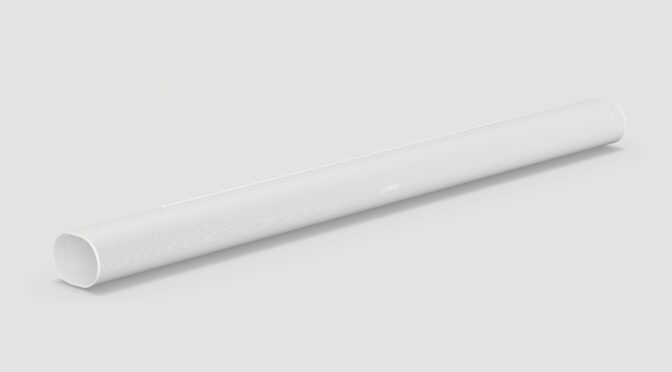
Arc Ultra remains a masterclass in restraint. Its slim, curved profile and matte finish allow it to sit beneath large televisions without shouting for attention. It does not block bezels, it does not dominate the room, and it blends in far better than most high-end audio hardware.

Sonos Arc Ultra Review: With Sub 4 and Ace: a system that finally feels complete

That calm design language continues into daily use. There are no flashing lights, no distracting displays, and no sense that you are living with a piece of “tech” rather than a home product.

Sound quality: wide, controlled, and confident

On its own, Arc Ultra delivers a convincing 9.1.4 Dolby Atmos presentation. Sound does not simply fire forwards; it spreads across the room, with effects placed to the sides and above in a way that feels natural rather than exaggerated.

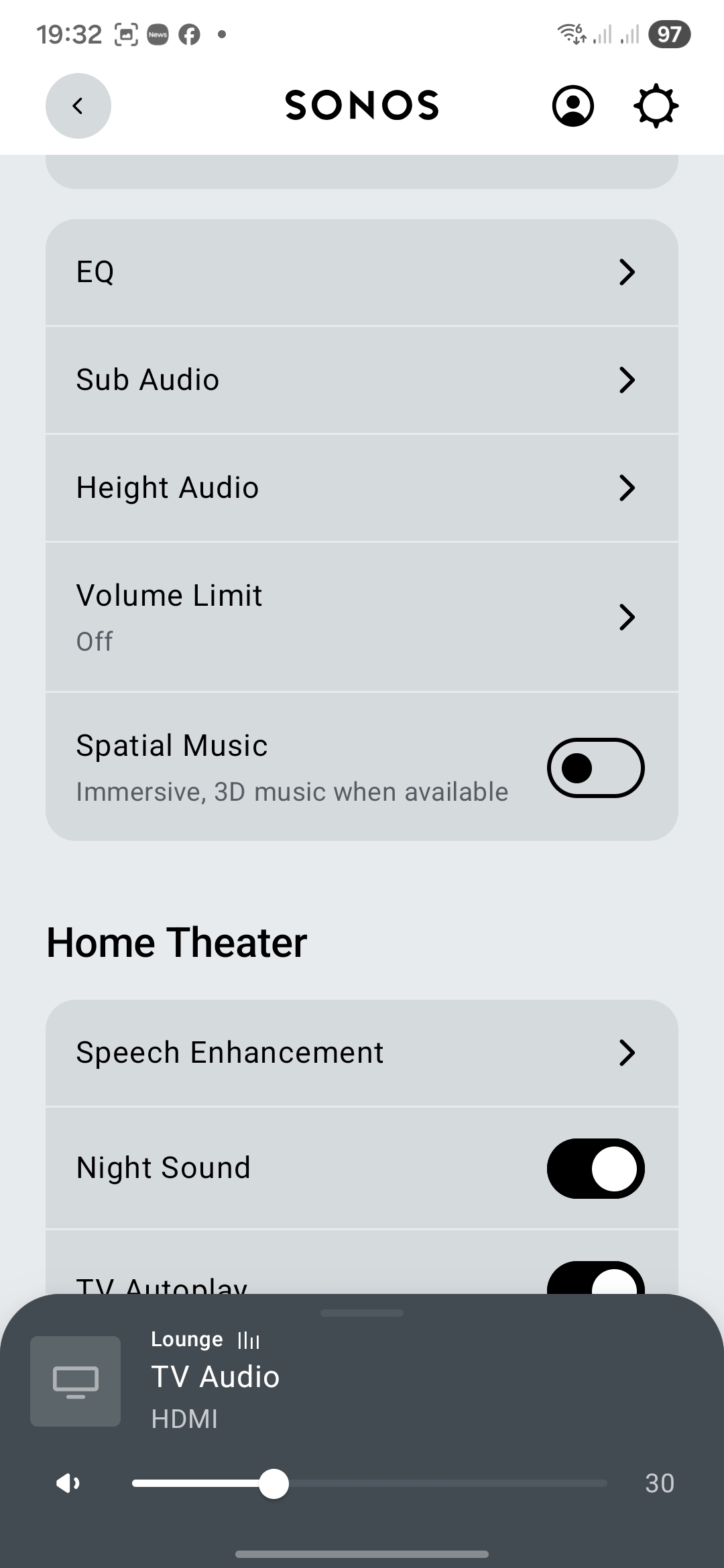
Dialogue is consistently clear, helped by Sonos’ enhanced Speech Enhancement options. Voices cut through dense mixes without sounding artificially boosted, and the balance of music and effects remains intact. It is one of those features you quickly stop thinking about because it just works.

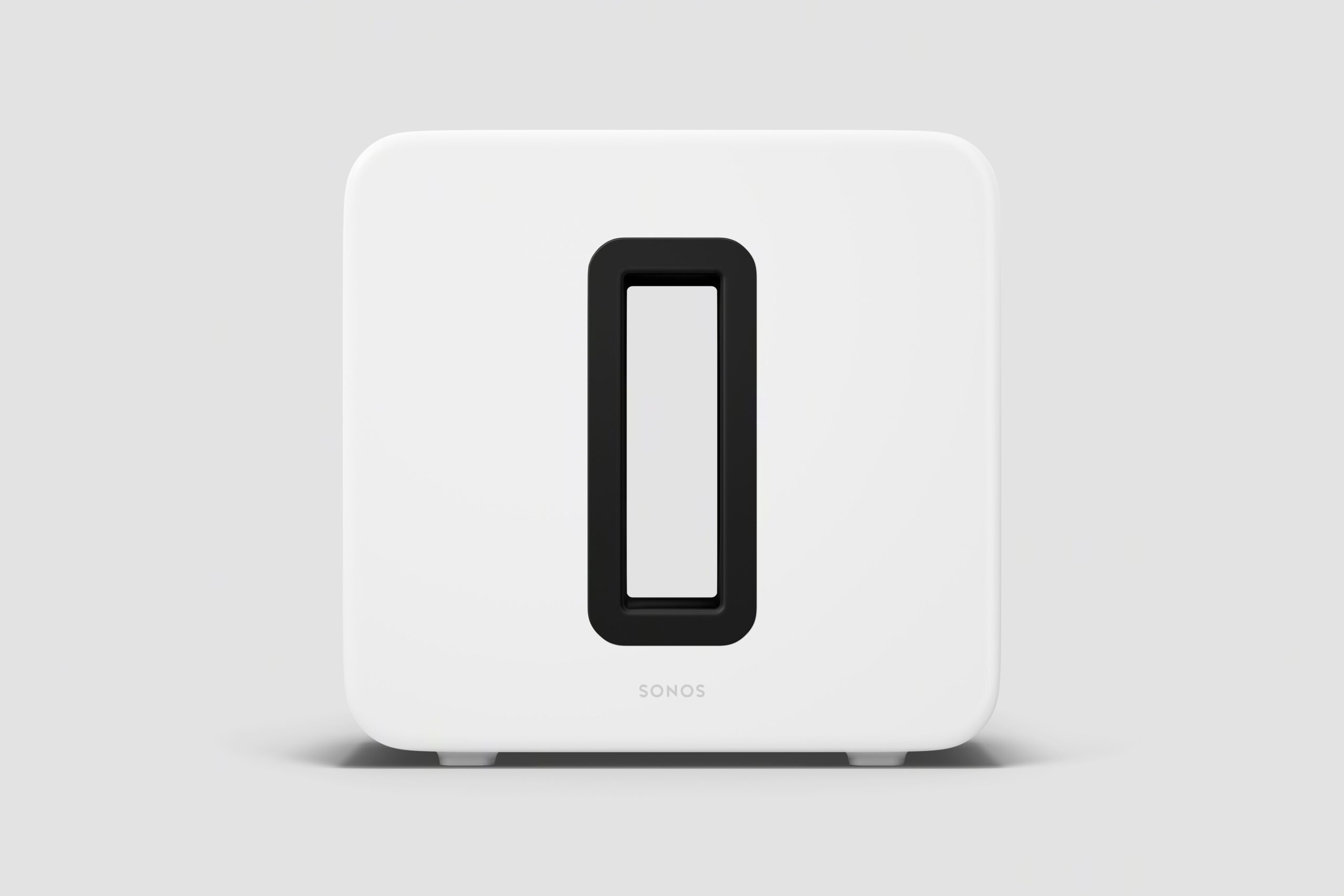
Bass performance from the soundbar alone is impressive thanks to Sonos’ Sound Motion™ woofer, but pairing Arc Ultra with the Sub 4 (£799) transforms the experience. Low frequencies gain genuine physical presence. Explosions hit harder, music gains weight, and the overall soundstage feels more grounded. Importantly, the Sub integrates seamlessly. It never draws attention to itself.

Sonos Ace: the update that changes everything

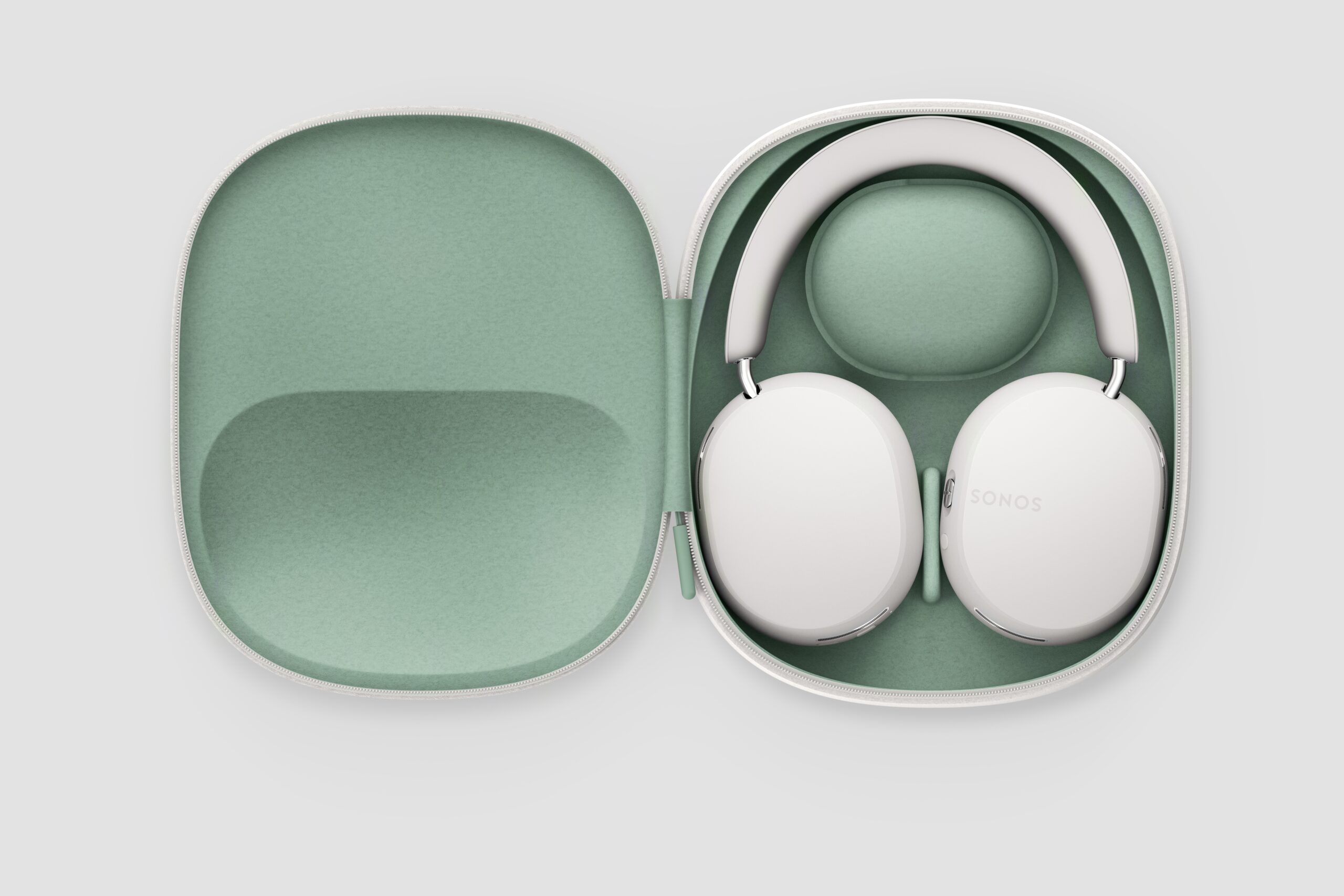
At £399, Sonos Ace headphones were already strong, but the recent major software update fundamentally changes their role in the system.

TrueCinema is the standout. Instead of collapsing sound into your head, it recreates the acoustic character of your room inside the headphones. Watching a film feels like you are still sitting in front of the TV, just privately. It is not a gimmick. It is genuinely convincing.

The updated TV Audio Swap for two is equally important. Two people can now listen to the same TV audio simultaneously on their own Ace headphones, perfectly in sync. Late-night viewing, shared spaces, or simply different listening preferences suddenly become non-issues.

Noise cancellation has also been refined, adapting in real time to glasses, hair, or hats, while call quality feels more natural thanks to improved voice handling and SideTone.

Why software matters here

This is where Sonos quietly pulls away from many rivals.

None of these improvements required new hardware. Arc Ultra, Sub 4, and Ace simply became better through software. Features that would normally justify a new product launch arrived overnight, free of charge.

This matters because it changes the value equation. You are not just buying hardware as it exists today. You are buying into a platform designed to evolve.

In a market obsessed with fast churn, this feels refreshingly grown-up.

Short verdict

The Sonos Arc Ultra system now feels complete.
With Sub 4 adding authority and Ace headphones transformed by TrueCinema and dual-listener TV Audio Swap, this is no longer just a soundbar setup. It is a flexible, future-proof home audio system that adapts to how people actually live.

Sonos Arc Ultra (with Sub 4 and Ace)
9.5 / 10

Pros

  • Exceptional Dolby Atmos performance from a single bar
  • Seamless integration with Sub 4
  • TrueCinema on Ace is genuinely transformative
  • Dual-listener TV audio is brilliantly practical
  • Software updates meaningfully improve value over time

Cons

  • Premium pricing
  • Full experience requires buying into the ecosystem

Final thoughts

At £999 for Arc Ultra, this is premium territory. Add the Sub 4 and Ace and the investment grows. But unlike many premium systems, this one earns its place over time.

This is not about excess or spec-sheet bravado. It is about refinement, flexibility, and sound that adapts to real life.

Sonos has not reinvented home audio here.
It has quietly perfected it!

Fixing configd 100% CPU Usage on macOS Monterey (and Disabling PPPController.bundle)

For months, I battled a persistent and damaging issue on my Mid 2015 MacBook Pro — a workhorse of a machine that, even at nearly 10 years old, continues to run exceptionally well with a 2.5GHz Quad-Core i7, 16GB RAM, 1 TB SSD and macOS Monterey 12.7.6.

The system process configd would regularly consume 100% of the CPU. The fans screamed. The laptop baked. Performance tanked. Worst of all — two batteries failed completely during the years this bug went undiagnosed.


A Machine with a Backstory

This MacBook Pro actually replaced an almost identical model (with a 500GB SSD) whose keyboard had begun to fail. That original machine is now used as a secondary workstation — mostly plugged in with external monitors, keyboard and mouse and of course, rarely moved.

However, the replacement system was set up via migration from the older Mac, meaning all settings, preferences, and low-level cruft came with it. It’s entirely possible this bug — and the problematic plugin behind it — exists on the secondary machine too, simply hiding in the shadows because that Mac rarely gets unplugged or stressed.


A Hunch from the Past

Throughout the troubleshooting, I had a nagging feeling: years ago, I’d installed a PPP-based VPN service, and I couldn’t shake the idea that something related had survived the years. That memory — almost dismissed — turned out to be the smoking gun.


All the Fixes That Didn’t Work

Before getting to the actual solution, I tried everything:

  • Resetting network preferences

  • Disabling IPv6

  • Safe Mode diagnostics

  • launchctl unloads

  • Cleaning out /SystemConfiguration

  • Monitoring via top and Activity Monitor

Nothing worked. The issue was like digital rot — persistent and invisible.


Enter ChatGPT

Eventually, I turned to ChatGPT for deeper insight. Together, we sampled the configd process and analysed its call stack. That led us to the true culprit:

PPPController.bundle — a legacy dial-up/VPN plugin, long deprecated but still loading in the background.

Despite not being used in years, it was triggering configd into a CPU loop, damaging system performance and hardware.


macOS Protections (and How to Work Around Them)

macOS uses System Integrity Protection (SIP) and Signed System Volumes (SSV) to protect core files. To disable this plugin, you must bypass those protections temporarily.


The Fix (Finally)

WARNING!

DO NOT ATTEMPT ANY OF THE FIXES BELOW WITHOUT CONSULTING A TRAINED APPLE EXPERT! YOU ARE FIDDLING WITH THE WORKINGS OF A COMPUTER AND RISK PERMANENTLY LOSING THE CONTENTS OF YOUR HARD DRIVE. PLEASE, PLEASE!!! TAKE A FULL BACKUP BEFORE ATTEMPTING ANYTHING LIKE THIS.

IT TOOK SEVEN ATTEMPTS TO FIX THIS PROBLEM WITH THE ASSISTANCE OF CHATGPT, SO IT FAILED SIX TIMES BEFORE THE ISSUE WAS RESOLVED.

Step 1: Reboot into macOS Recovery (Cmd + R)

Open Terminal from the menu.

Step 2: Disable protections

bash
csrutil disable
csrutil authenticated-root disable
reboot

Reboot again into Recovery after this.

Step 3: Mount the system volume

bash
mount -uw /Volumes/Macintosh\ HD

Step 4: Disable the plugin

bash
mv /Volumes/Macintosh\ HD/System/Library/SystemConfiguration/PPPController.bundle \
/Volumes/Macintosh\ HD/System/Library/SystemConfiguration/PPPController.bundle.disabled

Step 5: Bless the system snapshot

bash
bless --folder /Volumes/Macintosh\ HD/System/Library/CoreServices --bootefi --create-snapshot
reboot

Confirming It Worked

  • top -o cpu showed configd no longer topping the chart

  • configd -v | grep -i ppp showed nothing — the plugin was gone

  • The Mac ran cooler, quieter, and battery health stopped declining


Re-enabling Protections

After verifying stability:

bash
csrutil enable
csrutil authenticated-root enable

Then reboot normally.


Final Thoughts

This wasn’t your average support task. It took two dead batteries, countless failed attempts, a hunch from years back, and finally the help of ChatGPT to trace configd’s madness back to a plugin that had long outlived its purpose.

If you’ve ever migrated from an older Mac, especially one where you’d used PPP-based VPNs or dial-up tools, this issue may be lurking silently in your system too — especially if that system is mostly docked or plugged in. For me, it nearly cooked a great machine.

Now? My Mid 2015 MacBook Pro is back to being a quiet, powerful daily driver — and I intend to keep it that way.

Have a similar story? Reach out  or connect with me on social media. Let’s keep our ageing tech running better than new.

STM Goods BagPack – Big Innovation in a Compact Package

As someone who’s perpetually on the move—juggling gadgets, reviewing tech, and travelling from event to event—I’m always on the lookout for gear that can keep up with my lifestyle. So when STM Goods announced their BagPack, I was intrigued. A backpack with an inflatable air cushion for your laptop? That’s the kind of clever thinking I love. And after a few weeks of using it, I can confidently say this is no gimmick—it’s a genuinely smart piece of kit.

STM Goods BagPack – Big Innovation in a Compact Package

Let’s start with the headline feature: the inflatable airbag. With a single breath, it turns a featherweight backpack into a structured, laptop-protecting companion. It’s a novel yet highly practical concept—offering cushioning for your tech and support for your back. I tested it with my 16-inch MacBook Pro, and it cradled the laptop with impressive stability, absorbing bumps during travel far better than most padded compartments I’ve seen.

STM Goods BagPack – Big Innovation in a Compact Package

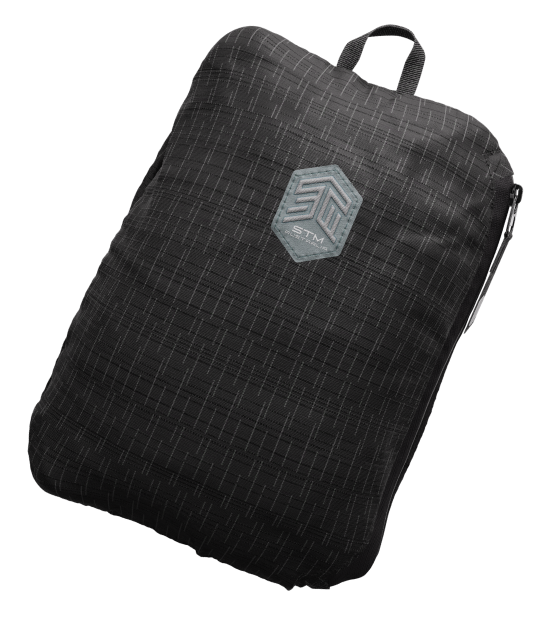
The ultra-lightweight build (just over half a kilo) and 210D nylon fabric mean the BagPack is tough but doesn’t weigh you down. Perfect for commuters, festival-goers, and anyone who travels light but still needs dependable gear. One of the standout features is how it folds into itself, collapsing into a self-contained pouch small enough to stash in your suitcase or glovebox.

STM Goods BagPack – Big Innovation in a Compact Package

Despite the compact form factor, the BagPack still manages to offer 15 litres of space—enough for your daily essentials: tablet, charger, water bottle, headphones, and even a jacket. The contoured straps are comfortable, and the minimalist design keeps things stylish without screaming “tech nerd” (even if, like me, you secretly are one).

While it’s not fully waterproof, it shrugged off light drizzle during a walk through Stotfold with no issues. You’ll want a rain cover for a proper storm, but for everyday use, it holds up beautifully.

Final Thoughts

The STM BagPack 2023 is a triumph of practical innovation. Lightweight, protective, compact, and stylish—it’s the sort of bag that makes you wonder why nobody thought of this before.

Check it out on the official STM Goods site

What is DNS? The Hidden Hero Behind Every Click

When you open your browser and type in a web address like www.thegadgetman.org.uk, how does your computer know where to go? That’s where DNS – the Domain Name System – comes into play. It’s one of the hidden heroes of the internet, and understanding it can help you browse smarter and more securely.

What is DNS?

In simple terms, DNS translates human-friendly domain names into machine-friendly IP addresses. Think of it as the internet’s phone book. Instead of remembering a string of numbers like 172.217.169.206, you just remember a name – like google.com – and DNS handles the rest.

Every website, email server, and online service has an IP address. DNS ensures you don’t have to memorise any of them.

How Does DNS Work?

Here’s what happens behind the scenes when you visit a website:

  1. Your browser checks its cache to see if it already knows the IP address.

  2. If not, it asks your operating system, which checks its own cache.

  3. If still no luck, it asks the DNS server provided by your internet service provider (ISP).

  4. If the ISP’s server doesn’t know, it asks a chain of other DNS servers – starting from the root, to TLD (.com, .uk), and finally to the domain’s authoritative server.

  5. Once the IP address is found, it’s returned to your browser, and the connection is made.

All this typically takes milliseconds – faster than blinking.

Why Should You Care About DNS?

Most people never think about DNS, but it plays a vital role in your online experience. Here’s why it matters:

  • Speed: A faster DNS can mean faster browsing, especially when accessing new websites.

  • Privacy: Many DNS providers log your queries. That means they know every website you visit.

  • Security: Some DNS services help block malicious websites or phishing attempts.

Surfshark’s DNS: Private and Free

Surfshark, known for its VPN services, offers a free public DNS designed with privacy in mind. Unlike many default ISP DNS services, Surfshark’s DNS doesn’t log or track your online activity.

Key Benefits of Surfshark DNS:

  • No logs or tracking – Your DNS requests aren’t saved, sold, or snooped on.

  • Improved privacy and anonymity – Especially useful when combined with a VPN.

  • Free to use – No hidden costs or annoying ads.

  • Reliable infrastructure – Globally distributed servers for stable, fast resolution.

How to Change Your DNS

Switching to a privacy-focused DNS like Surfshark’s is easy:

  • On Windows or macOS, you can change DNS settings via your network preferences.

  • Routers often allow DNS changes at the network level, covering all your connected devices.

  • Surfshark also offers setup guides for specific devices and platforms.

Final Thoughts

DNS is like the backstage crew of the internet – you rarely see it, but it keeps the show running. Understanding how DNS works gives you more control over your online experience. And by switching to a privacy-first service like Surfshark DNS, you can enhance your digital safety without spending a penny.

If you’re serious about your gadgets, online privacy, and speed, don’t overlook your DNS.

Edifier R1 – Clever, Comfy and Surprisingly Capable Open-ear True Wireless Earbuds


Edifier R1 – Clever, Comfy and Surprisingly Capable Open-ear True Wireless Earbuds

I’ve been testing out the Edifier R1—that’s what they’re called here in the UK (elsewhere known as the Comfo C)—for the past few weeks, and I’ve got to say, they’ve been quite the surprise.

First impressions? Confusion, honestly. I spent longer than I’d like to admit trying to work out which bud went in which ear. Turns out, you don’t need to. These clever little things auto-detect left and right channels. Very smart indeed.

The case is worth a mention—it’s smooth, rounded, and shimmers like a large pearl. It’s not only elegant but practical too, featuring USB-C charging and a magnetic lid that snaps shut with a satisfying click. The earbuds also stay in place magnetically, which is a nice touch.

Comfort-wise, the R1 is excellent. The clip-on design feels light and barely noticeable. I’ve even slept in them—no discomfort whatsoever. That alone makes them stand out in a crowded market.

Sound quality? It’s surprisingly good. You won’t get deep, rumbling bass like you would from sealed in-ear buds, but what you get is crisp and well-balanced sound. There’s no noise isolation by design, so you’re still connected to the world around you, which can be a big plus.

Call quality is solid too. Voices are clear, and switching between paired devices like my phone and MacBook was seamless—just press play or take a call and the R1 handles it smoothly. Pairing was quick using the EDIFIER ConneX app (a separate install if you’ve used older Edifier devices).

Edifier R1 – Clever, Comfy and Surprisingly Capable Open-ear True Wireless Earbuds

Battery life really impressed me—up to 7 hours on the buds alone, with another 21 hours in the case. Even using them overnight, I woke up with charge to spare.

There’s even a clever water drainage mode that plays high-frequency tones to help clear moisture. Not something you see every day!

At around £59, the Edifier R1 offers great value—especially if you’re after comfort, clarity, and awareness while listening. A truly refreshing take on wireless audio.

Grab yourself a pair of Edifier R1 Earbuds from Amazon

Edifier R1 – Available in Grey and Ivory

  • Innovative open-ear clip-on design for all-day comfort and a secure fit.

  • Smart audio channel detection allows interchangeable use of left and right earbuds.

  • Directional acoustic technology reduces sound leakage and enhances audio clarity.

  • 12mm dynamic drivers with titanium-coated composite diaphragms produce rich, detailed, and powerful sound.

  • AI-powered noise reduction ensures crystal-clear phone calls.

  • IP56-rated dust and water resistance for reliable performance in various environments.

  • Multipoint connectivity for seamless switching between multiple devices.

  • Automatic wear detection to pause and resume playback effortlessly.

  • Bluetooth® V5.4 delivers stable connections and smooth audio streaming.

  • Fully compatible with the EDIFIER ConneX App for extra features like earbud locator, personalised controls, and drainage function.

Acer Unveils Groundbreaking PD3 Series Dual-Screen Foldable Monitors

Acer has once again redefined the boundaries of productivity and entertainment with its newly launched PD3 Series, featuring dual-screen foldable portable monitors. Designed to enhance multitasking efficiency and immersive viewing experiences, the series offers a sleek, lightweight design and cutting-edge functionality, making it a perfect companion for professionals and tech enthusiasts alike.


Compact, Lightweight, and Versatile

Weighing only 1.55 kg and measuring a mere 2.4 cm thin (PD163Q model), the Acer PD3 Series is a marvel of portable design. With a 16-inch display, it easily fits into any bag, allowing users to set up a dual-screen experience anywhere—whether at home, in the office, or on the go. Equipped with HDMI and USB-C ports, the monitors are compatible with a wide range of devices, including laptops, tablets, smartphones, and PCs, ensuring seamless integration with your existing tech ecosystem.


Why Two Screens Are Better Than One

The dual-screen setup of the PD3 Series elevates multitasking to a new level. The monitors enable:

  • Efficient Workflows: Display a presentation on one screen while referencing data on the other.
  • Enhanced Gaming: Play games on one screen while consulting guides on the second.
  • Custom Viewing: Adjust the integrated stand for a 315° ergonomic design, allowing users to stack screens vertically or horizontally to suit their needs.

Vertical stacking reduces excessive scrolling, minimizing strain on the eyes and neck—perfect for extended working hours.


Enhanced Visuals and Immersive Quality

With a 1080p resolution per screen, the PD3 Series combines for a stunning 2160 x 1080 Dual FHD resolution when used together. The IPS panels ensure vivid colors, a wide 178° viewing angle, and consistent image quality. An automatic pivot feature enables effortless switching between landscape and portrait modes, further enhancing flexibility for professionals like graphic designers, programmers, and writers.

To support prolonged use, the monitors are equipped with Acer VisionCare™ technology, a suite of features designed to reduce eye strain during extended sessions.


Acer Unveils Groundbreaking PD3 Series Dual-Screen Foldable Monitors

A Triple-Screen Powerhouse for Multitasking

The PD3 Series can transform any workspace into a productivity hub by acting as a second and third screen. Whether you’re managing real-time engagements or analyzing complex data, these monitors provide a comprehensive view without disrupting your workflow. Their VESA mount compatibility ensures a clutter-free desk space, allowing for stylish and functional setups.


Models and Availability

The Acer PD3 Series comes in two sizes:

  • 15.6-inch PD163Q
  • 18.5-inch PD193Q E

Both models are now available and promise to cater to a variety of business and entertainment needs.

Acer Unveils Groundbreaking PD3 Series Dual-Screen Foldable Monitors

Key Features of the Acer PD3 Series

  • Dual-Screen Foldable Design: Increases multitasking efficiency and supports a range of viewing angles.
  • High-Quality Displays: IPS panels with Acer VisionCare™ for vibrant visuals and reduced eye strain.
  • Portable and Lightweight: Perfect for on-the-go professionals.
  • Broad Compatibility: HDMI and USB-C ports for seamless device connectivity.
  • Space-Saving Solutions: VESA mountable for an organised, clutter-free setup.

Acer continues to innovate, blending sleek design with unparalleled functionality in the PD3 Series. Whether you’re a professional needing an efficient workspace or an enthusiast seeking immersive entertainment, these dual-screen foldable monitors deliver an experience like no other.

To explore more about the Acer PD3 Series, visit Acer’s website.

Stay tuned for more innovative tech reviews and updates from The Gadget Man!


What are your thoughts on Acer’s new PD3 Series? Let me know in the comments below, or join the conversation on my social media channels!