Category Archives: Apple

Fixing configd 100% CPU Usage on macOS Monterey (and Disabling PPPController.bundle)

For months, I battled a persistent and damaging issue on my Mid 2015 MacBook Pro — a workhorse of a machine that, even at nearly 10 years old, continues to run exceptionally well with a 2.5GHz Quad-Core i7, 16GB RAM, 1 TB SSD and macOS Monterey 12.7.6.

The system process configd would regularly consume 100% of the CPU. The fans screamed. The laptop baked. Performance tanked. Worst of all — two batteries failed completely during the years this bug went undiagnosed.


A Machine with a Backstory

This MacBook Pro actually replaced an almost identical model (with a 500GB SSD) whose keyboard had begun to fail. That original machine is now used as a secondary workstation — mostly plugged in with external monitors, keyboard and mouse and of course, rarely moved.

However, the replacement system was set up via migration from the older Mac, meaning all settings, preferences, and low-level cruft came with it. It’s entirely possible this bug — and the problematic plugin behind it — exists on the secondary machine too, simply hiding in the shadows because that Mac rarely gets unplugged or stressed.


A Hunch from the Past

Throughout the troubleshooting, I had a nagging feeling: years ago, I’d installed a PPP-based VPN service, and I couldn’t shake the idea that something related had survived the years. That memory — almost dismissed — turned out to be the smoking gun.


All the Fixes That Didn’t Work

Before getting to the actual solution, I tried everything:

  • Resetting network preferences

  • Disabling IPv6

  • Safe Mode diagnostics

  • launchctl unloads

  • Cleaning out /SystemConfiguration

  • Monitoring via top and Activity Monitor

Nothing worked. The issue was like digital rot — persistent and invisible.


Enter ChatGPT

Eventually, I turned to ChatGPT for deeper insight. Together, we sampled the configd process and analysed its call stack. That led us to the true culprit:

PPPController.bundle — a legacy dial-up/VPN plugin, long deprecated but still loading in the background.

Despite not being used in years, it was triggering configd into a CPU loop, damaging system performance and hardware.


macOS Protections (and How to Work Around Them)

macOS uses System Integrity Protection (SIP) and Signed System Volumes (SSV) to protect core files. To disable this plugin, you must bypass those protections temporarily.


The Fix (Finally)

WARNING!

DO NOT ATTEMPT ANY OF THE FIXES BELOW WITHOUT CONSULTING A TRAINED APPLE EXPERT! YOU ARE FIDDLING WITH THE WORKINGS OF A COMPUTER AND RISK PERMANENTLY LOSING THE CONTENTS OF YOUR HARD DRIVE. PLEASE, PLEASE!!! TAKE A FULL BACKUP BEFORE ATTEMPTING ANYTHING LIKE THIS.

IT TOOK SEVEN ATTEMPTS TO FIX THIS PROBLEM WITH THE ASSISTANCE OF CHATGPT, SO IT FAILED SIX TIMES BEFORE THE ISSUE WAS RESOLVED.

Step 1: Reboot into macOS Recovery (Cmd + R)

Open Terminal from the menu.

Step 2: Disable protections

bash
csrutil disable
csrutil authenticated-root disable
reboot

Reboot again into Recovery after this.

Step 3: Mount the system volume

bash
mount -uw /Volumes/Macintosh\ HD

Step 4: Disable the plugin

bash
mv /Volumes/Macintosh\ HD/System/Library/SystemConfiguration/PPPController.bundle \
/Volumes/Macintosh\ HD/System/Library/SystemConfiguration/PPPController.bundle.disabled

Step 5: Bless the system snapshot

bash
bless --folder /Volumes/Macintosh\ HD/System/Library/CoreServices --bootefi --create-snapshot
reboot

Confirming It Worked

  • top -o cpu showed configd no longer topping the chart

  • configd -v | grep -i ppp showed nothing — the plugin was gone

  • The Mac ran cooler, quieter, and battery health stopped declining


Re-enabling Protections

After verifying stability:

bash
csrutil enable
csrutil authenticated-root enable

Then reboot normally.


Final Thoughts

This wasn’t your average support task. It took two dead batteries, countless failed attempts, a hunch from years back, and finally the help of ChatGPT to trace configd’s madness back to a plugin that had long outlived its purpose.

If you’ve ever migrated from an older Mac, especially one where you’d used PPP-based VPNs or dial-up tools, this issue may be lurking silently in your system too — especially if that system is mostly docked or plugged in. For me, it nearly cooked a great machine.

Now? My Mid 2015 MacBook Pro is back to being a quiet, powerful daily driver — and I intend to keep it that way.

Have a similar story? Reach out  or connect with me on social media. Let’s keep our ageing tech running better than new.

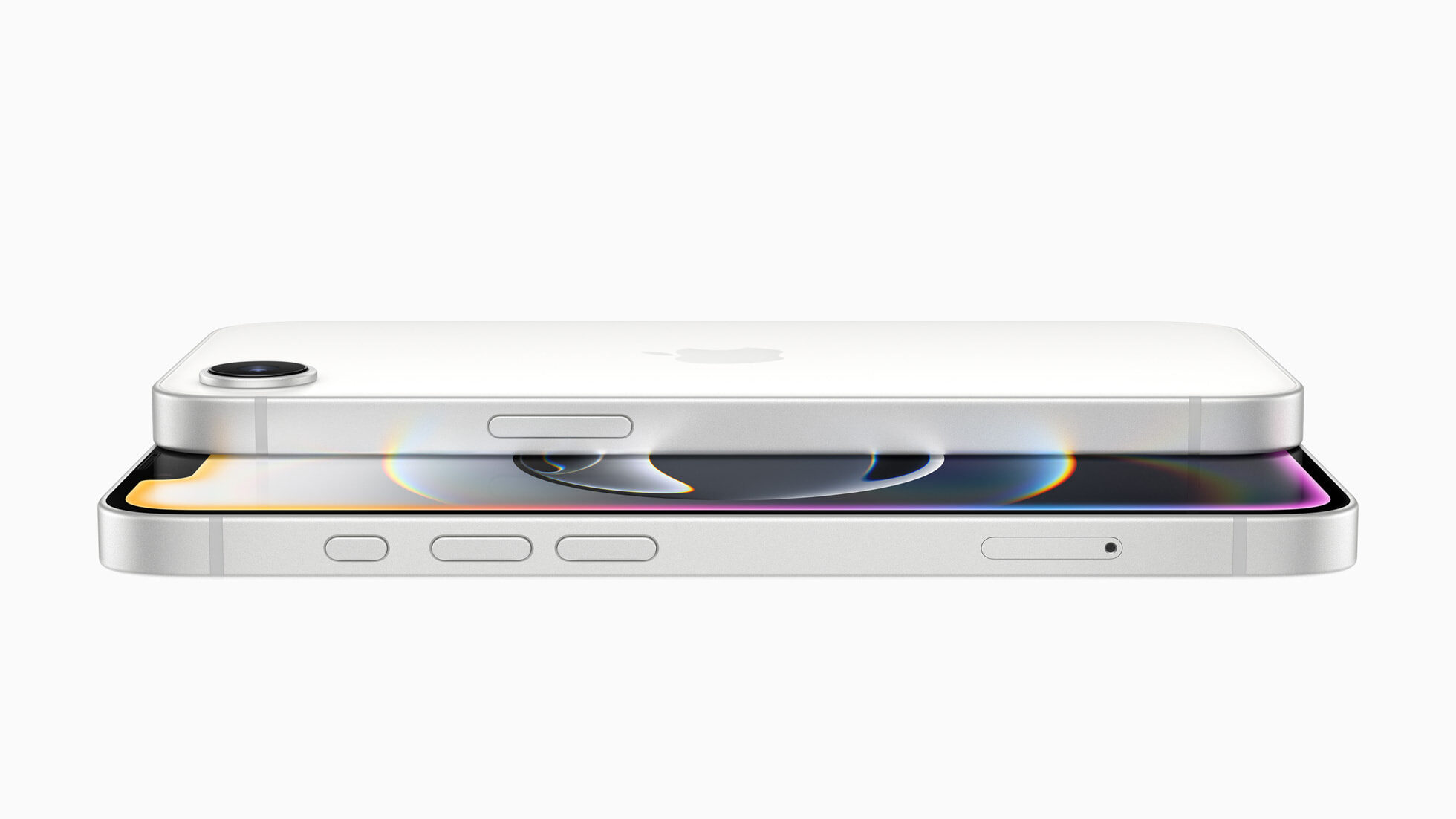
Apple Unveils the iPhone 16e – The Affordable Powerhouse

Apple has just dropped a brand-new addition to the iPhone 16 lineup—the iPhone 16e. This model is designed to deliver cutting-edge performance and Apple Intelligence at a more affordable price, making it a compelling choice for users looking for premium features without the premium price tag.

Apple Unveils the iPhone 16e – The Affordable Powerhouse

Design and Display

The iPhone 16e follows Apple’s signature sleek design ethos with a durable build, available in elegant matte black and white finishes. The device features a 6.1-inch Super Retina XDR OLED display, providing vibrant colours and crisp text, perfect for streaming HDR content, gaming, and everyday tasks. It also boasts IP68-rated water and dust resistance, ensuring it can handle the rigours of daily life.

Performance Boost with A18 Chip and Apple C1 Modem

Under the hood, the iPhone 16e is powered by Apple’s latest A18 chip, delivering exceptional speed, efficiency, and AI-powered enhancements. The C1 modem, Apple’s first in-house cellular modem, ensures fast and reliable 5G connectivity while also improving power efficiency, further enhancing battery life.

Speaking of battery life, Apple claims that the iPhone 16e lasts up to six hours longer than the iPhone 11 and up to twelve hours more than previous iPhone SE models, making it the best 6.1-inch iPhone in terms of battery longevity.

Camera System: A 48MP Fusion Camera with 2x Telephoto

Photography enthusiasts will love the 48MP Fusion camera system, which allows for high-resolution shots with enhanced computational photography. The integrated 2x telephoto lens provides optical-quality zoom, making it feel like having two cameras in one. Features such as Night Mode, Portrait Mode, and Smart HDR ensure stunning photos in all lighting conditions. The front-facing TrueDepth camera offers autofocus for sharper selfies and enhanced Face ID functionality.

Apple Intelligence and AI Integration

A significant highlight of the iPhone 16e is its support for Apple Intelligence. This AI-powered system introduces advanced features such as:

  • Image Cleanup Tool – Easily remove distractions from photos.
  • Genmoji – Custom emoji creation.
  • Improved Siri – More conversational and able to maintain context across multiple interactions.
  • ChatGPT Integration – Built directly into Siri and Writing Tools, allowing users to access AI-generated assistance seamlessly.

Action Button for Quick Access

The iPhone 16e features the Action Button, first introduced on the iPhone 15 Pro series. Users can customise it to launch the camera, activate Shazam, switch focus modes, or even trigger in-app functions.

Satellite Connectivity and Safety Features

Apple continues to lead in emergency communication with the inclusion of satellite-based features such as:

  • Emergency SOS – Contact emergency services when out of cellular range.
  • Roadside Assistance – Access help via satellite in case of car trouble.
  • Find My via Satellite – Share location with loved ones, even in remote areas.
  • Crash Detection – Automatically dials emergency services in the event of a severe accident.

iOS 18 and Customisation Options

The iPhone 16e runs iOS 18, introducing new personalisation options, enhanced privacy settings, and redesigned Control Centre for improved accessibility. Users can now customise their Home Screen with dark or tinted app icons and arrange widgets more freely.

Pricing and Availability

Apple has positioned the iPhone 16e as a budget-friendly yet powerful device, starting at £599 in the UK. Pre-orders begin on February 21, with availability set for February 28. The device will be available in 128GB, 256GB, and 512GB storage options.

Final Thoughts

The iPhone 16e delivers an impressive mix of premium features and affordability, making it a strong contender for those looking for top-tier Apple performance without breaking the bank. With the A18 chip, improved battery life, AI-driven features, and a robust camera system, the iPhone 16e is set to be a popular choice in 2025. Stay tuned for a hands-on review soon!

The Gadget Man – Episode 178: Rice, Phones, and Chili Con Carne: Debunking Tech Myths with Malcolm Boyden

In this latest episode of The Gadget Man, Matt unravels the long-standing myth about using rice to dry out wet mobile phones.

Despite its popularity, this method is debunked as ineffective and potentially harmful.

The Gadget Man - Episode 178: Rice, Phones, and Chili Con Carne: Debunking Tech Myths with Malcolm Boyden
The Gadget Man – Episode 178: Rice, Phones, and Chili Con Carne: Debunking Tech Myths with Malcolm Boyden

Apple itself has issued guidance against it, warning that rice grains can damage the device by blocking ports and causing corrosion. Instead,

Matt suggests allowing the phone to dry out naturally in a dry, airy place, highlighting modern phones’ water resistance capabilities and the importance of gentle care in case of water exposure.

Rice can damage devices

The conversation takes a lighter turn with a humorous suggestion for the best use of rice: making chili-con-carne, adding a flavourful twist to the tech discussion.

Dropping your phone in water is now not the disaster it used to be

This episode not only clears up a common misconception but also serves up a side of humour, making it a must-listen for tech enthusiasts and foodies alike.

Don’t forget to like, subscribe and share!

See you next time!


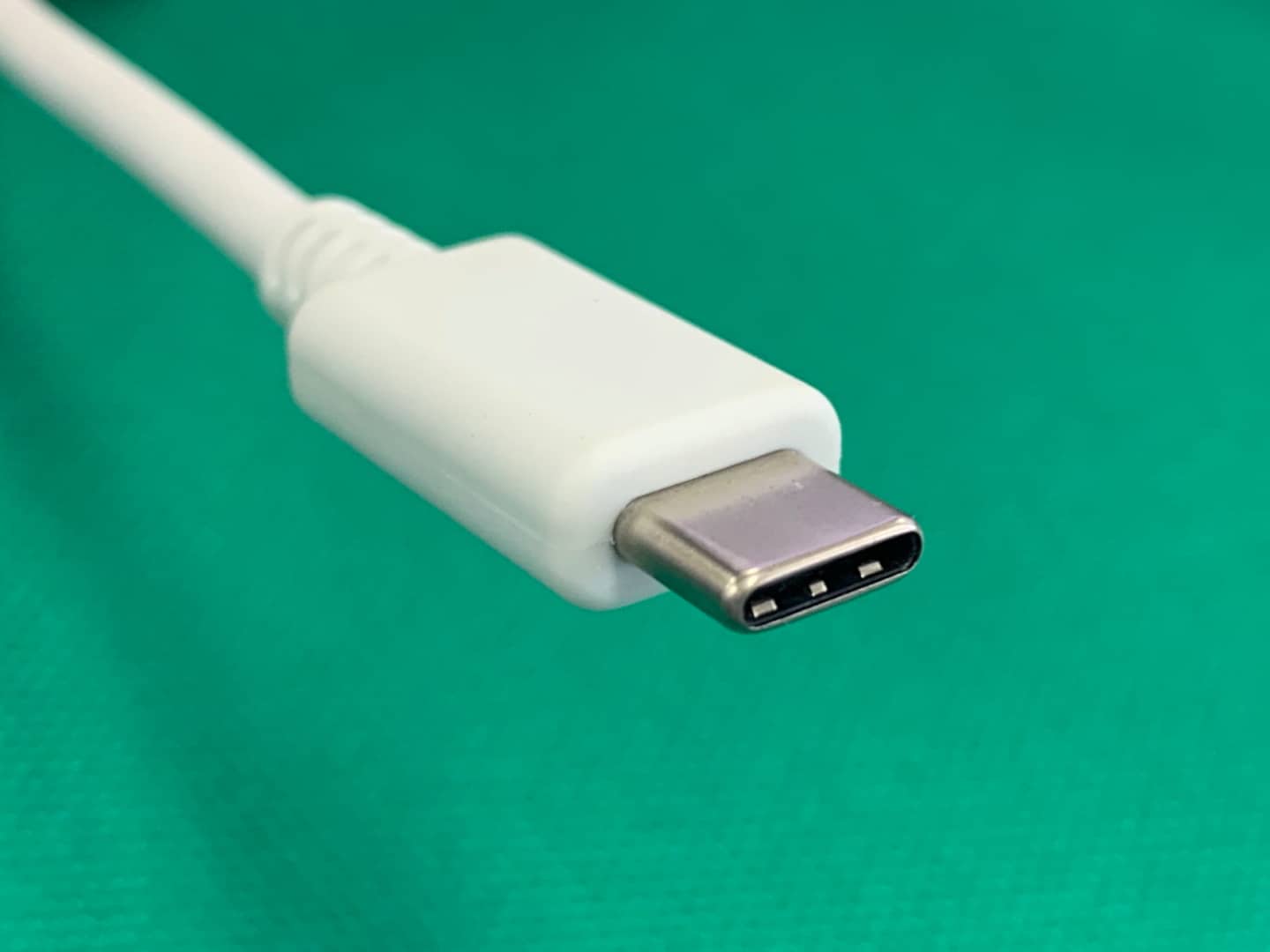
Apple’s Transition to USB-C: Embracing a Universal Standard

In an era marked by innovation and competition, even the tech giants must occasionally adjust their sails in the winds of change. Apple has recently confirmed that it will phase out its signature Lightning connector on its iPhones, a move prompted by the new European regulations. With the EU’s mandate that all smartphones sold after autumn 2024 use USB-C connectors for charging, the countdown for a universal charging standard begins.

Why the Regulatory Push?

The European Union’s decision to standardize charging ports comes from an environmentally driven perspective. Their aim is to:

  1. Reduce Electronic Waste: Multiple charging cables for various devices contribute significantly to electronic waste. A universal standard can potentially reduce the number of cables manufactured, thus lowering waste.
  2. Promote Consumer Convenience: With a single universal charging port, consumers won’t have to scramble for device-specific chargers or carry multiple cables.
  3. Foster Competition: A standardised charging solution can spur competition, driving manufacturers to innovate in other areas of smartphone design and functionality.

Apple’s Path Forward

While Apple’s decision to transition from the Lightning connector is primarily driven by the EU’s regulations, it also presents the company with an opportunity:

  1. Align with Other Products: Apple’s MacBook and iPad Pro have already adopted the USB-C standard. Transitioning the iPhone ensures a seamless experience across all Apple devices.
  2. Future Innovations: As previously speculated, Apple may be looking to develop a port-less iPhone relying solely on wireless charging and data transfer. The phasing out of the Lightning port might be a step in that direction.
  3. Access to a Broader Ecosystem: USB-C is widely adopted in a range of tech products. iPhones having USB-C can potentially integrate better with other tech products and accessories in the market.

Potential Challenges

  1. Transition Period: The switch may mean that many existing iPhone users with Lightning accessories, like earphones and chargers, might find them redundant. Apple might need to offer solutions or trade-ins for these accessories.
  2. Market Differentiation: One of the ways Apple maintained its unique ecosystem was through its proprietary ports and connectors. Moving to a universal standard might challenge Apple to find new ways to differentiate itself in the market.

Apple’s decision to adopt USB-C, while regulatory in nature, signifies an important shift towards a more standardised and environmentally conscious tech world. While challenges lie ahead, the move promises a future where convenience and sustainability are at the forefront of technological advancement.

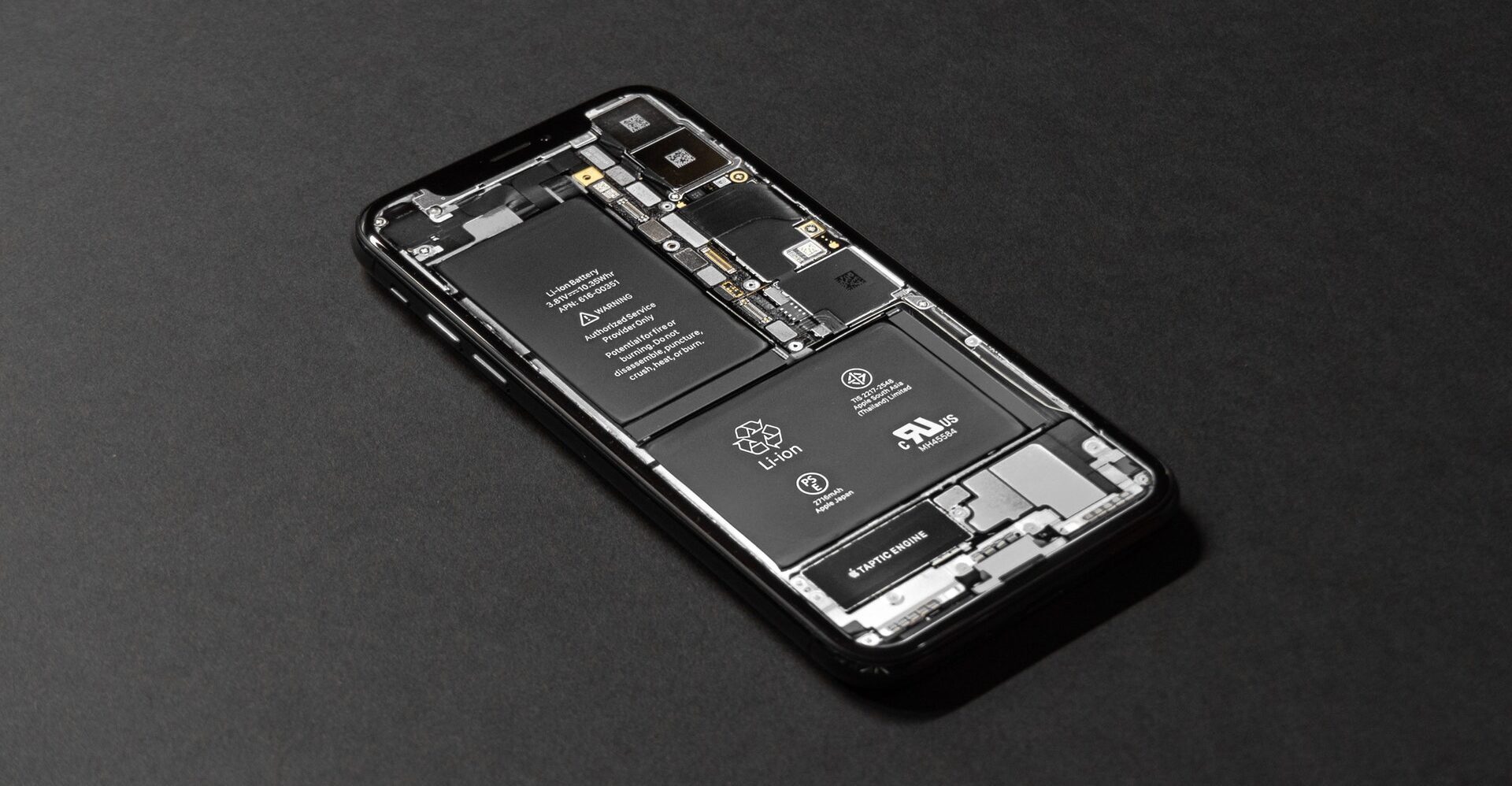
Gadget Man – Episode 173 – Repair your own Apple devices?

I’m back again for a new episode of the podcast which features me chatting to Lesley Dolphin at BBC Radio Suffolk about Apples plans to allow their devices to be repaired.

Pretty much everyone is in shock at this decision, which isn’t quite as welcome as it could be.

Listen in to the stream to find out more!


How to Choose Cloud Storage for Your Photos

The cloud is the most practical and secure way to store your photos. You’ll have continual access to a digital backup of your memories. You also won’t have to worry about overloading your hard disk or your smartphone. With cloud storage, you can share your photos as well, but providers also give the option to set privacy restrictions. They have state-of-the-art resources to keep them encrypted for you. There are certain features you need to look for in a cloud storage provider. Here are some of the top ones reviewed, both paid and free.

Tips for choosing cloud storage

Cloud storage is great for those working from home and sharing documents. It’s also ideal for backing up your photos. There are several key cloud storage features to look for when choosing a cloud storage provider. Cloud services come with an app so ensure this is compatible with your brand of smartphone or tablet. Not all providers are free, but they will offer a certain amount of space before you need to sign up for a subscription. 

Generally, all providers accept JPEG files Certain providers will allow you to upload different types of files including TIFFS, RAW, and video or music files. Before signing up with a provider, it’s a good idea to calculate how much space you’re realistically going to need and for what type of files. This way, you can work out whether it’s worth paying for a subscription or not. If storage is becoming an issue for you, you also have the option to delete duplicate photos from your smartphone, this article explains how to do it, https://backlightblog.com/delete-iphone-duplicate-photos. It’s up to you whether you decide to move your photos to the cloud.

Top cloud storage providers

There are several big names in cloud storage and Google, Microsoft and Adobe all have their own version. Other top cloud storage providers include IDrive and pCloud. Here is a quick review of each. 

IDrive

IDrive is great for photographers who use multiple devices and are concerned about security. It’s a very reliable cloud storage provider and has an excellent security rating. Your photos are protected by biometrics and you can set up face recognition for accessibility across all devices. The free plan allows a maximum of 5GB which can fill up quite quickly, depending on the number of photos and other files you have. If you need more space, you can upgrade to a yearly subscription. IDrive is user-friendly and fast. It also has features such as syncing photos and robust reporting tools.

pCloud

pCloud is ideal if you want to store files of various types. It’s not free but the provider offers a unique lifetime subscription for a one-off payment of £159 for 500GB or £309 for 2TB. There are also monthly plans available. pCloud provides state-of-the-art encryption and only the user will have access to their accounts, not even the company’s administrators. You can store any type of video or image file including RAW files, and you can share your files with up to four family members or your business. You can essentially send and receive large files to and from anyone. pCloud is a Swiss company and follows Swiss data laws, they also use first-class safety measures.

Google Photos

Google Photos offers storage for photos and videos and each Google account comes with up to 15GB for free. Google Drive is set up for file sharing and it’s easy for multiple users to access and edit files. It couldn’t be simpler to use although it isn’t the most stylish of platforms. It is, however, fully compatible with other apps as part of G Suite and can be synced with any devices and cameras with WiFi access. You can also top up your storage for as little as £1.59 per month for 100GB. The great thing about Google is that it also uses machine learning technology to label and archive photos, and makes suggestions to you based on your history and preferences. It uses metadata which allows you to find pictures easily based on date and place, and in general it’s very quick and convenient to use. 

Microsoft OneDrive

Microsoft OneDrive provides a similar cloud storage service to Google, but is an integrated part of the Microsoft Office package. It is possible to use Microsoft OneDrive as a standalone deal, however, which is free up to 5GB and then £1.99 per month for up to 100GB. The other Microsoft Office apps aren’t included in these packages, so it depends on if you need them or not. The full Microsoft Office 365 starts at £5.99 a month. Microsoft OneDrive is easy to use and can be accessed on unlimited devices. While it’s not solely designed for photographers, it’s still a safe and convenient place to store your pictures. 

Adobe Creative Cloud

Adobe Creative Cloud is more specifically aimed at photographers, professional and amateur alike. This does, however, mean it’s a little bit more expensive than other more basic cloud storage providers, but there are more advanced photography-based features such as stylish image libraries and editing options. Adobe offers a free trial for those interested and the basic photography app starts at just £9.98 a month. You can upgrade this to include all the Adobe apps for £49.94, which is a good deal for those with a passion for photography. Adobe Creative Cloud is compatible with Windows, MAC, Android, and iOS and you can upload all types of files from any device. 

The cloud storage provider you choose depends on what you’re going to use it for, how many files you have, and which type. If you’re an experienced photographer or you want to develop your skills, Adobe Creative Cloud has more photography-based features. If you’re on more of a budget and simply want a backup of a few family photos, then a basic free cloud storage option is probably more suited to you. Upload and protect your memories on the cloud today.

Gadget Man – Episode 168 – Snakebyte E-Sports Starter Kit – Covid Track and Trace – Ordo Sonic+ Toothbrush – iPhone 12

This is the slightly delayed episode from 15th October 2020. Packed with lots of news and comment. Here I discuss the Snakebyte E-Sports Starter Kit Package , Covid Track and Trace, the Ordo Sonic+ Toothbrush and the iPhone 12 (in four different sizes!).

You can listen in to the recording above or subscribe using your favourite podcast player. Don’t forget to like, subscribe, share or comment! See you presently! Matt.

Ordo Sonic+ Toothbrush
Snakebyte E-Sports Starter Kit
Apple iPhone12, iPhone12 Pro, iPad Air
Apple iPhone12, iPhone12 Pro, iPad Air – Image Apple Inc


Gadget Man – Episode 160 – Apple Settles for $500m – SSL Issues – Boston Dynamics

This week’s Podcast / Vlog-cast comes from the second floor of Gadget Towers! In this episode, I talk to James Hazell at BBC Radio Suffolk about Apple’s class action settlement regarding the perceived slowing down of older iPhone models.

Running a website with an SSL certificate from Let’s Encrypt? Check that you don’t need to request a new one as there has been issues with a large number over the past couple of days.

Boston Dynamics are at it again, this time they have their ever advance automation working in warehouses. Watch the videos after the Vlog to find out more.