Tag Archives: ChatGPT

I created my own awesome comic strip using ChatGPT

Every now and again, a piece of technology comes along that makes me grin like a child who has just found a secret compartment in a toy robot. This week, that technology was ChatGPT image generation.

I started with a simple idea: what if The Gadget Man was not just a blog, a podcast, or a bloke surrounded by cables, 3D printers, strange gadgets and half-finished ideas, but an actual comic book hero?

Not a cape-wearing superhero. Not someone bitten by a radioactive soldering iron. Just a gadget-loving chap with a cup of tea, a slightly dangerous number of ideas, and the ability to solve problems with technology, common sense and the occasional dramatic pose.

So I gave ChatGPT a photo of myself and typed the following prompt:

This is The Gadget Man, create a 2 page american style comic strip about him stopping a cyber attack by martians

First Draft of The Gadget Man

And there it was. A full two-page comic book spread featuring The Gadget Man battling Martians who were attempting to take over Earth’s systems. It had panels, speech bubbles, glowing screens, alien spaceships, dramatic lighting, and just the right amount of over-the-top comic book nonsense.

There was one small problem. In the final panel, instead of the crowd saying “Thanks Gadget Man!”, the speech bubble said “Thanks Gadget Giant Man!”

So I simply replied:

the last panel says THANKS GADGET GIANT MAN!, it should say THANKS GADGET MAN!

And ChatGPT corrected it.

The Gadget Man and The Alien Cyber Attack

That was the moment it really clicked. This was not just asking a computer to make a picture. This was creative direction. I could guide the scene, spot issues, refine the result, and build a series.

The Gadget Man Comic Universe Begins

Once the first comic was created, I did what any sensible adult would do. I immediately made several more.

The next prompt was:

Excellent, create another comic about Gadget Man visiting Scotland and saving them from EV Charger problems

The Gadget Man and the Mystery of the Scottish EV Chargers

This produced a wonderfully ridiculous adventure in which The Gadget Man travels north of the border to rescue Scotland from faulty EV chargers, broken apps, signal problems and confused motorists. There were Highland cows, charging stations, Scottish scenery, and, naturally, the sort of technological tinkering that saves the day.

Then came one of my favourites:

Create another comic featuring Gadget Man 3d Printing an elaborate controller for use with his VR headset to play Elite Dangerous

The Gadget Man and the 3d Printed Elite Dangerous Controller

This one was pure Gadget Man territory. 3D printing, VR, Elite Dangerous, switches, buttons, joysticks, wiring, and a controller that looked as though it had been designed by someone who had spent far too long thinking, “You know what this game needs? More buttons.”

After that, Vanessa joined the adventure.

Create another comic featuring Gadget Man and his sidekick wife Vanessa. Their adventure is finally getting away for a break at the coast

Gadget Man and Vanessa go to the Coast

The result was a seaside adventure featuring Gadget Man and Vanessa finally escaping for a well-earned break, only to find that even a trip to the coast can turn into a heroic mission when technology, transport and holiday chaos collide.

Of course, Vanessa deserved a break from all this madness, so I followed up with:

Create another comic featuring Gadget Man looking after the house whilst Vanessa spends two well deserved days at a Spa Retreat

The Gadget Man: Vanessa goes to the Spa

This produced a domestic disaster story full of smart home alerts, robot vacuums, laundry mountains, kitchen chaos and Gadget Man attempting to maintain order while Vanessa relaxed in peace. In other words, science fiction with a suspicious amount of truth in it.

Finally, I went bigger. Much bigger.

create another comic book featuring Gadget Man. This time he goes to the ISS to correct it’s orbit

The Gadget Man Saves the ISS

Yes, The Gadget Man went to space. The International Space Station had an orbital problem, and naturally the only person qualified to give it “a little nudge” was a man with a tool belt, a mug of tea, and an alarming level of confidence.

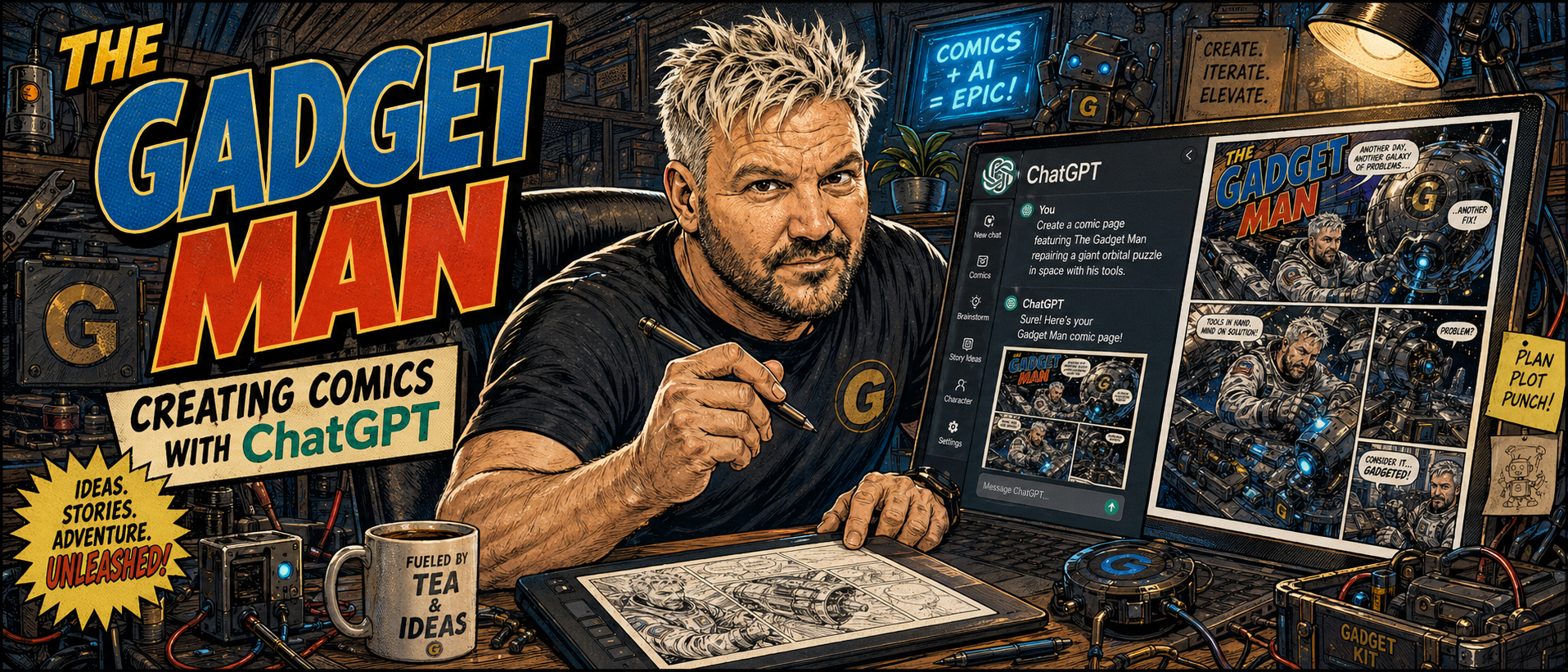
To finish the project, I also created a header image for this very article:

create a header image in the same style showing The Gadget Man creating the comic using ChatGPT

I created my own awesome comic strip using ChatGPT

That image showed The Gadget Man at his desk, creating comics using ChatGPT, surrounded by gadgets, screens, sketches, tools and the usual creative chaos. It perfectly captured what this whole experiment was about.

Why This Is Possible Now

What makes this so interesting is not simply that ChatGPT can generate an image. Image generators have existed for a while. The difference now is the conversational workflow.

OpenAI describes ChatGPT Images as a tool that can create new images and edit existing ones directly inside ChatGPT. You can ask for an image in plain English, refine it, adjust the composition, and explore new visual directions without needing to start from scratch each time. OpenAI also notes that recent image generation models are designed to follow prompts more accurately, render text more effectively, and use chat context, including uploaded images, as visual inspiration

That last point is important. I was not typing a technical command into a complicated art package. I was having a conversation. I could say “make this a two-page American-style comic strip”, then “change that wording”, then “now do one in Scotland”, then “now add Vanessa”, and ChatGPT understood the creative thread.

It feels less like using software and more like working with an incredibly fast illustrator, layout artist, letterer and visual brainstorming partner, all rolled into one.

The Magic Is in the Iteration

The real power here is not the first image. It is the second, third, fourth and fifth version.

Traditional creative work often involves a long gap between idea and result. You sketch, brief, wait, revise, wait again, make changes, and eventually arrive at something close to what you imagined.

With ChatGPT, the loop is much shorter. You can create a concept, respond to it, correct it, extend it, and build a whole fictional world in minutes. OpenAI’s own guidance highlights this ability to generate and refine images using clear prompts, request variations, adjust composition or size, and produce polished visuals quickly.

For someone like me, with a head full of odd ideas, half-remembered pop culture references, gadgets, stories, jokes, and technical rabbit holes, this is incredibly powerful.

I do not need to stop at “Wouldn’t it be funny if…”

I can actually see it.

What This Means for Artists

Now, this is where things become more complicated.

As exciting as all this is, it also raises serious questions for artists, illustrators, designers and the wider creative industry.

On one hand, tools like ChatGPT could be hugely empowering. They allow people who cannot draw to visualise ideas. They help writers create concept art. They help small businesses produce mock-ups, campaign ideas, storyboards, social media graphics and playful content that might previously have been out of reach.

For independent creators, this could be a revolution. A blogger can create a comic strip. A podcaster can build a visual world. A small business can prototype adverts. A game designer can test character ideas. A 3D printing enthusiast can imagine packaging, instructions, posters, comics and product artwork without needing a full design department.

But there is another side.

Professional artists have every right to be concerned. If companies decide to replace commissioned artwork with AI-generated images purely to save money, that has consequences. If the visual language of artists is absorbed, imitated and mass-produced without care, credit or fair compensation, that is not something we should casually ignore.

There is also the question of value. Art is not just the finished image. It is experience, taste, judgement, intention and human interpretation. A good artist does not simply “make a picture”. They solve visual problems. They understand emotion, framing, symbolism, storytelling and audience. AI can generate astonishing things, but it does not live a life. It does not have childhood memories, favourite comics, personal grief, humour, nostalgia or the strange little sparks that make human creativity so fascinating.

A Tool, Not a Replacement for Imagination

The way I see it, ChatGPT does not remove the need for creativity. It shifts where the creativity happens.

The prompt matters. The idea matters. The direction matters. The ability to look at an image and say “that is nearly right, but the final speech bubble is wrong” matters.

In my Gadget Man comic experiment, ChatGPT created the images, but the idea came from a very human place: my own interests, my humour, my love of gadgets, my fondness for comic book drama, my 3D printing obsession, my VR tinkering, my family life, and my lifelong habit of turning ordinary things into stories.

That is where I think these tools are at their best. Not replacing imagination, but amplifying it.

The Future of Comic Creation?

Will AI-generated comics replace traditional comics? I hope not.

Will they change how people make comics? Almost certainly.

We may see writers using AI to storyboard ideas before handing them to professional artists. We may see artists using AI for rough concepts, layouts, backgrounds or experimentation. We may see hobbyists creating personal comics for fun, families, blogs and social media. We may also see new kinds of hybrid workflows where human creators and AI tools sit side by side.

There will be arguments, and there should be. Creative industries need rules, ethics, transparency and respect for human artists.

But there is also something genuinely wonderful about being able to type a sentence and watch a ridiculous idea become visible.

Final Thoughts

What started as a quick experiment became a whole mini comic universe.

The Gadget Man fought Martians, fixed Scotland’s EV chargers, 3D printed a controller for Elite Dangerous, went on holiday with Vanessa, survived domestic chaos during a spa weekend, corrected the orbit of the ISS, and then sat down to create the comics using ChatGPT.

That is absurd.

It is also brilliant.

For me, this is exactly what technology should do. It should unlock ideas. It should make us laugh. It should help us create things that would otherwise remain trapped in our heads.

And if it occasionally turns “Gadget Man” into “Gadget Giant Man”, well, that is all part of the adventure.

Another day. Another gadget. Another comic created.

Gadget Man Signing Off

How I Wrote an Retro 80s-Inspired Adventure Game About The KLF

If you grew up in the 1980s, you’ll remember that unmistakable feeling of loading a game on your ZX Spectrum, Commodore 64, or BBC Micro. The hypnotic screech of the cassette loading, the colour bars flickering on screen, and that eternal moment of suspense — would it load this time, or had the tape stretched just enough to doom you to a R Tape Loading Error?

Loading the KLF Adventure

Fast forward to the 2020s and, somewhere between my love of retro computing, The KLF’s music, and an itch to make something creative, I decided: I’m going to write a text adventure game. Not just any text adventure, but one dripping with late-night 80s energy, pop culture references, and a healthy dose of KLF mythology.

The KLF Adventure Begins

It started innocently enough — I wanted to relive the magic of the Scott Adams-style adventures I played as a kid. Those games weren’t about graphics; they were about imagination. Every location, every object, every strange instruction was something you had to picture in your head. And if you were a bit obsessive (guilty), you’d spend hours mapping every room on graph paper.

Finding the Right Ingredients

The KLF have always been masters of mystery — their story threads through pop hits, art projects, strange performances, and burning a million pounds on a remote Scottish island. That mix of chaos, humour, and myth-making was perfect for a game world.

I started building a map: fictional places merged with real ones from KLF history. Bold Street in Liverpool. The Cavern Club in the 1960s. A boathouse with a roaring fire. And, naturally, Trancentral — the spiritual HQ of The KLF. I even included surreal locations like the “Little Fluffy Cloud Factory” and “Maze of Caves” for that dreamlike adventure feel.

Travel Back in Time to The Cavern Club in 1961

The NPCs? Oh, they had to be special. Sigmund Freud gives cryptic instructions. Ivan Pavlov demands you “Lie Down” before telling you to “Keep Calm”. Even Denzil the Baker makes an appearance, along with other nods that KLF fans will appreciate.

Building It Like It’s 1984 — With a 2025 Twist

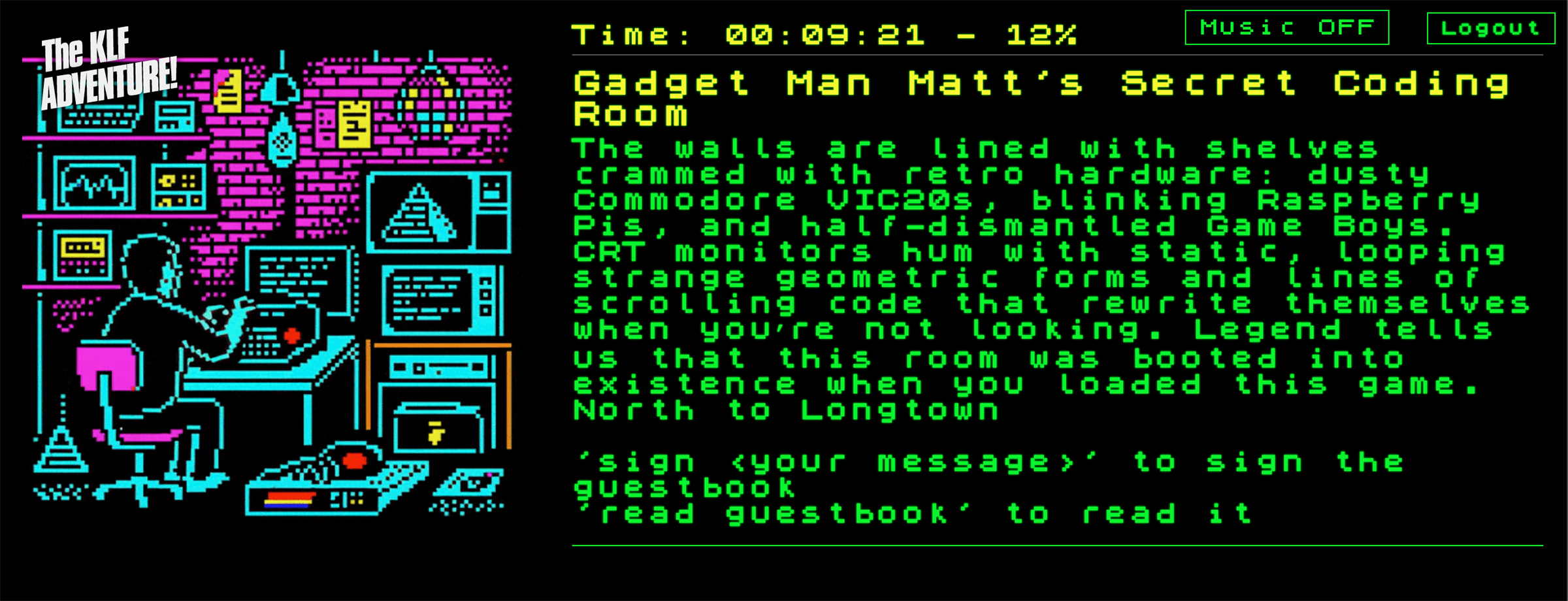
I didn’t just want to write about the 80s — I wanted it to feel like the 80s. So I coded the game in a modern environment but kept the old-school constraints: short descriptions, tight vocabulary, and a parser that understands commands like GO NORTH, GET TICKET, or SAY CHILLOUT.

Don't get stuck in the record industry execs meeting!!!
Don’t get stuck in the record industry execs meeting!!!

But here’s the twist — I didn’t do it alone. My coding partners were Gemini CLI and OpenAI Codex, coding with me directly in my command line. The imagery was created using ChatGPT, with animations by Midjourney. The music came courtesy of Suno, while the sound effects were crafted by ElevenLabs. Together, these AI tools became my team of coders, designers, composers, and consultants, enabling me to bring this game to life in a way that would have been impossible on my own.

And because I couldn’t resist going full retro, I’ve also been experimenting with encoding the game into audio so it can be loaded into a ZX Spectrum emulator straight from a physical cassette tape. Because why not?

Timeslips abound in Bold Street with alternate timelines showing Mick Hucknall driving the Ice Kream Van!

The Result

What emerged is The KLF Adventure — part game, part interactive art piece, and part love letter to the days when imagination did the heavy lifting. It’s an 80s-inspired world you can explore, puzzle over, and get gloriously lost in. It rewards curiosity, nods knowingly to KLF lore, and might just make you say “What Time Is Love?” at least once.

For me, this wasn’t just a coding project. It was a way of reconnecting with that kid who sat cross-legged in front of a rubber-keyed Spectrum, waiting for the next adventure to begin. Only now, I’m the one writing the adventure — with a 21st-century team of AIs by my side.

You can even find me in the game... But where?
You can even find me in the game… But where?

If you fancy diving in, the game is live at klfgame.co.uk. Just remember: keep your wits about you, don’t trust every whisper, and above all… CHILLOUT. Twice.

Fixing configd 100% CPU Usage on macOS Monterey (and Disabling PPPController.bundle)

For months, I battled a persistent and damaging issue on my Mid 2015 MacBook Pro — a workhorse of a machine that, even at nearly 10 years old, continues to run exceptionally well with a 2.5GHz Quad-Core i7, 16GB RAM, 1 TB SSD and macOS Monterey 12.7.6.

The system process configd would regularly consume 100% of the CPU. The fans screamed. The laptop baked. Performance tanked. Worst of all — two batteries failed completely during the years this bug went undiagnosed.


A Machine with a Backstory

This MacBook Pro actually replaced an almost identical model (with a 500GB SSD) whose keyboard had begun to fail. That original machine is now used as a secondary workstation — mostly plugged in with external monitors, keyboard and mouse and of course, rarely moved.

However, the replacement system was set up via migration from the older Mac, meaning all settings, preferences, and low-level cruft came with it. It’s entirely possible this bug — and the problematic plugin behind it — exists on the secondary machine too, simply hiding in the shadows because that Mac rarely gets unplugged or stressed.


A Hunch from the Past

Throughout the troubleshooting, I had a nagging feeling: years ago, I’d installed a PPP-based VPN service, and I couldn’t shake the idea that something related had survived the years. That memory — almost dismissed — turned out to be the smoking gun.


All the Fixes That Didn’t Work

Before getting to the actual solution, I tried everything:

  • Resetting network preferences

  • Disabling IPv6

  • Safe Mode diagnostics

  • launchctl unloads

  • Cleaning out /SystemConfiguration

  • Monitoring via top and Activity Monitor

Nothing worked. The issue was like digital rot — persistent and invisible.


Enter ChatGPT

Eventually, I turned to ChatGPT for deeper insight. Together, we sampled the configd process and analysed its call stack. That led us to the true culprit:

PPPController.bundle — a legacy dial-up/VPN plugin, long deprecated but still loading in the background.

Despite not being used in years, it was triggering configd into a CPU loop, damaging system performance and hardware.


macOS Protections (and How to Work Around Them)

macOS uses System Integrity Protection (SIP) and Signed System Volumes (SSV) to protect core files. To disable this plugin, you must bypass those protections temporarily.


The Fix (Finally)

WARNING!

DO NOT ATTEMPT ANY OF THE FIXES BELOW WITHOUT CONSULTING A TRAINED APPLE EXPERT! YOU ARE FIDDLING WITH THE WORKINGS OF A COMPUTER AND RISK PERMANENTLY LOSING THE CONTENTS OF YOUR HARD DRIVE. PLEASE, PLEASE!!! TAKE A FULL BACKUP BEFORE ATTEMPTING ANYTHING LIKE THIS.

IT TOOK SEVEN ATTEMPTS TO FIX THIS PROBLEM WITH THE ASSISTANCE OF CHATGPT, SO IT FAILED SIX TIMES BEFORE THE ISSUE WAS RESOLVED.

Step 1: Reboot into macOS Recovery (Cmd + R)

Open Terminal from the menu.

Step 2: Disable protections

bash
csrutil disable
csrutil authenticated-root disable
reboot

Reboot again into Recovery after this.

Step 3: Mount the system volume

bash
mount -uw /Volumes/Macintosh\ HD

Step 4: Disable the plugin

bash
mv /Volumes/Macintosh\ HD/System/Library/SystemConfiguration/PPPController.bundle \
/Volumes/Macintosh\ HD/System/Library/SystemConfiguration/PPPController.bundle.disabled

Step 5: Bless the system snapshot

bash
bless --folder /Volumes/Macintosh\ HD/System/Library/CoreServices --bootefi --create-snapshot
reboot

Confirming It Worked

  • top -o cpu showed configd no longer topping the chart

  • configd -v | grep -i ppp showed nothing — the plugin was gone

  • The Mac ran cooler, quieter, and battery health stopped declining


Re-enabling Protections

After verifying stability:

bash
csrutil enable
csrutil authenticated-root enable

Then reboot normally.


Final Thoughts

This wasn’t your average support task. It took two dead batteries, countless failed attempts, a hunch from years back, and finally the help of ChatGPT to trace configd’s madness back to a plugin that had long outlived its purpose.

If you’ve ever migrated from an older Mac, especially one where you’d used PPP-based VPNs or dial-up tools, this issue may be lurking silently in your system too — especially if that system is mostly docked or plugged in. For me, it nearly cooked a great machine.

Now? My Mid 2015 MacBook Pro is back to being a quiet, powerful daily driver — and I intend to keep it that way.

Have a similar story? Reach out  or connect with me on social media. Let’s keep our ageing tech running better than new.

Using AI to write blog posts

In today’s fast-paced digital world, it’s no surprise that many businesses and individuals are turning to artificial intelligence (AI) to help them with various tasks, including writing blog posts. AI technology has come a long way in recent years, and it has the potential to help bloggers save time and improve the quality of their content.

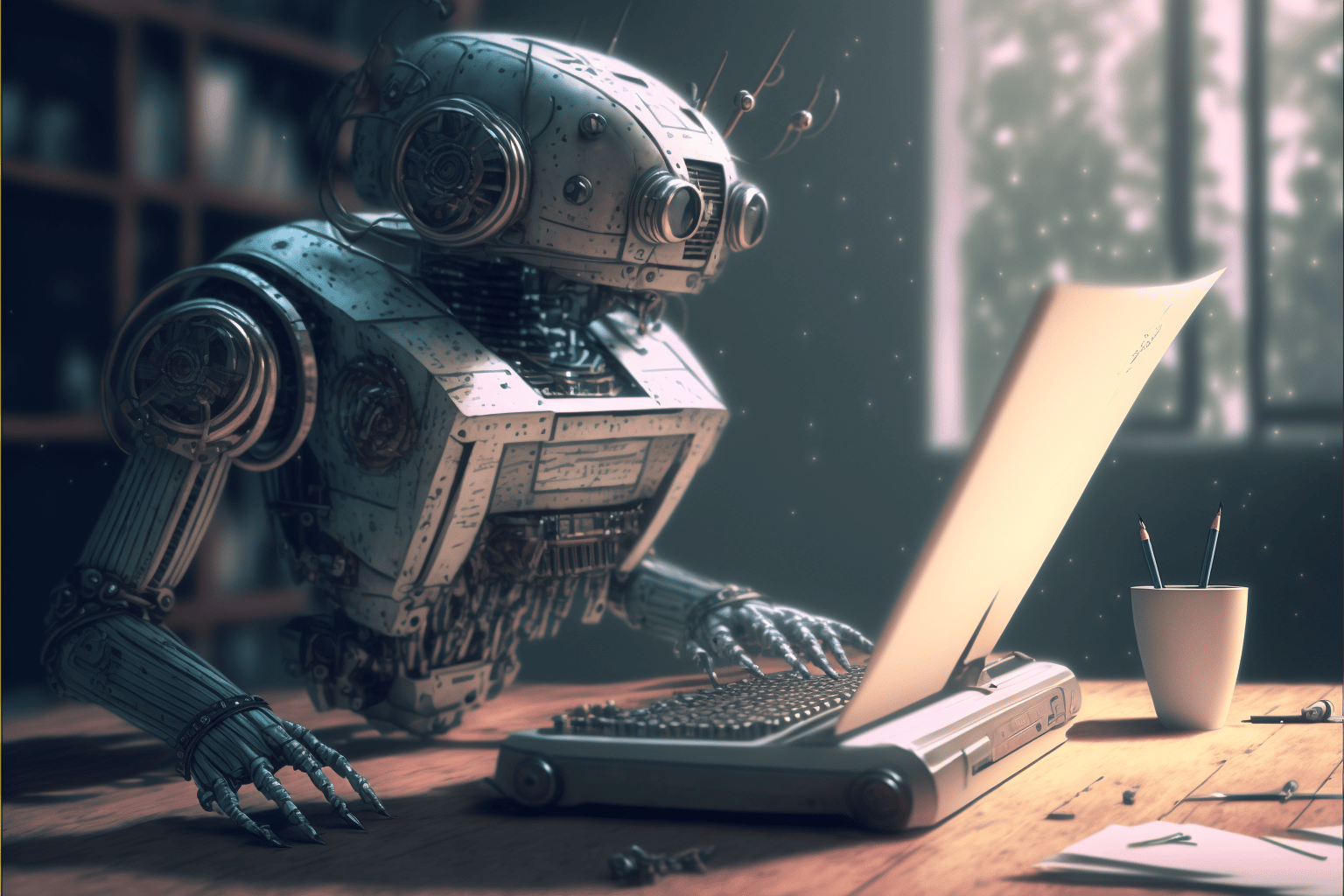
Using AI to write blog posts - created by Midjourney
Using AI to write blog posts – created by Midjourney

One of the biggest advantages of using AI to write blog posts is that it can help save time. Rather than spending hours researching, outlining, writing, and editing a blog post, you can use AI to quickly generate high-quality content. This can be especially useful if you’re crunched for time or if you need to produce a large volume of content on a regular basis.

Another advantage of using AI to write blog posts is that it can help improve the quality of your content. AI technology can analyze your existing content and use that information to generate new posts that are similar in style and tone. This can be especially useful if you want to maintain a consistent voice and tone throughout your blog. Additionally, AI can use natural language processing to ensure that your content is well-written and easy to read.

Of course, using AI to write blog posts is not without its challenges. One of the biggest challenges is that AI technology is not yet capable of fully replicating human creativity and intuition. As a result, your AI-generated content may not always be as engaging or original as content that is written by a human. Additionally, AI technology is still in its early stages, and it may not always produce error-free content.

Despite these challenges, using AI to write blog posts can be a valuable tool for bloggers who are looking to save time and improve the quality of their content. As AI technology continues to advance, it’s likely that we’ll see even more sophisticated tools that can help bloggers generate high-quality content quickly and easily. In the meantime, it’s worth considering using AI to write blog posts if you’re looking for ways to streamline your content creation process and produce high-quality content on a regular basis.

This post was written by ChatGPT (AI)
Tags produced by ChatGPT (AI)
Images created using Midjourney (AI)
All pasted by Matt Porter The Gadget Man (Human)