Tag Archives: gadget man

Orbitsound ONE P70W – Connected Speaker Review with All-in-one Airsound, Subwoofer, Wi-Fi and more!

It is always particularly interesting to test technology that has been developed by leaders in their particular sector, so I was very excited about visiting Orbitsound in London to have a demonstration of their ONE P70W Speakers.
Orbitsound ONE P70W - All-in-one Airsound with Subwoofer and Wi-Fi and more! review by Matt Porter, The Gadget ManOrbitsound was founded by Ted Fletcher, the inventor of Airsound™ technology. Ted has been working for many years as a  musician, audio engineer, electronics designer and studio designer, to give the listener a more realistic, more immersive sound experience. These years of experience in the industry led to the release in 2017 of the Orbitsound ONE P70, the worlds first multi-orientation speaker, meaning regardless of where you stand, it sound remains the same.
Orbitsound ONE P70W - All-in-one Airsound with Subwoofer and Wi-Fi and more! review by Matt Porter, The Gadget Man
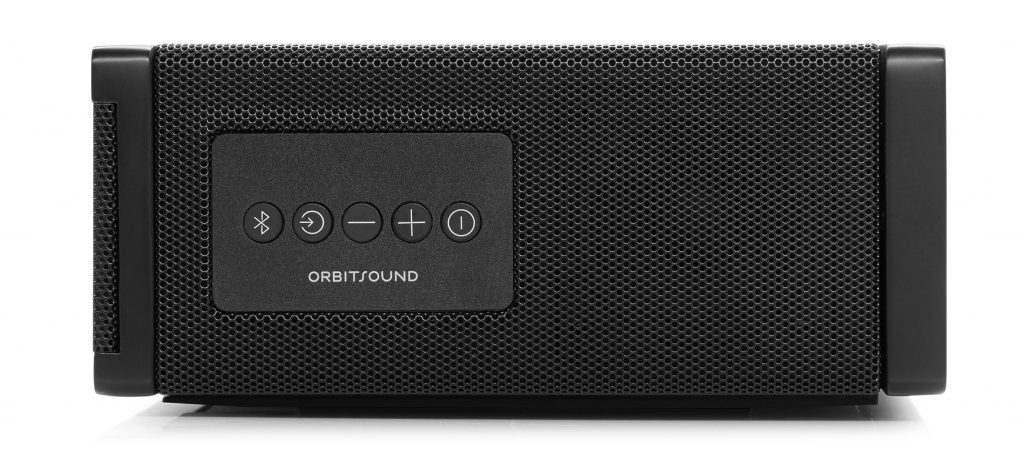
The controls for the Orbitsound ONE P70W are found at the side of the speaker

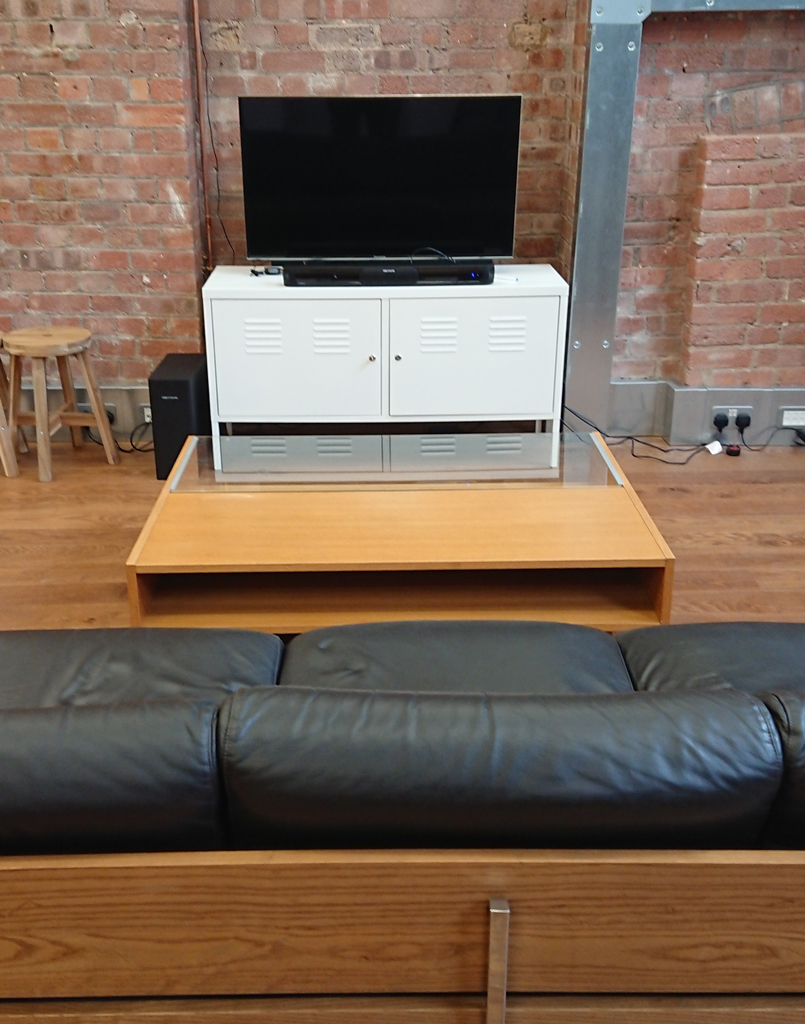
The P70W is designed in such as way that it can be shelf or wall-mounted. It has a narrow design (700mm wide x 173mm deep x 77mm high), this allows for comfortably mounting below a flat screen television or on a wall as a ‘party’ speaker. It’s built from wood and steel and can be purchased in matte black, bambo or bone white weighing in a 5.1kg.
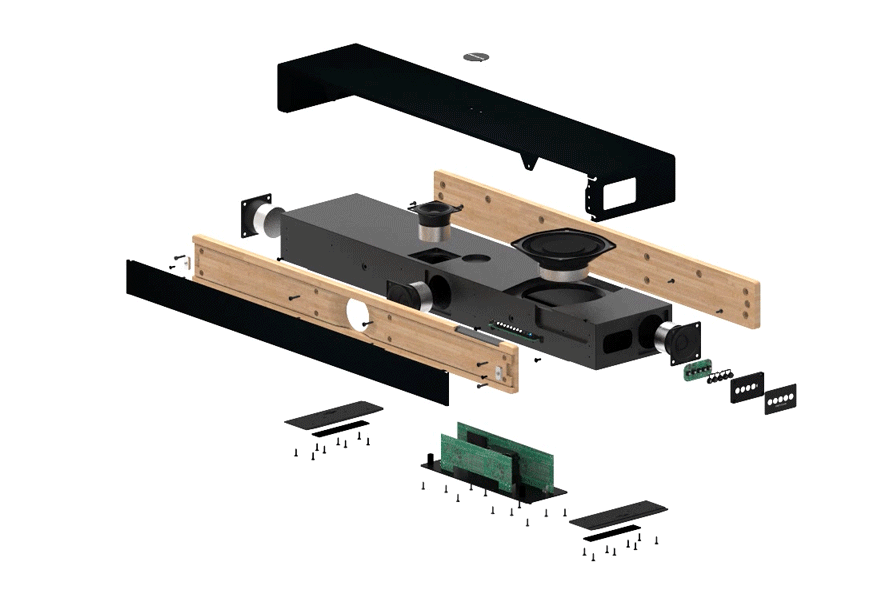
Orbitsound ONE P70W - All-in-one Airsound with Subwoofer and Wi-Fi and more! review by Matt Porter, The Gadget ManSound is provided by two (front and top) 2″ ‘Orbitsound MK4 drivers’, a Sub-bass low-profile 5.25″ driver and 2X2 Airsound Orbitsound MK4 drivers. By positioning the main speakers both front and top mean that sound production is maintains regardless of how the speaker mounted.

Connectivity is provided by Bluetooth, Optical cable, 3.5mm stereo jack and the Wi-Fi. The Wi-Fi feature is the most impressive as it allows streaming of audio from a variety of sources without the loss of quality associated with Bluetooth, effectively allowing for uncompressed playback of music. It also allows for multi-speaker / multi-room playback with perfectly synchronised sound and zero delay. This is achieved by using the Orbitsound Smartphone app (Android and iOS) which supports streaming providers and internet radio stations and allows you to ‘group’ sets of speakers to create one virtual speaker. When I was given a demonstration of this at the Orbitsound offices, 3 separate speakers, both wall and shelf mounted were grouped together using the app. I was then asked to close my eyes to try and decide where I thought the sound was coming from. It was unearthly as it sounded like it was coming out of thin air, very impressive!
Orbitsound ONE P70W - All-in-one Airsound with Subwoofer and Wi-Fi and more! review by Matt Porter, The Gadget Man
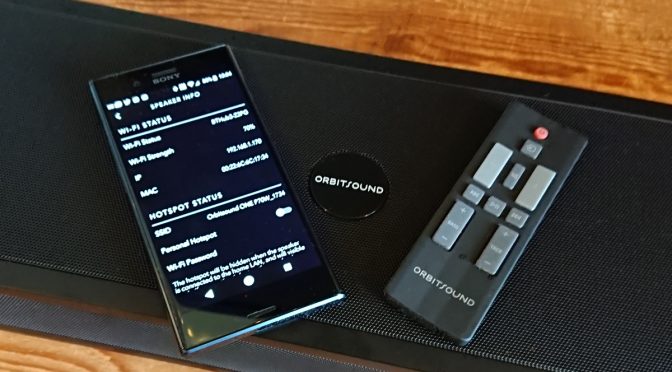
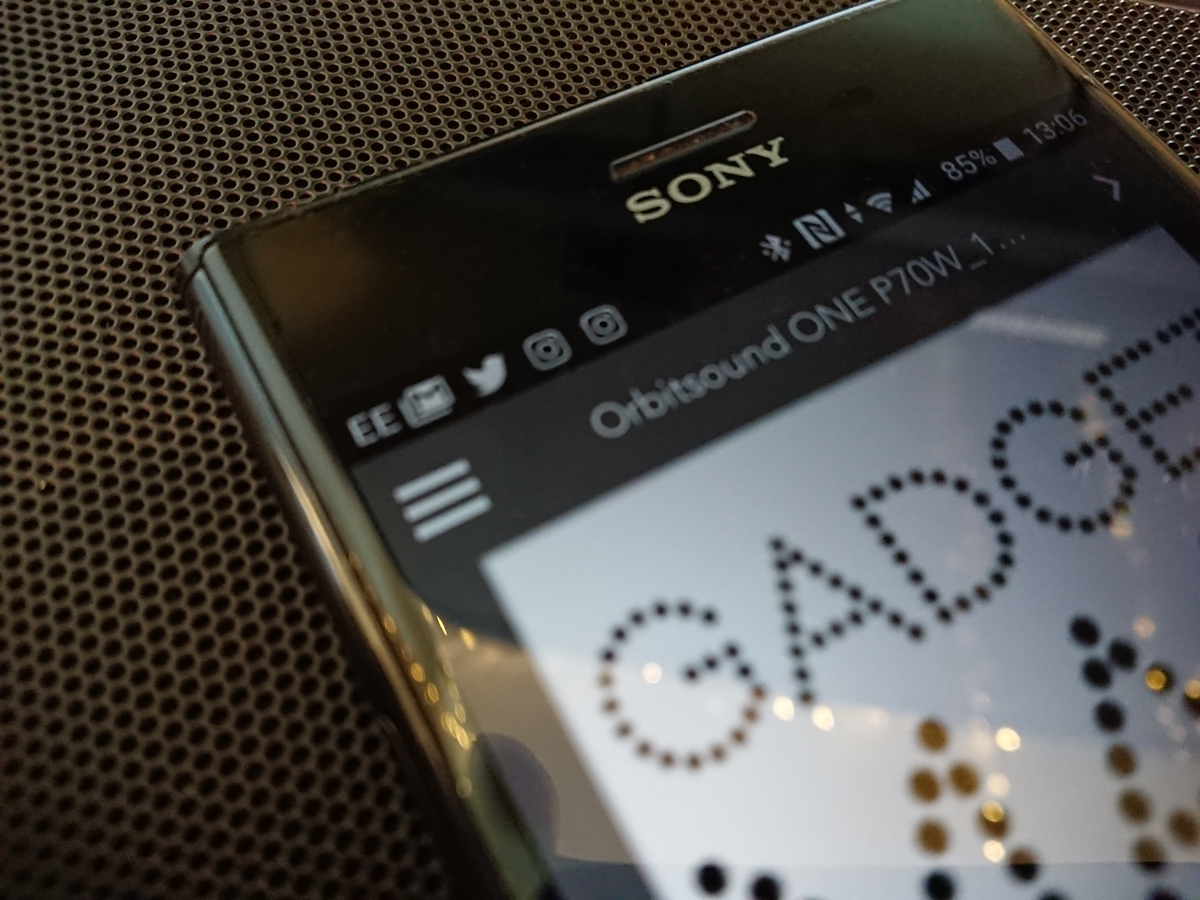
The Orbitsound App running on Android. Streaming from Tunein

The app currently supports TuneIn, iHeartRadio, Spotify, Tidal, Napster, Apple Music (iOS only) and of course your own device stored music. If you are absolutely focused on using other services such as Google Play Music or Amazon, then you can of course stream using Bluetooth. I used the speak in conjunction with my Amazon Dot, as well as my iMac and Xperia XZ Premium, all worked flawlessly.

I was also able to connect the speaker to my Freesat HD box using the supplied optical cable. This worked great, although the Freesat box had a bug with Netflix which meant it would only broadcast Dolby sound. This was a simple configuration on the Freesat box and all was working again.

The speaker comes with very nicely designed remote control and you can also use you own remote control using the speakers ‘learning mode’. I was able to control the speaker using my TV remote within a couple of seconds of setup.

The people at Orbitsound definitely had the environment in mind when they designed the P70W as it is built to power-down  components that aren’t used, but power up instantly when required.
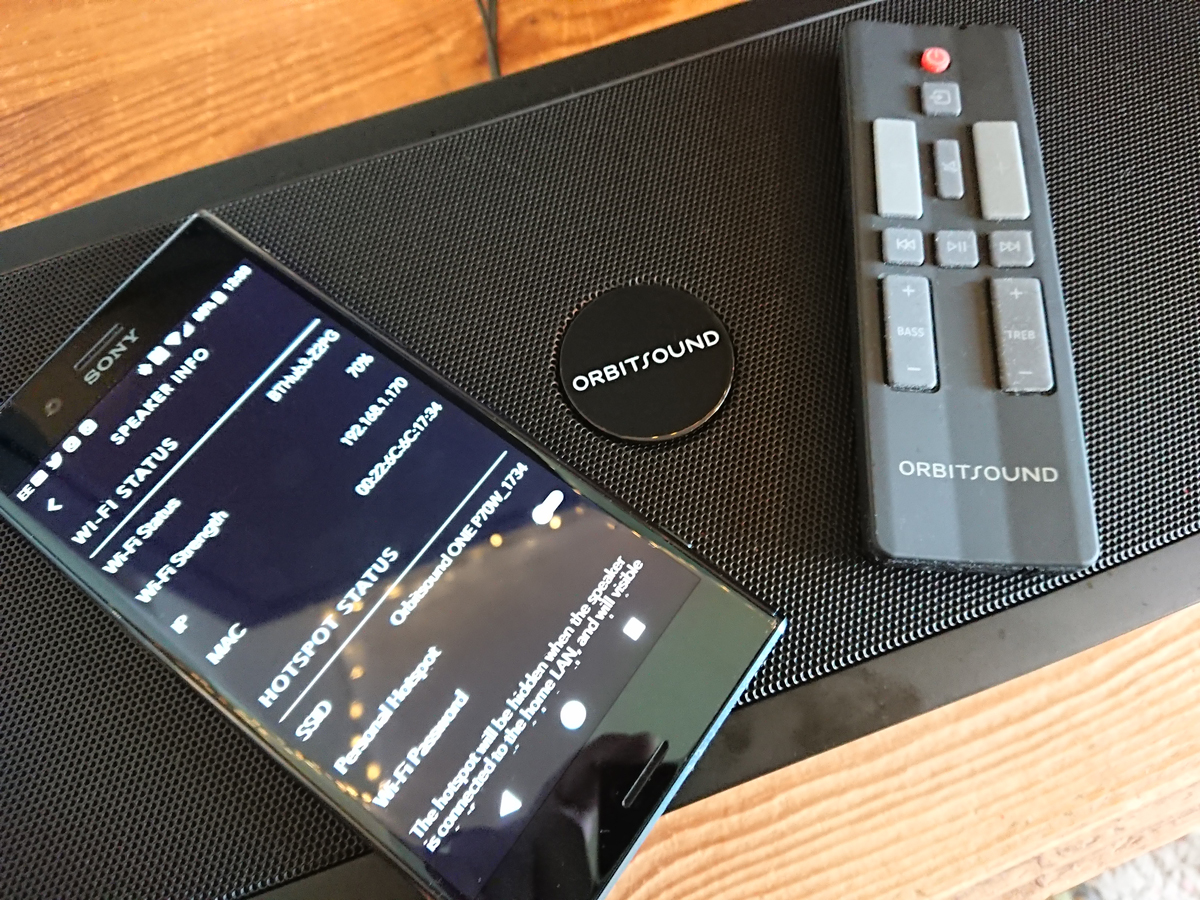
Orbitsound ONE P70W - All-in-one Airsound with Subwoofer and Wi-Fi and more! review by Matt Porter, The Gadget ManQuite a bit of thought has gone into small details on the P70W with the inclusion of reversible LED information display and Orbitsound badge. This might seem small things but they count as you really wouldn’t want to be showing off your new speaker to friends and have the badge upside down. integrated wall mounting and 200mm VESA bosses and bolts are included to allow you to get going straightaway with unnecessary visits to AV stores to buy mounting kits. There is also a protective sleeve for the speaker, to protect it when not in use.

The speaker also comes with a standard power cord, aux cable, quick-start guide and safety and warranty information, all packaged up in a very smart box. The useful inclusion of a carry handle was helpful too, as I carried a demonstration unit to the train station.

The Orbitsound P70W feels like a speaker that can fit many needs, be that as a Sound-bar for your TV, a party speaker for gatherings of people and the facility to extend your listening experience to multiple speakers. The smart design of the speakers means that it they would sit very comfortably in a professional or public environment. The whole family has really enjoy the quality and versatility of the speaker and we’ll be sad to see it go.

At £399, the Orbitsound P70W is great value for buyers looking for a richer smoother sound regardless of their position in the room.


First Products of the Tech Giants – Play our Quiz!

We all have to start somewhere and so did some of the biggest tech companies. Play our quiz and see if you can guess what their first products were? You might be surprised at some of the answers!

Don’t forget to comment with your score and don’t forget to like and share!!

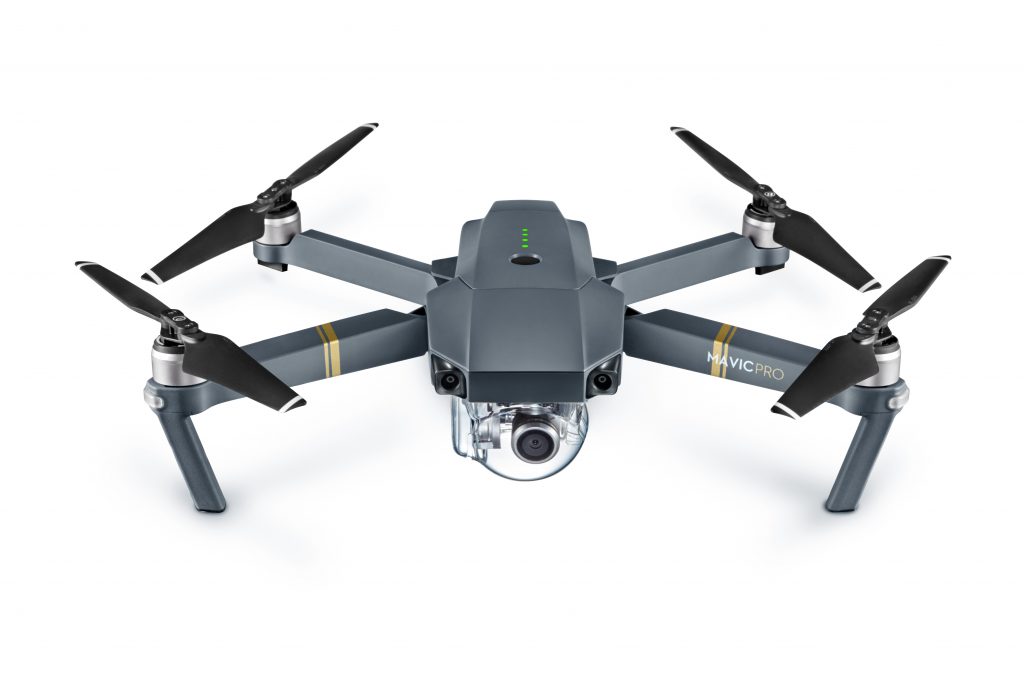
DJI Mavic Pro – Review – A drone so stable it appears frozen in time #gadgetroadtrip

I have been flying drones for the last 18 months, specifically DJI drones. It’s no secret that DJI have cornered the drone market from beginner to corporate use. From simply aerial photography to flying cell towers, DJI seem to have it all.

As part of our recent Gadget Man Road Trip from Ness Point to Ardnamurchan, we took along a DJI Mavic Pro and Osmo+, in this review I’m going to be talking about the Mavic Pro.

Click here to buy the Mavic Pro

The first thing you notice immediately upon taking the drone out of it’s box is that it is absolutely tiny! The rotor blades and arms all fold very neatly into themselves, giving it the appearance of a sleeping bat. Nature has almost always proved to be the most efficient designer and it seems that DJI has taken quite many queues when designing the folding mechanism. Having the Mavic fold so gracefully means that it doesn’t take up a great deal of space and setting up is very quick, there’s no need to fixing rotor blades as they come fixed to the craft, so looking for that photographic moment is generally not lost as box to air time is very quick.
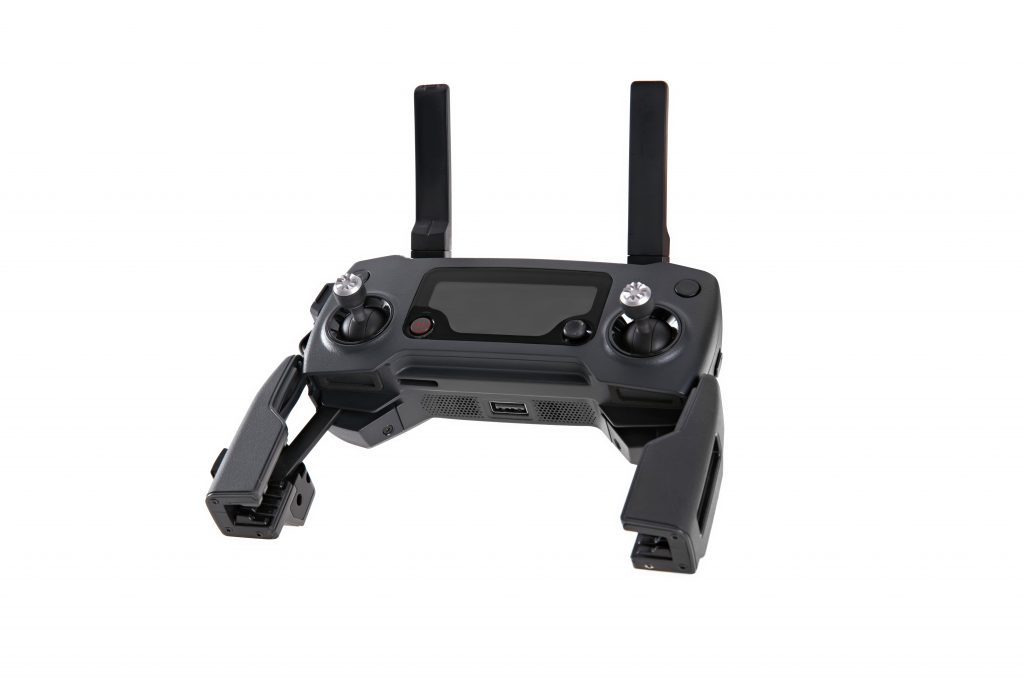
The drone is flown using a very neat controller that connects to your mobile device using USB. Aside from using the phone, the controller also displays important information on a LED display which makes read information in bright sunlight very easy. Operation of the drone is achieved via DJI’s own DJI Go4 software or using 3rd parties such as Litchi. It was supremely simple to operate the drone and its incredible stability gives you a very confident edge when flying.
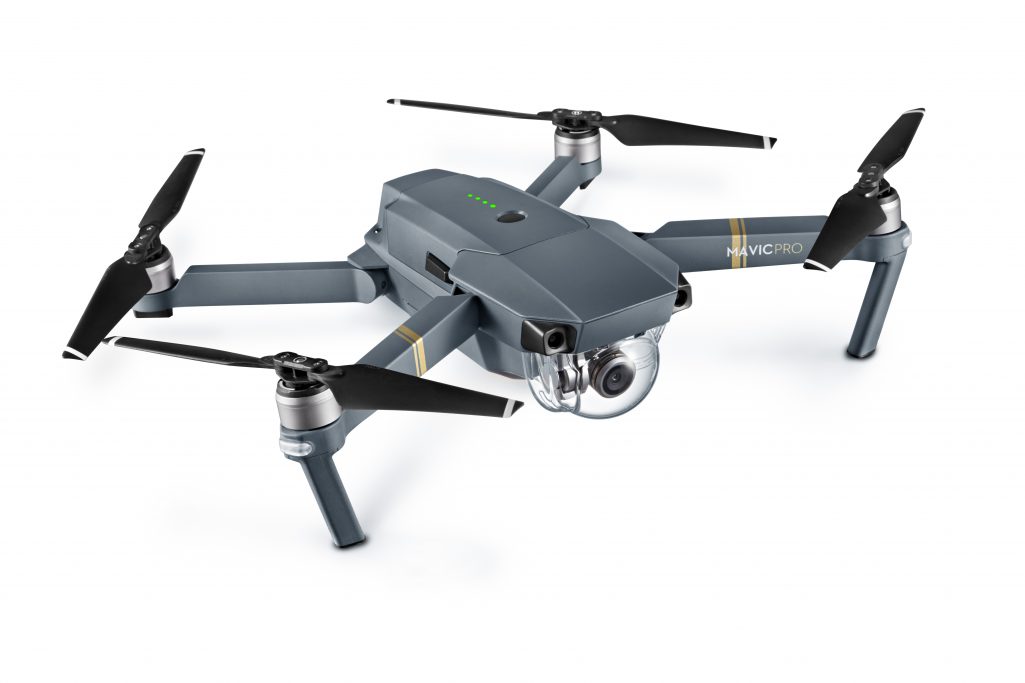
DJI have placed the 4k camera and sensor at the front of the aircraft, doing away with the underslung designs preceding it. By doing this means that even quick acceleration doesn’t cause the rotors to obscure the display which is an all to common problem with most drones. The camera has a clear plastic dome which is easily removed to allow for clearer footage with less glare. The quality of the footage is jaw dropping! We weren’t massively lucky with the weather especially in Scotland, but we were still able to produce some amazing footage all the same, even in grey skies.

The Mavic can take still 12MP photos as well as video and can also be controlled by gestures and there is also a Wi-Fi mode with less features.

Stability wise, the Mavic Pro is awesome. As well as GPS and Glonass stabilisation, the drone also uses down facing stabilisation using additional cameras. By referencing the ground, the drone can hover almost stock-still in the sky, it’s quite unnerving to see. It also packs collision avoidance cameras too which is great when flying near to trees.

Flight times are excellent being more than 25 minutes and the drone is noticeably quieter than other aircraft I have used. Sport mode gives even greater performance and allows you to swoop around the sky with easer.

DJI have included their Geofencing software or NFZ (No fly zone) features on the drone which avoid it being flown in areas that are either illegal or dangerous such as near to airports or stadiums. This is a great inclusion which hopefully will help drones to gain a better reputation in the UK press.

Good drones don’t come cheap and DJI have positioned the Mavic Pro in the higher price bracket, however you are getting an exceedingly good aircraft for the money. I tested the ‘Combo Kit’ which comes with drone, 2 batteries, car charger, 3pin charger, controller, 16GB MicroSD and leather carry case, this comes in at around £1200, however there are deals without the added extras which bring the price under £950.


Look out for Black Friday deals which bring the price down even further

Matt Porter

The Gadget Man


We’ve donated to British Red Cross

Red Cross Donation
Red Cross Donation

A little over a month has passed since we arrived back from the Scotland and as promised, we have donated the remains of our Gadget Road Trip fund to British Red Cross.

This afternoon, I transferred the remaining balance of £42.32 from our Monzo Card to the British Red Cross charity and thus rendered the account empty.

I was personally extremely upset by the Grenfell Tower disaster earlier this year, which I know also affected Paul. The British Red Cross were on the ground there immediately after it happened and provided much need assistance to the poor families that had lost their loved ones, their homes and everything they owned in a matter of minutes. It is because of this, that I wanted to donate to this charity. Since Grenfell, other disasters have continued to affect the people of our planet and the British Red Cross have continued to provide much needed support for these people who have lost absolutely everything they own and still lack the basics of clean water, electricity and food. If you would like to continue to help them, you can also donate via this link

Thank you so much again to the following people and organisations for their kind donations of funds or services!

XSItems Ltd
ACPlus
Favorite Fried Chicken
Free Reign Internet
Coderus
Gavin Dadd
Patrick Lohan
Jackie Robinson
Ian Brown
Olive Porter
Sandra Grilli
Callum McGilvery.

We wouldn’t have been able to feed ourselves during the trip and have something soft to sleep on. Thank you again.

Thanks also to Hillcroft Park in Ullswater for allowing us to stay at their lodgings for two nights (They will be featuring in the upcoming sitcom ‘Home from Home’ with Johnny Vegas, so keep an eye out!) and Far View Bed & Breakfast in Kilchoan (I won’t forget little Gracie exclaiming “My wellington boots fell over!!” as I took her and her dad on a little test drive).


Sony Xperia XZ1 – 3D Scanning Tests

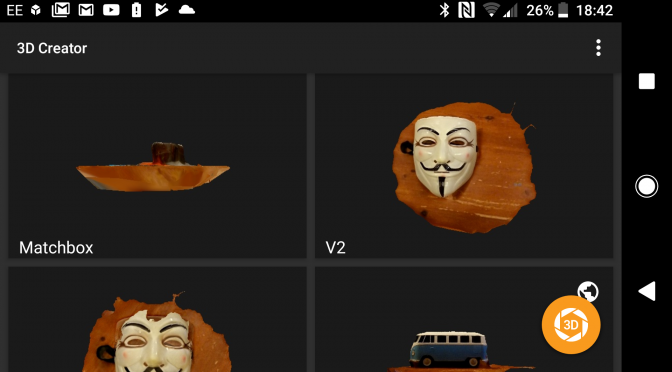
I’ve been trying out the Sony Xperia XZ1. Today I had a go at it’s 3d scanning feature. It’s pretty slick and actually works. You really need good lighting and plenty of space.

I’ll use this page to embed scans, as I make them.


1257 Miles in an Electric Car – Part 1 – A Plan is Hatched.

Holzhausen’s drawings of the Model S
Holzhausen’s original drawings of the Model S

10th July 2017

I was sitting in my office in Martlesham on the 10th July 2017 chatting to a colleague about Tesla cars. The conversation had started after he noticed the framed artists sketch hanging on my wall.

I have driven a number of Tesla Model S cars in the past from the excitable P85+ to the ‘Insane’ P85D. They are very exciting cars to drive, not just because they are fully electric and pack extremely powerful single gear motors, but because you feel your are riding on the coattails of automotive history, participating in an irreversible shift change in motorvehicle technology. It’s very exciting!

The conversation moved on the the Model X and Model 3, Tesla’s entries in to the SUV and ‘affordable’ markets. The Model X has recently appeared in the UK, the Model 3 is two years away from being available. We continued to chat for the rest of lunch, but the seed was planted.

That evening I wrote an email to Tesla’s press office requesting the loan of a Model X for review. Nothing specific, simply available dates.

The next day I received a reply from Tesla, it’s explained that things were very busy with the Model X, but the 5th and 6th of October was available for a test drive, did that suit? I puzzled for a while, in the past I had been loaned vehicles for a little longer, to give me time to get to know the vehicle, two days seemed a bit short to get a proper review in place. So, I followed up with an email, requesting a little longer.

I quickly received a reply from Tesla asking what my plans were? OK, good question, time to put on my thinking cap.

15 July 2017

My initial idea was driving from Lands End to John O’Groats, but after a little bit of Googling, I discovered that this had already been done in a  Tesla and well documented on YouTube, there was nothing original to achieve in travelling down this this ‘road’.

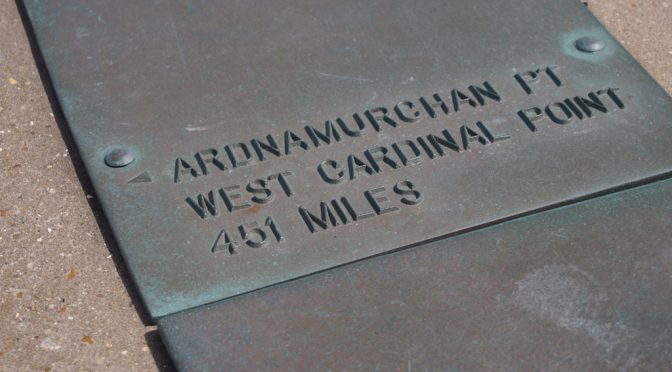
But wait a minute! Was there? I live about 40 minutes from Ness Point, the most easterly point in the UK. Nestled in Lowestoft, Ness Point at first glance seemed a little unloved. Some thought and effort has been made to build a stone circle, with plaques showing distances to well known points in the UK. It’s quite nice, but the surroundings aren’t that impressive, but it seemed like the obvious starting point for a challenge and wasn’t too far from home.

Now to find the most westerly point of the UK.

Ardnamurchan Lighthouse sits on the most westerly mainland point of the UK accessible by a short ferry ride at Corran and a two hour drive along single track roads across an extinct volcano. There even appeared to be a ‘rapid’ charge point a few miles away at Kichoan Pier, which would set a challenge outside of Tesla’s ‘Supercharger’ network.

The plan was hatched, but it was just the beginning.

Matt Porter
The Gadget Man

Electric Car Road Trip – 1200 miles in a Tesla – What tech gear are we taking?

A ‘Gadget Man’ Road Trip would be nothing with a car stacked full of technology, here’s a quick summary of the gear we are rocking for the trip.

The Car

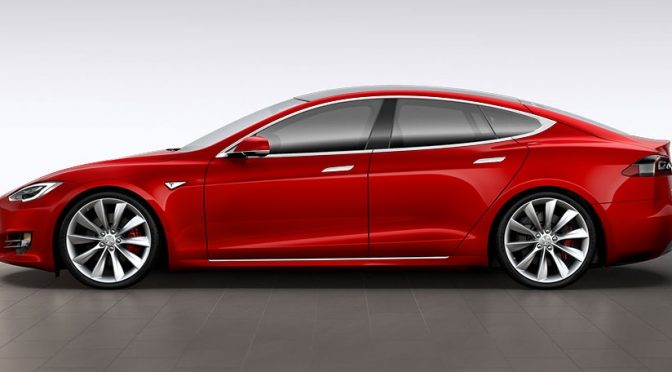
This is of course an ‘Electric Challenge’, so we are driving a Tesla Model S 100D. A 4 wheel drive, twin motor electric car, packing a 100 kWh Lithium-ion battery with a projected range between charges of more that 300 miles. We can also take advantage of Tesla’s very own Supercharger network, meaning our charge times will hopefully be under 30 minutes. Enough time for a coffee and meal on our long journey. The car is packed with driver assistance technology and always on 4G connection for maps and music streaming.

The Drone

We will be taking along a DJI Mavic Pro for aerial shots. The Mavic is an outstanding, foldable 4K drone with a 25 minute flight time. It boasts the most advance stabilisation technology available today, combining GPS, Glonass and Optical stabilisation and obstacle avoidance.

As a backup, we will be taking along a DJI Phantom 3 Standard with 2 batteries.

Cameras

Our filming will be carried out on a DJI Osmo+ 3 axis stabilised camera with 3.5x optical zoom and 4K video recording. This will be backed up by a GoPro Hero camera, Panasonic Lumia G3 and Samsung Galaxy S6 Edge smart phone.

On board the car, we have a Transcend DrivePro 230s dashcam and hopefully a Samsung Gear 360 (2017).

Editing and Blogging

Our editing will be carried out on a Dell Latitude Rugged with Core i7 and SSD drive, this will be complimented by a Transcend SSD drive and SPS Rugged USB3 1GB Hard drive.

Comms

We are looking forward to confirmation that EE will be providing us with 30gb of data and a in car wifi hotspot, to allow us to Live Stream, and Vlog during the journey.

Tracking

Our trip tracking is being provided by Coderus. Custom built apps on our mobiles will transmit our GPS coordinates to our server in London, this information will be pushed to www.eastwestroadtrip.co.uk and www.thegadgetman.org.uk to allow for our friends, families and supporters to view our progress in real time. This is looking to be a fabulous addition to the trip and will encourage interaction with Paul whilst I concentrate on driving.

The Gadget Man – Episode 104 – Defeating Vehicle Security

Following a report by the RAC that vehicle thefts in the United Kingdom have risen by 30% in the last three years, I spoke to Mark Murphy on his BBC Radio Suffolk Breakfast show about how thieves are trying to defeat the security measures that car manufacturers are putting in place.

You can listen into the stream, but clicking the ‘play’ button above.

If you are interested in the technology that is regularly being used to defeat vehicle security, Andy Greenburg has written a very interesting article on Wired which can be found here.

Matt Porter
The Gadget Man


10 Days to Go!! Important Update! – Tesla Road Trip 2017

With 10 days to go, I was hoping it would be a matter of tying up some loose ends and some additional organisation in the lead up to the challenge…

Sadly at the end of last week, my very dear Uncle, John Porter passed away. Dad, his brother understandably wants to be at home with the family at this time, so he had to make the difficult decision to withdraw from our challenge. Due to the commitments I have already made with a whole host of people over the last couple of months, I will still be embarking on the 1200 miles electric journey.

I won’t be doing it alone though. My new co-driver will be announced this Friday, so stay tuned!!

Drones, Cameras and Dash Cams

DJI Mavic Pro
DJI Mavic Pro

Today was quite exciting with the arrival of a DJI Mavic Pro and DJI Osmo+. The Mavic is a 4K foldable drone and the Osmo is a stabilised 3.5x zoom camera. Transcend have also committed to sending a dash cam for the trip which should enable us to record both road and cockpit footage. We are also currently waiting for a Dell ‘ruggedised’ laptop which will be invaluable for the trip especially producing 4k footage from the camera and drones. This will hopefully give me sufficient time to familiarise myself with the equipment and weather permitting (22 mph wind and no rain) I should be able to obtain some stunning footage from Ullswater, Glencoe and Ardnamurchan. Fingers crossed (and crossed again). The DJI Osmo_ is a 3 axis stabilised camera when means I can stagger around uncontrollably and get some excellent footage without worrying about the wind.

The saga of the air beds.

We were unable to find a specific donor for the air beds that are needed for the Camping Pod in Ullswater on Friday and Sunday. This was after contacting practically every single large camping equipment supplier in the UK. Most didn’t reply and unfortunately those that did were unable to provide additional donations above their current budgets.

It was however ‘lucky’ or more likely a result of the multiple cookies on my computer set when I was searching for air beds, that a Groupon deal dropped into my Inbox on Wednesday.

DJI Osmo+
DJI Osmo+

Thus, I was able to purchase two double sized air beds ‘high raised’ with built in pumps for just under £80 meaning that both of us will sleep soundly. We will be taking along sheets, quilts and pillows, so we should feel right at home. I have already tested the inflation and deflation of one of the beds and was surprised at how quickly it inflated, but equally how quickly is deflated in ‘reverse’. It was easy to re-pack and fitted nicely into the included carry bag. Sorted.

Further Support and Sponsorship

I had a long conference call yesterday with a very large potential sponsor/partner. We discussed a whole host of possibilities that will help me and Dad on the trip (particularly on the comms front). Hopefully I will be able to announce something next week when I receive confirmation!


Computers, Phones and Tablets

Dell Latitude 14 7404 Rugged

Having just had my trusty (and smashed) Samsung Galaxy 6 Edge replaced with a brand spanking model, I am now pretty confident I don’t need to be panicking about a super up to date phone for the trip. It has an excellent camera on board and stunning screen. Tablet wise, I have a nVidia Shield K1 for ‘droning’, this extremely fast processor on board and should do nicely for the trip.

I am really, REALLY hopeful that we will receive a 360 camera and a SIM card with a hefty amount of data onboard to enable us where possible to live stream the event as best we can.

Accommodation

We are staying at Hillcroft Park in Ullswater on Friday and Sunday, courtesy of the site owners, which is very generous of them. On Saturday we are staying at Far View in Kilchoan about 8 miles from Ardnamurchan Lighthouse.

That’s for this update, but stay tuned this Friday to find out who will be joining me on our ELECTRIC ADVENTURE!

Source: 10 Days to Go!! Important Update! – Tesla Road Trip 2017

Dell Latitude 7480 – A Smooth Portable Windows 10 Experience

Dell Latitude 7480 – A Smooth Portable Windows Experience

As a ‘Mac’ user for the last few years, I was interested to see whether a Windows Laptop could come close to my experience using a Macbook Pro, so when I received the Dell Latitude 7480 for review, I was eager to see if it could meet my expectations.

At first glance the Dell looked and felt very high quality, the aluminium of my existing laptop was replaced by a soft touch matt black finish. with e matt screen. I was pleased to see the keyboard was back lit which makes operation in dark areas much easier and it seems crammed with every kind of pointing device option I have ever seen!

The Dell was installed with Windows 10 and this ran up very quickly, ably assisted  by a 256GB SSD Drive which practically removes loading times, 8gb of memory and an incredibly fast Intel i7 processor. The colour production of the 14 inch screen was extremely impressive and the 1920 x 1080 resolution seemed plenty for the screen area.

The setup process was really simple, something I assume most Windows 10 PC’s now benefit from. The super fast drive and processor obviously help with this and I was up and running in a couple of minutes.

The laptop was very happy running on battery alone for significant amounts of time and even with fairly heavy use, lasted well. The charging connector is also lit in blue to make finding it in the dark very easy.

Connectivity wise, the Dell 7480 is packed with different sockets on each side of the device, with power socket, USB-C,  Thunderbolt 3, Full Sized HDMI, 3 x USB-3 , smart card reader, headphone jack, Simcard slot, Micro SD reader and Ethernet connector, plenty in fact to please any business person.

Along with the standard sized backlit keyboard, the laptop also had a mouse ‘stick’ in the centre of the keyboard, a touch pad and two sets of mouse buttons, 2 below the touch pad and 3 above just below the space bar. I found it quite surprising to find almost every iteration of navigation hardware on one laptop, but it was nice to have the options to choose from.

I spent quite a lot of time running fairly heavy duty software on the Dell Latitude 7480,  from Adobe Photoshop CC, Adobe After Effects CC to Adobe Premiere CC and a couple of other video editors. Video editing is really processor and memory intensive, it requires the ability to copy and edit very large files. The Dell seemed to handle this will ease, I was able to plug in an external monitor via the HDMI port and edit large 4K video files without any noticeable lag.

The Latitude 7480 is aimed squarely at the business market and appeared to cope amiably with pretty much any task I threw at it.

As with Dell products, you can customise your order when purchasing from them. Prices start at £999, the model I tested out was in the region of £1360.

If you are looking for a very high performance laptop with excellent battery life and screen, you shouldn’t go far wrong with the 7480.

Matt Porter, The Gadget Man