Tag Archives: risk management

Think Before You Scan: That QR Code May Be a Scam

QR codes have become part of everyday life. Parking meters, restaurant menus, parcels, emails. A quick scan feels harmless. That is exactly why cybercriminals are increasingly abusing them.

This growing threat is known as quishing, short for QR code phishing. Instead of asking you to click a suspicious link, attackers persuade you to scan a code that quietly sends you somewhere you really did not intend to go.

At the start of January, the FBI issued a warning about a wave of attacks linked to North Korean cybercriminals who were using fake QR codes to harvest personal information. Security experts say this is not just a US problem. Similar attacks are now appearing across multiple countries, including the UK, as criminals look for new ways to make money.

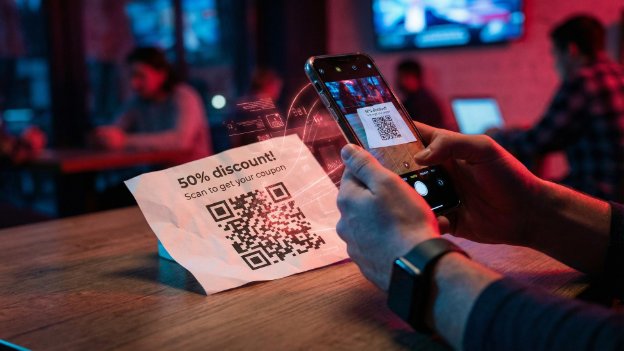
The technique is simple but effective. Fake QR codes are placed over legitimate ones in public locations such as parking machines, cafés and kiosks. Scan the code and you are redirected to a convincing looking website that may ask for payment details or login credentials. Last year, UK government bodies warned motorists about QR stickers on parking meters that led victims to spoofed payment pages.

QR codes are also being used in email attacks. In one example highlighted by the FBI, a state sponsored group embedded malicious QR codes in emails to employees, presenting them as a way to download extra information. Scan first, think later. That is what the attackers are counting on.

According to cybersecurity experts at Planet VPN, the outcome is usually the same wherever the QR code appears. Once scanned, users are forwarded to a fake site designed to look genuine, whether that is a restaurant menu or a payment page. From there, credit card details, passwords or even full device access can be compromised.

Planet VPN co founder Konstantin Levinzon explains why QR codes are proving so effective. People tend to trust them. They became widespread during the pandemic and still do not trigger the same suspicion as a dodgy looking link. The risk feels lower because there is no visible URL to inspect, just a quick scan.

There is another reason attackers favour QR codes in emails. Many anti phishing systems analyse text and links but do not properly inspect images. A QR code can slip through where a traditional phishing email might be blocked. Even when detection improves, attackers adapt by changing colours or designs to evade filters.

The scale of the problem is significant. Cybersecurity researchers estimate that millions of QR related threats were recorded in just the first half of last year, and experts believe the real number is likely higher due to undetected scams.
Think Before You Scan: That QR Code May Be a Scam

So what should you do?

Be deliberate about scanning QR codes. Ask yourself why it is there and whether it makes sense. If a scan takes you to a site asking for payment or login details, treat that as a serious warning sign.

If a QR code arrives via email from someone you do not know, or even someone you do know but were not expecting to hear from, pause and verify it before entering any details or downloading anything.

Most importantly, apply the same common sense you would use elsewhere online. Stay sceptical. Use a VPN on public Wi Fi. Keep your devices updated. Use strong passwords and enable multi factor authentication wherever possible.

QR codes are convenient, but convenience is often what attackers exploit. A second of caution can save a great deal of hassle later.

Why ‘123456’ Is Still Ruining Business Security

There are some things you expect to see in 2026. AI everywhere. Electric cars quietly taking over. Smart homes that know when you have run out of milk.

What you do not expect is that one of the biggest threats to company security is still someone typing 123456 into a login box.

Yet here we are.

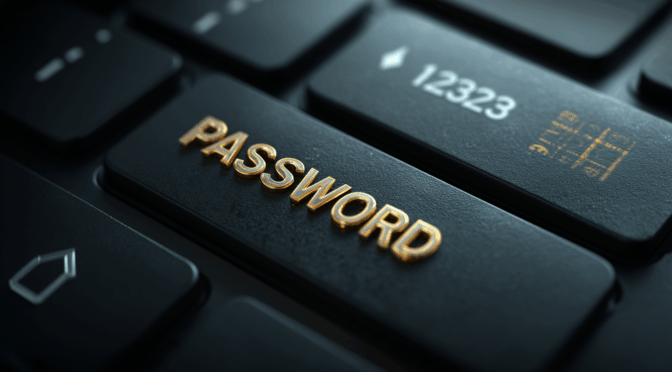
A recent piece of research from NordPass lays it all bare. After analysing huge volumes of passwords exposed in real world data breaches, the conclusion is both fascinating and slightly terrifying. Business passwords are often no better than the ones we were being warned about twenty years ago.

The same bad habits, everywhere

Across sectors like healthcare, manufacturing, tech and finance, the patterns repeat themselves. Simple number sequences dominate. Obvious choices like 123456, 123456789 and password keep cropping up. In some cases people are even using their own email address as the password.

That last one is particularly grim. If your username is already public, you have effectively handed an attacker half the keys to the building.

What struck me most was how universal this problem is. This is not a single careless industry or a few unlucky firms. It is a human behaviour issue. Convenience beats caution every time unless systems are designed to protect us from ourselves.

Why attackers love this

From an attacker’s point of view, weak passwords are a gift. Automated tools can try millions of common combinations in seconds. If employees reuse passwords across systems, one breach can quietly unlock several more doors.

This is often how serious incidents begin. Not with Hollywood style hacking, but with someone guessing a password that should never have existed in the first place.

The uncomfortable truth for businesses

Here is the bit that matters. This is not really a technical problem. The tools to fix it have existed for years.

Strong password policies. Password managers. Multi factor authentication. Alerts for leaked credentials. None of this is exotic or expensive anymore.

What is missing is consistency and enforcement. Many organisations still rely on guidance rather than rules, or assume that staff will naturally do the right thing. History shows they will not, especially when speed and convenience are rewarded.

What actually works

From everything I have seen over the years, both professionally and personally, a few things make the biggest difference.

First, remove the burden from users. A good password manager means nobody has to remember anything clever.

Second, enforce unique passwords everywhere. No exceptions.

Third, enable multi factor authentication wherever possible, especially for email and admin accounts.

Finally, treat leaked passwords as inevitable, not hypothetical. Monitor for them and act quickly.

Still relevant, still risky

It is easy to laugh at 123456. It feels like a joke from the early days of the internet. But when that same password is still opening real company systems today, it stops being funny very quickly.

The NordPass research is a useful reminder that cybersecurity does not always fail at the cutting edge. More often, it fails at the front door.

And the front door is still wide open far too often.

Fire Safety In The Workshop: Why A Simple precaution Makes All The Difference

There is a moment in every workshop when the familiar hum of a machine reminds you how much heat is being generated just out of sight. Whether you are shaping a design with a laser cutter or pushing a long print through the night, both processes rely on concentrated heat and electronics working in perfect harmony. Most of the time everything behaves exactly as expected, but all it takes is a small fault, a stray ember or a damaged cable to turn that hum into something altogether more worrying.

Fire safety is rarely the glamorous side of making, yet it is one of the most important. Over the years I have seen how quickly a small flare can take hold and how easily it can damage tools, materials and the room around them. The risks are low, but they are real, and a little preparation can make an extraordinary difference.

The usual advice stands. Keep machines clean, check wiring regularly, make sure ventilation is clear and never leave cutting material that contains adhesives or unknown coatings unattended. Smoke and heat detectors are essential, as is good airflow and sensible layout. These form the invisible foundation of a safe workshop. They work quietly in the background and never ask for attention.

Then there is the final line of defence. The moment when you see something beginning to smoke or flame and you know you have only seconds to stop it becoming anything serious. Traditionally this has meant reaching for a dry powder extinguisher or a CO2 cylinder. Both will deal with a fire effectively, but both have their drawbacks in a small workshop. Powder settles everywhere and can ruin equipment long after the flames are out. CO2 works well but tends to be large, heavy and not always convenient if you need something you can grab in an instant.

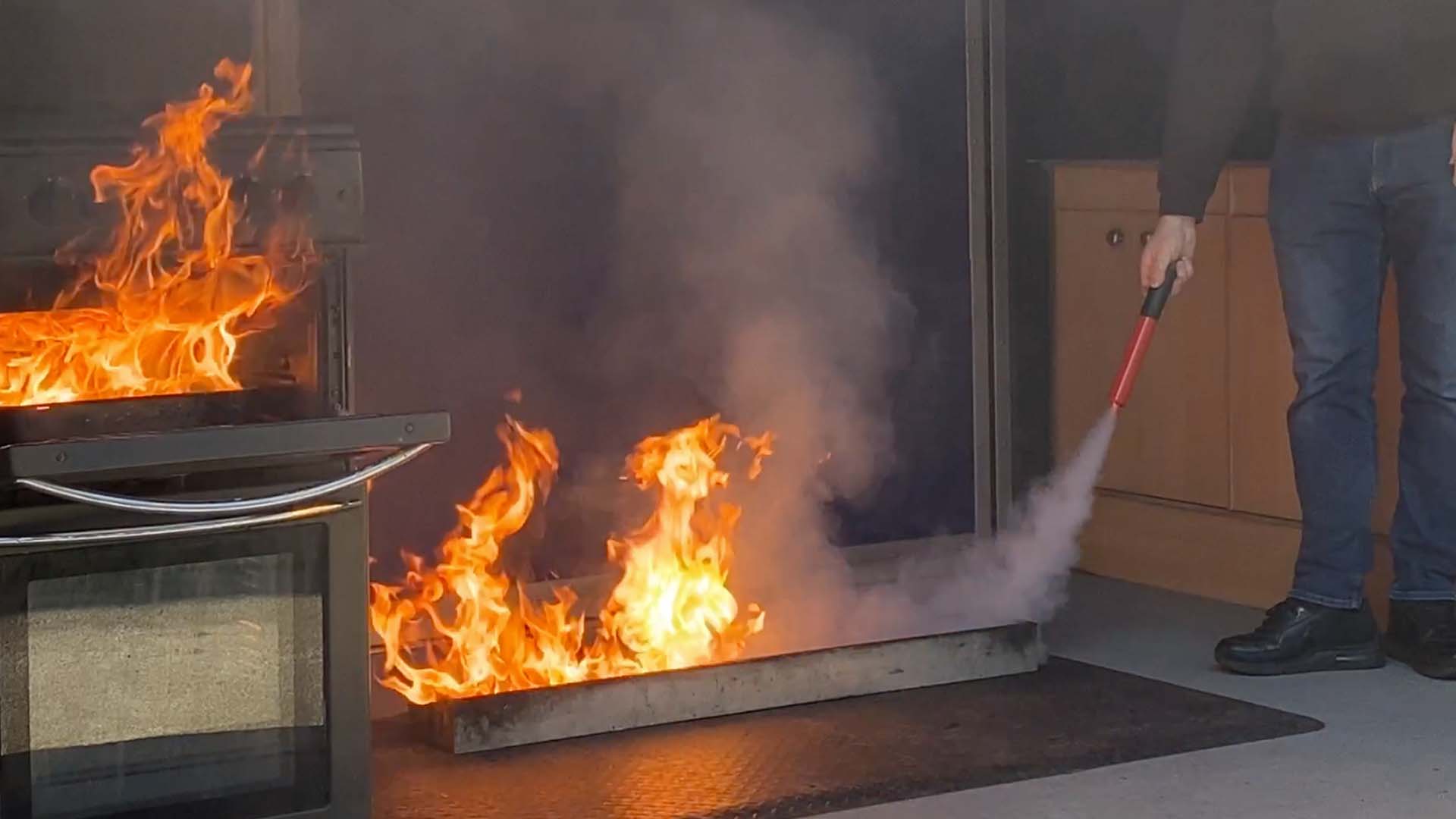
This is where the Fire Safety Stick becomes so valuable. I keep one mounted on the wall near my machines for one simple reason. It allows me to deal with a developing fire without coating the entire workspace in a layer of residue that could permanently damage the very equipment I am trying to save. It produces no settling dust and no lingering film. Once the flame is out there is no clean up and no lasting harm to delicate components, optics or electronics.

The Fire Safety Stick answers many of the concerns that makers often raise. It is compact, straightforward to operate and requires no servicing. It can be used on the types of fires likely to occur around 3D printers and laser cutters, and because the discharge is clean, it allows you to act quickly without wondering how much collateral damage you are about to create. In a space filled with tools, materials and sensitive hardware, that freedom matters.

Fire Safety In The Workshop: Why A Simple precaution Makes All The Difference

This does not replace sensible precautions. It simply adds a layer of protection that fits naturally into the rhythm of a workshop. You can strike it, place it near the source of the problem and step back, letting it continue to suppress the fire while you stay safe. It buys time, and in an environment where heat and electronics are always working together, time is the most valuable thing you have.

I encourage anyone who spends hours printing, engraving or cutting to think seriously about fire safety. It is easy to assume that nothing will ever go wrong, but experience has taught me that peace of mind is something you only appreciate after the moment you wish you had it. A clear workspace, a basic understanding of your equipment and a Fire Safety Stick within reach is a simple combination that gives you that reassurance.

In a world filled with clever tools and creative possibilities, sometimes the most important equipment is the one you hope you never need to use.

Fire Safety Stick is available in 50 second and 100 second discharge rates and are available from Amazon  at https://amzn.to/48fRCob

Cybernews Cracks the Password Puzzle: What 19 Billion Passwords Reveal About Us

We’ve all been there — that moment when the password box blinks impatiently, waiting for your brain to produce something secure and memorable. But what if I told you that billions of us are still relying on “123456” or “password” to guard our digital front doors?

Researchers at Cybernews have just released a fascinating and somewhat alarming analysis of 19,030,305,929 leaked passwords, and the findings tell a revealing story about human behaviour, pop culture obsessions, and our often lacklustre approach to security.


Only 6% of Passwords Are Unique – Let That Sink In

Out of 19 billion passwords, only 1.1 billion were unique. That means 94% of people are using the same passwords as someone else — and in the world of hacking, that’s music to a cybercriminal’s ears.

The most common passwords? You’ve guessed them:

  • “password” – used 56 million times

  • “admin” – 53 million times

  • “123456” – 338 million times

  • “1234” – found in nearly 4% of all passwords (that’s 727 million accounts!)

It’s 2025 and we’re still living in a world where “qwerty” and “abc123” are considered acceptable safeguards.


What We Love Shows Up in Our Passwords

The team at Cybernews created themed wordlists to understand what people use in their passwords. The results are both amusing and a little worrying.

Pop Culture Reigns Supreme

Characters like:

  • Mario (9.6M)

  • Batman (3.9M)

  • Joker (3.1M)

  • Thor (6.2M)

  • Elsa (2.9M)

Yes, even a magical ice queen made it onto the hacker’s dictionary.

Our Favourite Animals?

  • Lion (9.8M)

  • Fox (7.8M)

These majestic creatures might be noble, but they’re not secure.

Love, Tea, and Swear Words

  • Love” appears in 87 million passwords.

  • Tea – our national treasure – is in 36 million!

  • And surprisingly (or not), words like “ass” (165M), “fuck” (16M), and “shit” (6.5M) are extremely common.

Seems like when people get frustrated with password rules, they get… expressive.


The Human Factor: Names, Cities, and Seasons

We seem to really love personal and familiar things:

  • Ana is the most-used name (178.8M times).

  • Rome is the top city (13M).

  • Summer (3.8M) leads the seasons, while May (28M) and April (5.2M) dominate the months.

  • Monday is weirdly the most popular weekday (800,000).

And professions like boss, cook, and hunter show up in millions of passwords. Is that confidence or wishful thinking?


Big Brands in Passwords: Not a Great Idea

Believe it or not, some people think referencing tech giants will protect them:

  • Google – 25.9M passwords

  • Facebook – 18.7M

  • Kia – 12.7M (your guess is as good as mine)


Why This Matters (and What You Should Do About It)

With only 6% of passwords being unique, dictionary attacks and credential stuffing become a walk in the park for bad actors. If your password is on one of these lists, your account could be next.

Top Tips for Better Passwords:

  1. Use a Password Manager – Tools like Bitwarden, 1Password or KeePass make strong passwords easy.

  2. Avoid Dictionary Words – Even “FrostyTheSnowman1983” isn’t safe if enough people use it.

  3. Go Long and Complex – At least 12 characters, mixing letters, numbers, and symbols.

  4. Don’t Reuse Passwords – Ever.

  5. Turn On 2FA – Always enable two-factor authentication where possible.


The Bottom Line

Your password is often the only thing standing between your private data and a very bad day. The Cybernews report doesn’t just expose poor habits — it’s a stark reminder that humans are the weakest link in cybersecurity.

So, before you set your next password to “GadgetMan2025”, take a moment. You’re worth a better lock on your digital door.


Matt Porter – The Gadget Man

Have you checked your passwords recently? Would you like me to review any password manager tools for you next?