
Tag Archives: multi-factor authentication

Think Before You Scan: That QR Code May Be a Scam

QR codes have become part of everyday life. Parking meters, restaurant menus, parcels, emails. A quick scan feels harmless. That is exactly why cybercriminals are increasingly abusing them.

This growing threat is known as quishing, short for QR code phishing. Instead of asking you to click a suspicious link, attackers persuade you to scan a code that quietly sends you somewhere you really did not intend to go.

At the start of January, the FBI issued a warning about a wave of attacks linked to North Korean cybercriminals who were using fake QR codes to harvest personal information. Security experts say this is not just a US problem. Similar attacks are now appearing across multiple countries, including the UK, as criminals look for new ways to make money.

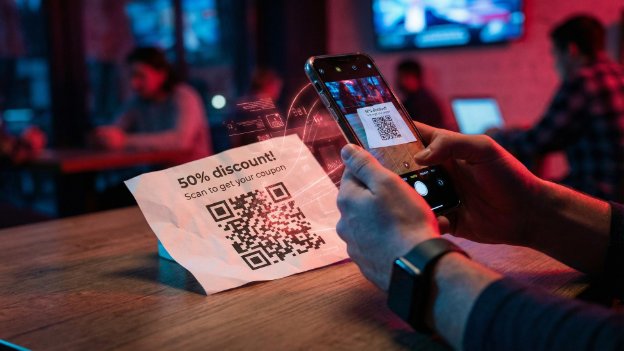
The technique is simple but effective. Fake QR codes are placed over legitimate ones in public locations such as parking machines, cafés and kiosks. Scan the code and you are redirected to a convincing looking website that may ask for payment details or login credentials. Last year, UK government bodies warned motorists about QR stickers on parking meters that led victims to spoofed payment pages.

QR codes are also being used in email attacks. In one example highlighted by the FBI, a state sponsored group embedded malicious QR codes in emails to employees, presenting them as a way to download extra information. Scan first, think later. That is what the attackers are counting on.

According to cybersecurity experts at Planet VPN, the outcome is usually the same wherever the QR code appears. Once scanned, users are forwarded to a fake site designed to look genuine, whether that is a restaurant menu or a payment page. From there, credit card details, passwords or even full device access can be compromised.

Planet VPN co founder Konstantin Levinzon explains why QR codes are proving so effective. People tend to trust them. They became widespread during the pandemic and still do not trigger the same suspicion as a dodgy looking link. The risk feels lower because there is no visible URL to inspect, just a quick scan.

There is another reason attackers favour QR codes in emails. Many anti phishing systems analyse text and links but do not properly inspect images. A QR code can slip through where a traditional phishing email might be blocked. Even when detection improves, attackers adapt by changing colours or designs to evade filters.

The scale of the problem is significant. Cybersecurity researchers estimate that millions of QR related threats were recorded in just the first half of last year, and experts believe the real number is likely higher due to undetected scams.
Think Before You Scan: That QR Code May Be a Scam

So what should you do?

Be deliberate about scanning QR codes. Ask yourself why it is there and whether it makes sense. If a scan takes you to a site asking for payment or login details, treat that as a serious warning sign.

If a QR code arrives via email from someone you do not know, or even someone you do know but were not expecting to hear from, pause and verify it before entering any details or downloading anything.

Most importantly, apply the same common sense you would use elsewhere online. Stay sceptical. Use a VPN on public Wi Fi. Keep your devices updated. Use strong passwords and enable multi factor authentication wherever possible.

QR codes are convenient, but convenience is often what attackers exploit. A second of caution can save a great deal of hassle later.
Why ‘123456’ Is Still Ruining Business Security

There are some things you expect to see in 2026. AI everywhere. Electric cars quietly taking over. Smart homes that know when you have run out of milk.

What you do not expect is that one of the biggest threats to company security is still someone typing 123456 into a login box.

Yet here we are.

A recent piece of research from NordPass lays it all bare. After analysing huge volumes of passwords exposed in real world data breaches, the conclusion is both fascinating and slightly terrifying. Business passwords are often no better than the ones we were being warned about twenty years ago.

The same bad habits, everywhere

Across sectors like healthcare, manufacturing, tech and finance, the patterns repeat themselves. Simple number sequences dominate. Obvious choices like 123456, 123456789 and password keep cropping up. In some cases people are even using their own email address as the password.

That last one is particularly grim. If your username is already public, you have effectively handed an attacker half the keys to the building.

What struck me most was how universal this problem is. This is not a single careless industry or a few unlucky firms. It is a human behaviour issue. Convenience beats caution every time unless systems are designed to protect us from ourselves.

Why attackers love this

From an attacker’s point of view, weak passwords are a gift. Automated tools can try millions of common combinations in seconds. If employees reuse passwords across systems, one breach can quietly unlock several more doors.

This is often how serious incidents begin. Not with Hollywood style hacking, but with someone guessing a password that should never have existed in the first place.

The uncomfortable truth for businesses

Here is the bit that matters. This is not really a technical problem. The tools to fix it have existed for years.

Strong password policies. Password managers. Multi factor authentication. Alerts for leaked credentials. None of this is exotic or expensive anymore.

What is missing is consistency and enforcement. Many organisations still rely on guidance rather than rules, or assume that staff will naturally do the right thing. History shows they will not, especially when speed and convenience are rewarded.

What actually works

From everything I have seen over the years, both professionally and personally, a few things make the biggest difference.

First, remove the burden from users. A good password manager means nobody has to remember anything clever.

Second, enforce unique passwords everywhere. No exceptions.

Third, enable multi factor authentication wherever possible, especially for email and admin accounts.

Finally, treat leaked passwords as inevitable, not hypothetical. Monitor for them and act quickly.

Still relevant, still risky

It is easy to laugh at 123456. It feels like a joke from the early days of the internet. But when that same password is still opening real company systems today, it stops being funny very quickly.

The NordPass research is a useful reminder that cybersecurity does not always fail at the cutting edge. More often, it fails at the front door.

And the front door is still wide open far too often.