Tag Archives: Review

GoPro Hero5 Session – The Compact 4k Camera with Voice Control

GoPro have been at the top end of the action camera market for a long time and have consistently produced really high quality products, the Hero 5 range brings a whole range of functionality not seen before in a GoPro, so I was eager to find out more.

There are two camera’s in the Hero 5 range, the Hero 5 Black and Hero 5 Session, I have been reviewing the Session.
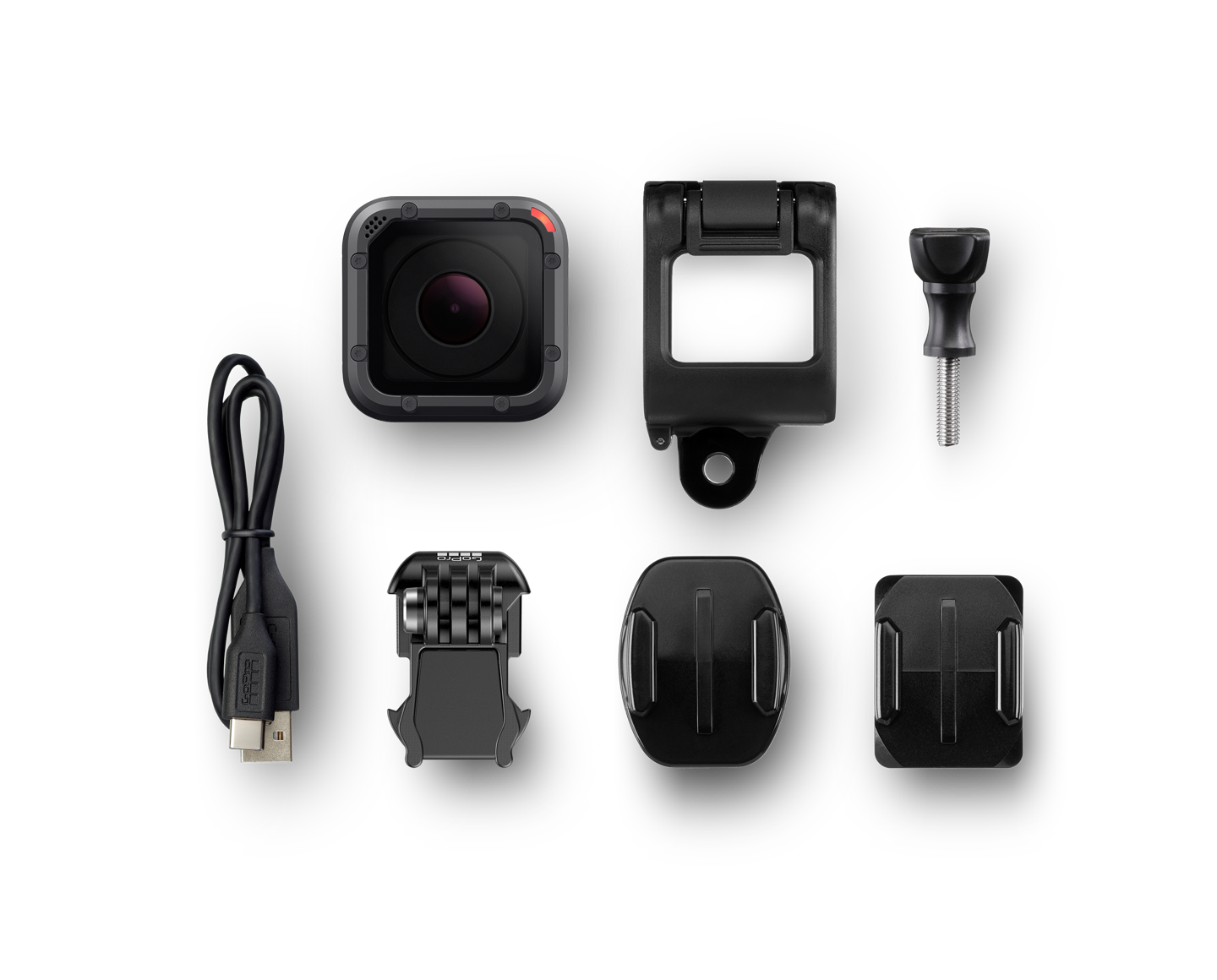
Hero 5 Session Whats in the Box

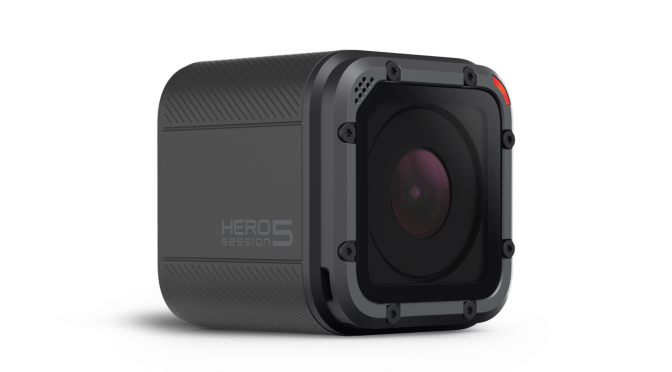
The Session is a small camera! Measuring 38 x 38 x 36 mm (1.5 x 1.5 x 1.4 inch). On the front is the camera lens and the back is a small button, on the side is a covered MicroSD and USB-C port and finally on top is the shutter button which is also used for controlling the camera. There is also a very small mono led screen which lets you know the status and mode of the camera.

The camera comes equipped with on-board wifi and it is using this and a free app that you can control and preview the camera.
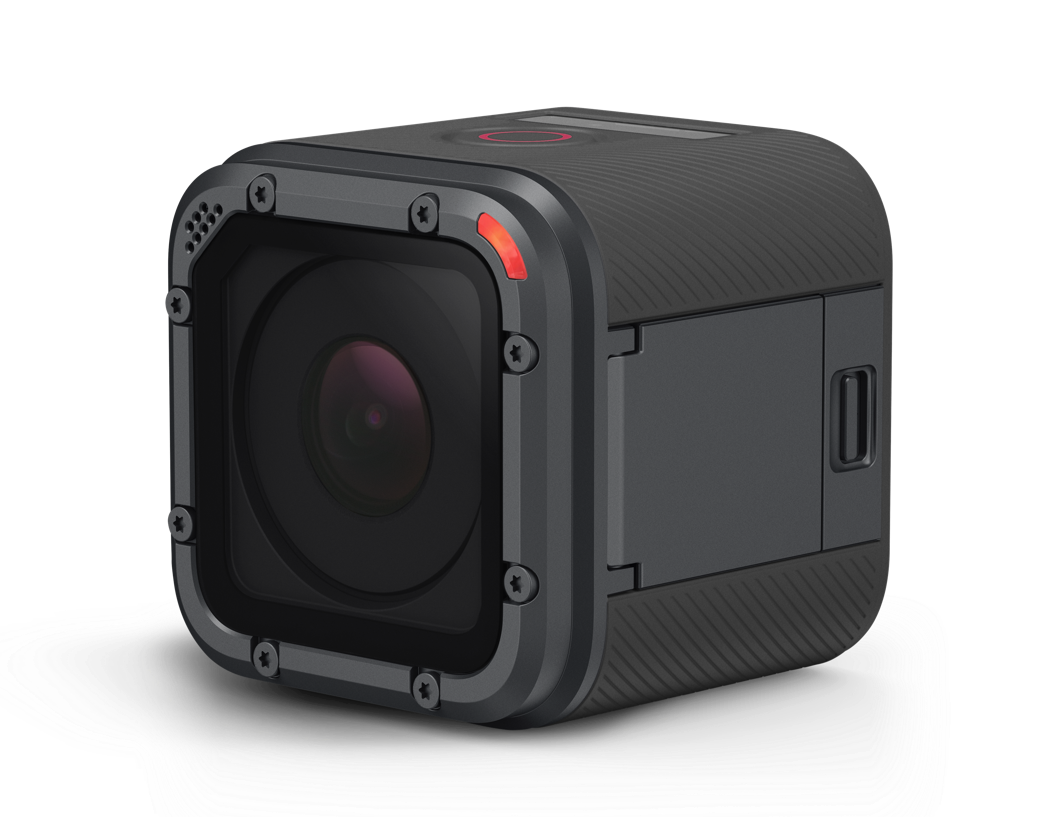
Hero5 Session Switched on

There is also a brand new ‘Voice Control’ mode too, which allows you to command the camera. There are 12 commands it understands ranging from ‘GoPro Start Recording’, ‘GoPro Take a Photo’ to ‘GoPro Switch Off’. It actually works really well, however I only tried it in a room environment, so I’m not sure how it works out in the field, waves or ski slope though.

There are a heap of video modes you can shoot including 720p,960p,1080p,1440p,2,7k and up to 4k, these also offer up a variety of frame rates from 30fps at 4k to 120fps at 720p, there is the ability to remove the dreaded fish eye effect with ‘Linear’ in some modes and there is image stabilisation available up to 1080p, so those bumpy rides of ski videos will have less judder for viewers.

The image quality is simply amazing! I have always doubted the quality of the videos provided by manufacturers, but the Hero 5 Session really does delivery with zero post processing. I was honestly astounded by the 4k footage and I’m looking forward to getting out on my bike to get some off road footage over the next few days.

The camera can also take 10mp photos either in standard, timelapse or burst mode with the ability to take 30 10mp photos in 1 second! All of these settings are changeable with dozens of options available.

For people looking to use the GoPro as a dash cam, there is also ‘Loop’ mode on the video, although you might be better off looking for a dedicated device for this.

The Hero 5 range are also compatible with the GoPro Karma drone for those looking to take their footage high into the air.

All in all, I’m impressed with the GoPro Hero 5 Session, at £299 it’s by no means the cheapest camera around and you might be looking at the Hero 4 Session for half the price. However, with the drop if price you lose all of the killer features of the Hero 5 including 4K.
The Cosmic Watch – A Mesmerising & Beautiful App for Viewing the Cosmos

The human race has always been fascinated by the stars in the sky. From guiding themselves across the seas, planning the harvests or daydreaming about visiting far away planets, we spend a great deal of our time thinking about the stars and planets.

It is fascinating to  think that we have only really begun to understand the Universe in the last 50 years and continue to be humbled by our place its vastness and the influence it still continues to holds on us.

So, when I was contacted by the makers of Cosmic Watch, I was intrigued on how an app was going to give me a much deeper understanding of our solar system and the movement of the planets and celestial bodies.

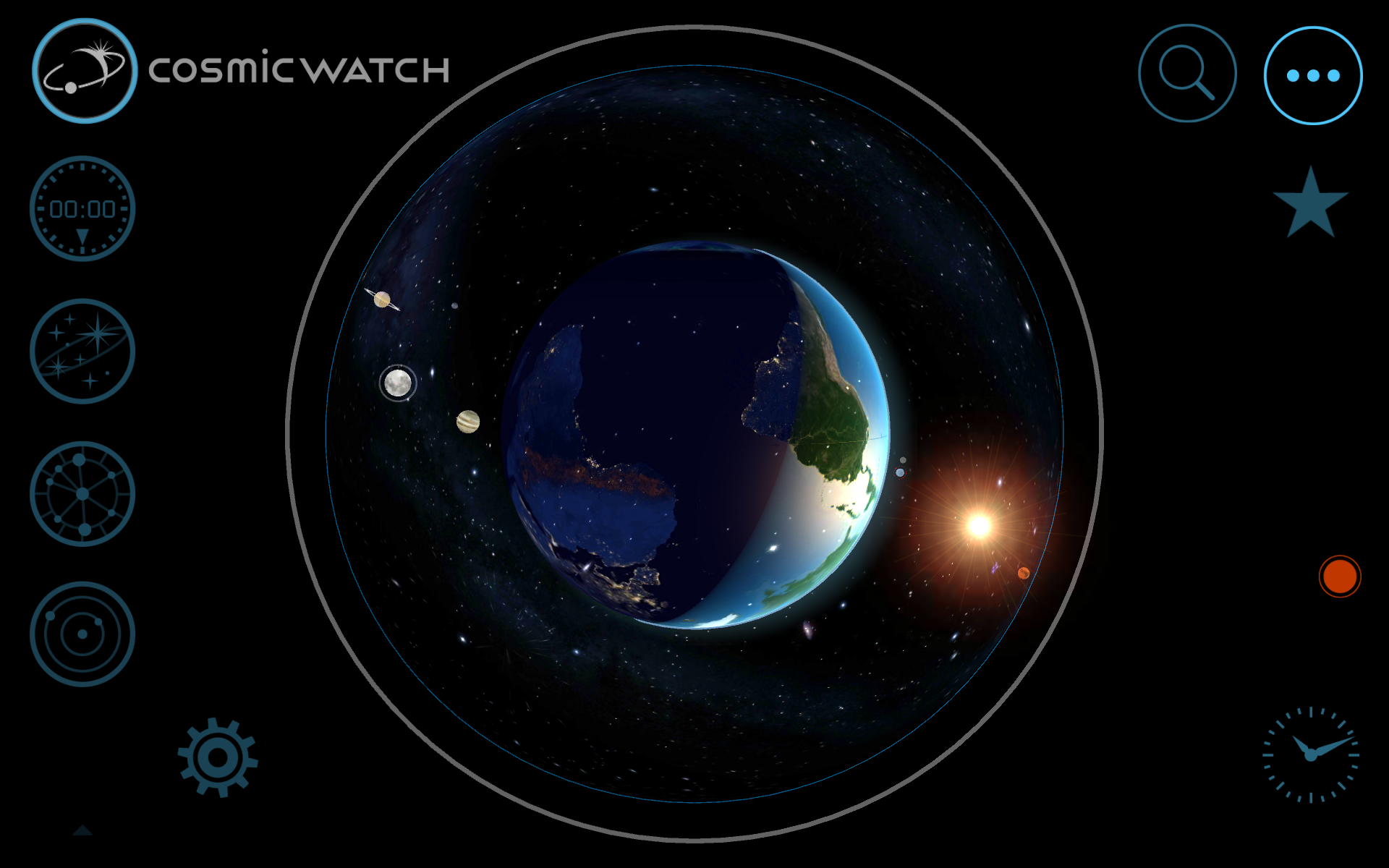
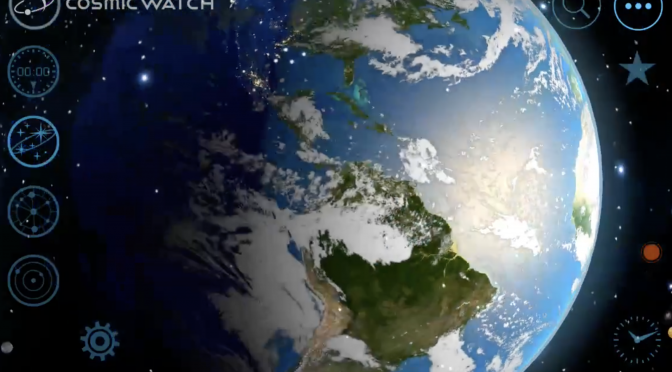
A screenshot The Cosmic Watch of one of the many different modes available.

To start with, Cosmic Watch is a really good looking mobile application, with an incredibly slick, but simple to operate user experience. This is an app that can be any one of many things, from world clock, searching for planetary positions to finding Astrology Star Sign and it’s relation to those constellations at your time of birth.

Any astrophysicist worth his salt will tell you that the study of our Universe is not simply the study of ‘space’, it is also the study of ‘time’, this is conveniently called ‘Space-Time’. It’s called this because everything in our Universe is moving and thus “In physics, spacetime is any mathematical model that combines space and time into a single interwoven continuum.”.

In order to understand and track the stars and planets we need to understand Space-Time in order to be able to find the positions of the planets and stars at any given point in the past and the future.

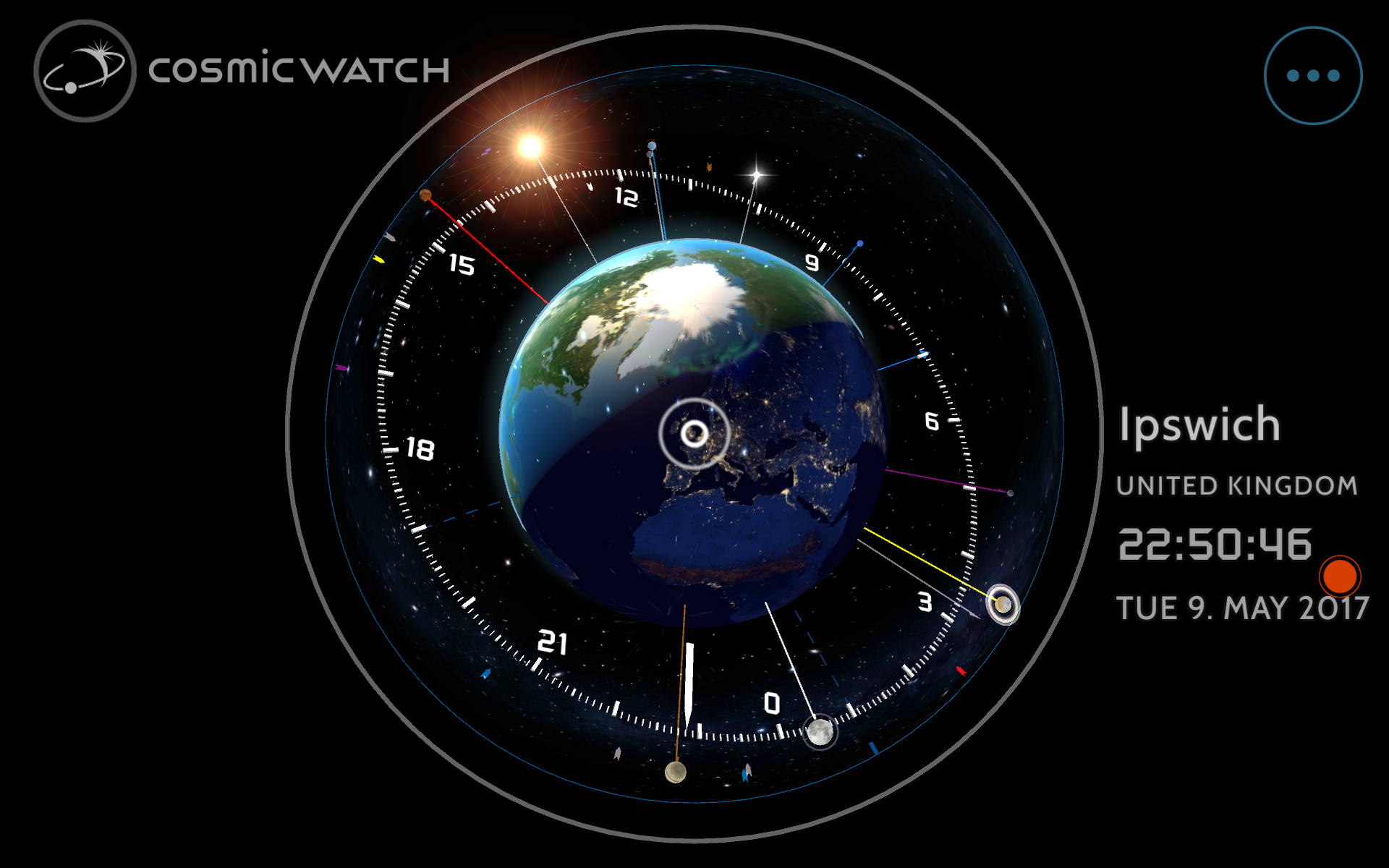
A screenshot The Cosmic Watch of one of the many different modes available.

Cosmic Clock can provide this information using a 3d user experience which places our planet Earth in the centre of everything, not as a step backwards in our understand, but in fact to help us understand our place in the Universe. It does this both effortlessly and beautifully.

Cosmic Clock has three main modes:

  1. World Clock – For time keeping around the globe
  2. Astronomy – For viewing the constellations and planets
  3. Astrology – The study of the position of the stars and their perceived influence on us and our daily lives.


To navigate any of these modes you use buttons on the left hand side of the screen, with additional buttons placed at the base of the screen to control how the information is displayed.

Swiping the screen causes everything to rotate in 3d around the Earth, you can also pinch to zoom in order to see a particular place in detail.

In clock mode, you can actually use your phone or tablet as a desktop clock, just make sure you connect it to a charger first. You also need to switch off ‘sleep’ mode to keep the screen on. This is a fascinating view as it shows the Earth in real time including the approaching sunrise or sunset.

Astronomy mode display the stars and planets with added labels. You can speed up, freeze or reverse time to find out the exact position of celestial bodies as specific times.

Astrology mode shows the plants and stars using their traditional symbols and signs of the zodiac. It’s very detailed if this kind of thing interests you.

Throughout all of these modes, there are a myriad of different settings available to allow you to display the cosmos in pretty much any conceivable fashion and it’s certainly extremely interesting to use.

The app makes use of the internal sensors or your phone and tablet including the compass. This helps you align the display of the app with the actual night sky and makes the experience fascinating as rather than guessing the position of a planet, you can accurately predict when it will be in the sky.

If the stars and planets interest you, Cosmic Watch will provide you with a fascinating insight into the Solar System and wider Universe and it an absolute MUST PURCHASE and at £4.99 it is worth every penny.

You can purchase Cosmic Watch for iOS here or Android here

Or visit them directly here at http://cosmic-watch.com/


Gadget Man – Episode 91 – ASUS ZenPad 3S 10 – A Great Alternative To The Obvious (with Podcast)

ASUS Zenpad 3s 10
Aluminium construction with etched logo make the device appear luxurious and high end.

I’m a real fan of tablet computers. I love being able to comfortably read eBooks, magazines and news websites. I love watching streaming movies and catching up on TV either on the move on in the comfort of my home.

https://audioboom.com/posts/5966596-asus-zenpad-3s-10-a-great-alternative-to-the-obvious

Make no mistake, modern smartphones are great for most of these things too, but the tablet gives you the extra space to comfortably read digital versions of magazine in (almost) their intended footprint. This is possibly what has driven the gradual increase in screen sizes on both phones and tablets, becoming a replacement for our televisions and with it changing the way we watch video.

Having dominated the tablet market for so long, the iPad in all it’s various sizes is a hard act to match let alone beat! I’ve tried contenders in the past from Nokia and Samsung, both promised great things, but stumbled where it mattered most, performance.

ASUS Zenpad 3s 10
The ASUS Zenpad 3s 10 has a great screen, it’s 4/3 ratio is great for surfing the net.

The Asus ZenPad 3s 10 definitely ticks every box with it’s performance packing a Hexa-core CPU (basically 6 CPUS packed on one chip), 4Gb of RAM, 32 or 64Gb of data storage, SUPER bright 9.7 inch IPS LCD Screen with a resolution of 1536 x 2048 pixels. Around the screen is in incredibly thin bezel, so although it shares the same size screen with the iPad, it is in fact slightly smaller to hold. Inbuilt stereos speakers with DTS Surround Sound gives a really nice (and loud) audio experience too. The case is made from aluminum with front (5 MP) and rear cameras (8 MP), the rear camera features Geo-tagging, touch focus, face detection, HDR, and panorama with both cameras able to record 1080p video. Charging the ZenPad is possible with the supplied USB-C Cable and Fast Charger, able to restore the battery from zero to 83% in 30 minutes. Security is provided by the integrated fingerprint reader which is seamlessly embedded in the front central button.

Also supplied is a small stand which allows you to prop the tablet whilst watching it, I tried this twice and felt the cardboard material used to make it wasn’t really strong enough for extended us.
Asus have bundled masses of software along with the Google suite of apps such as GMail, Google Documents, Maps etc. They have modified the stock Android experience and allowed lots of customisation to suite everyone’s taste.

ASUS Zenpad 3s 10
The Zenpad has an 8MP rear camera capable of capturing 1080p

Using the Zenpad was really impressive, they have gone with a 4×3 screen ratio which has been popular with the iPad since launch. In my experience 16×9 is better for viewing movies in widescreen, so you do get the extra bars at the top and bottom of the screen which watching video, but it’s when you use the tablet for surfing, Facebook, Twitter and especially reading that you see the benefit of the extra screen width.

ASUS have gone to a lot of trouble to make a luxury product that weighs 430g and is 5.8mm thick with diamond cut bevels and nicely etched logo on the back. It really feels and looks expensive, colours are really bright, but not over saturated and the hexacore processor makes just about any task completed in a instant. It’s a great device, possibly one of the best I’ve used so far across the board.

ASUS Zenpad 3s 10
The UHD screen is perfect for reproducing sharp bright images.

At roughly £299, the Zenpad comes in at roughly £100 cheaper that the iPad Air and in fairness to both it performs admirably and in some cases improves on the Apple device. It is a fabulous device at a great price.


It really is a great alternative to the obvious and I would encourage people to check out these devices if they are looking for iPad alternative at a slightly more affordable price.

The Gadget Man – Review – Edifier C2V – 2.1 Speaker System for Gaming and Music

Edifier produce a wide range of high quality audio equipment, from the tiny Bluetooth MP211 portable speaker with built in microphone to the earth shaking S760D 5.1 surround sound system.

Edifier C2V Speakers Review

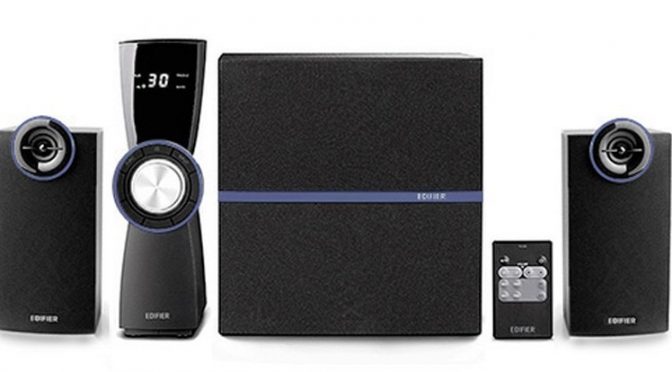
This last couple of weeks I have been testing and enjoying the Edifier C2V 2.1 Speaker System aimed primarily at gamers and utilising their Intelligent Distortion Control.

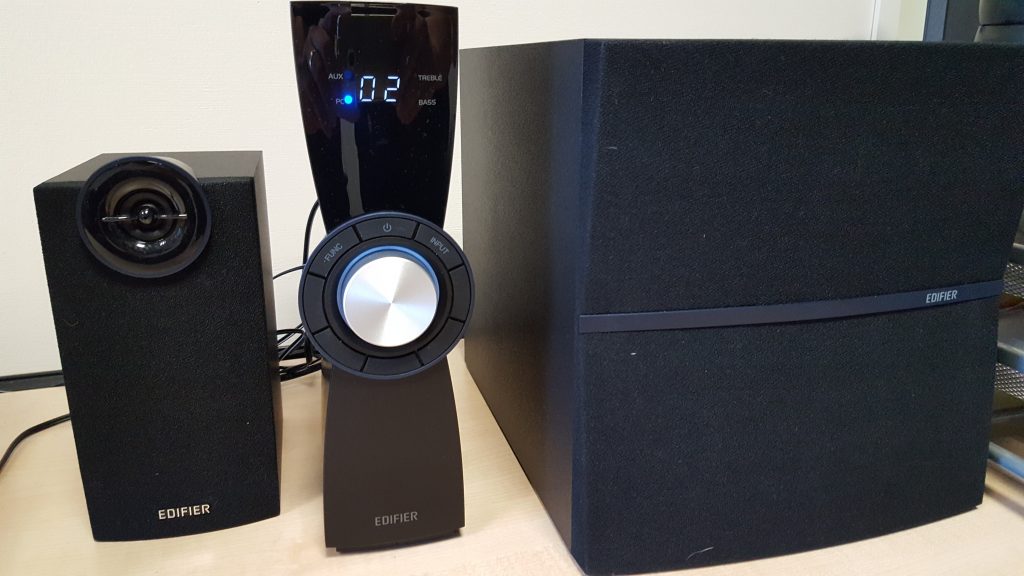
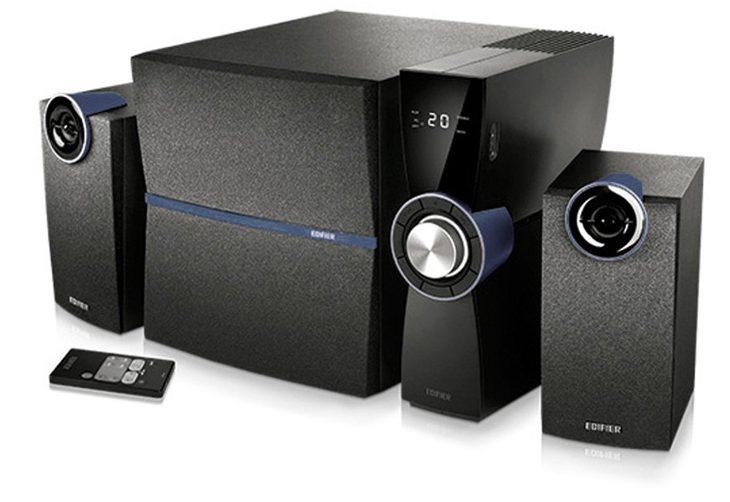
In the box you find a main control unit with remote, two satellite speakers with 3-inch midrange and ¾ inch tweeter and a lovely 6.5-inch subwoofer which produces amazing bass! The speakers and equipment are enclosed in wooden MFD boxes, so no chance of buzzing from nasty plastic parts here.

Edifier C2V Speakers Review

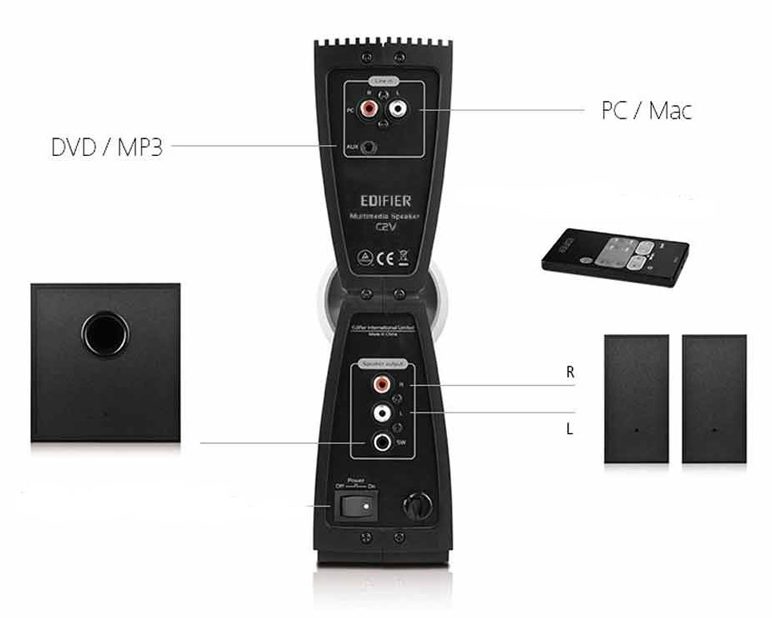
The speakers produce a total of 36 watts output, connecting to your PC/Mac or other sound source using either RCA or AUX connectors along with a headphones connector for keeping the neighbours happy.

You can adjust the Volume, Bass and Treble using either the amplifier or remote control giving a wide range of sound options to suit your gaming or music needs.

Edifier C2V Speakers Review

I really enjoyed playing some of my favourite music through the C2V, I was particularly fond of Orbital Live at Glastonbury, their is nothing like Dr Who rocking out late on a Friday afternoon

I also watched a number of movie trailers, I was particularly taken by Suicide Squad especially using my 4K iMac Retina display!

The C2V speaker system is aimed at gaming and therefore Bluetooth and other related technology is not included which is not great loss when you are sitting speakers either side of your gaming machine.

All in all, the C2V is a great set of speakers and at around £89, it’s very good value for money. After a quick look around online, they are available at most high street stores.

Thanks again to Edifier for the loan of the speakers for review and Katherine at KL Associates for bringing it all together.

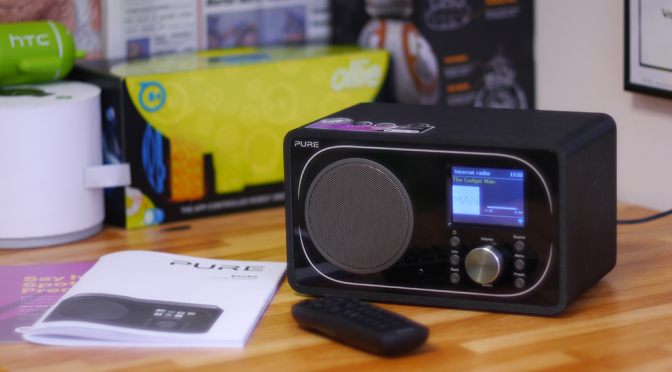
Pure Evoke F3 with Bluetooth, 25,000 radio stations at your fingertips!

Pure Evoke F3 with BluetoothDigital Radio is now firmly established in our lives with more and more stations switching to DAB and the hardware finding itself in our homes and more importantly in our vehicles, the choice of stations is now bigger than it’s ever been. The move to DAB has been much slower than the recent transition to Digital TV and the consequent switch off of analogue services, mainly due to the availability, simplicity of installation and pricing of Digital TV boxes, something that is not quite so practical with radio.
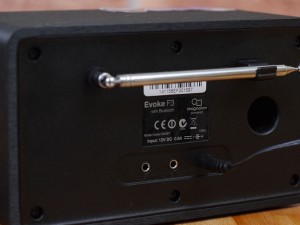
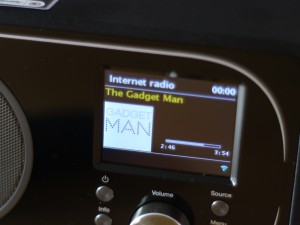
To help with this transition in our homes, Pure have been working hard to squeeze multiple technologies into their already well known range of DAB radios. I’ve been testing the Pure Evoke F3 with Bluetooth for the last month and really like the additions.

Pure Evoke F3 with Bluetooth - Traditional Looks
Pure Evoke F3 with Bluetooth – Traditional Looks

Out of the box, the Evoke F3 looks very much a traditional modern DAB digital radio, it’s a good size and weight, but it’s so much more than just a DAB radio, Pure have included traditional FM, Bluetooth connectivity, Internet Radio and Podcasts, Spotify Premium streaming, Aux in, Line out and network browsing of your locally stored music.

This is possible by adding WiFi connectivity to allow you to browse in excess of 25,000 radio stations across the world and more than 100,000 podcasts including BBC listen again content and Spotify Premium. It should be noted that if you want to make use of the Spotify function, you will need to subscribe to their £9.99 per month service.

Pure Evoke F3 with Bluetooth - Rear View
Pure Evoke F3 with Bluetooth – Rear View

You can stream your own music from your mobile phone using Bluetooth or via line in. If you want to get an even meatier sound from the device, it can be plugged into an amp via the 3.5mm line out socket.

Setting up the radio was really straightforward and connecting to a WiFi network is really straightforward, the radio is controlled from the front panel buttons or a separate remote control. You can also link the radio to Pure’s ‘Connect’ web service which makes organising playlists and stations much easier. The sound quality is very good for the price and the smart design means that it will sit happily in a kitchen, office or bedroom without standing out too much.

Pure Evoke F3 with Bluetooth - Tuned to The Gadget Man
Pure Evoke F3 with Bluetooth – Tuned to The Gadget Man

The radio has alarm and sleep functions built, so you can wake up to the wonders of your favourite Balearic Dance station or simply an alarm tone if you prefer. The colour display is not mobile phone quality as it was a little washed out, but nothing that ruins the experience and is perfectly adequate for day to day use.

The Pure Evoke F3 is good value at about £129, which is pretty competitive especially given the enormous amount of functionality included, I thought it was a great piece of kit.

Thanks to Nick at BT Shop for providing the radio for review


The Gadgetman Episode 80 – Mini Sun SAD Lamp – plus ‘Ed Sheeran Quits Twitter’

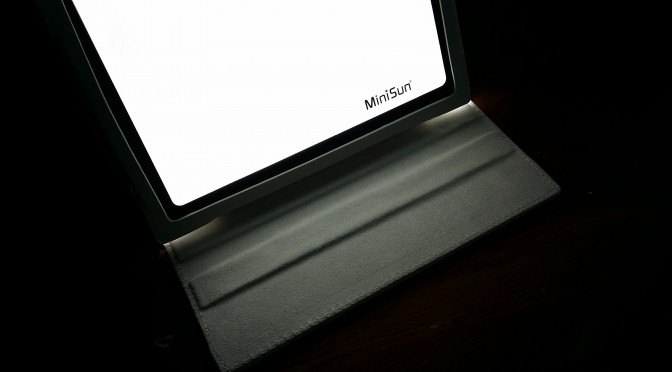
The Gadgetman Episode 80 Mini Sun SAD Lamp plus Ed Sheeran Quit Twitter InstagramIn the words of Deep Purple; “The Nights Are Closing In”, and with it the increase of Seasonal Affective Disorder or S.A.D.  which affects around 3-6% of the UK’s population.
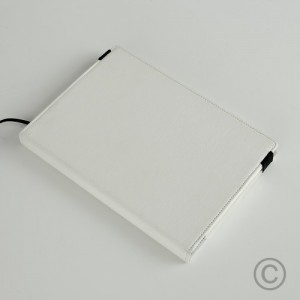
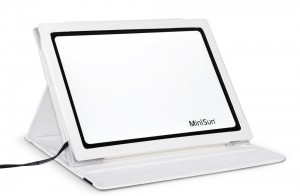
I’ve been testing a SAD Therapy Lamp from Mini Sun which helps to lessen these symptoms through light therapy. Use of the Therapy Lamp for 60 minutes a day, not only produces the correct levels of serotonin to help fight the effects of SAD, but also comes in a very nice padded carry case similar in size to an iPad.

I sat the device to the side on my desk which gave the impression of sitting by the window on a sunny day. Having suffered from SAD in the past, I found it comforting as the natural light produced by the lamp gave a feeling of the sun shining on my face.

The lamp is available in both white and pink designs and can be purchased via Mini Sun‘s website and is an excellent addition during these dreary winter months.

To find out more, listen to this mornings recording above which also features a discussion about Ed Sheeran quitting social media.
The Gadgetman Episode 80 Mini Sun SAD Lamp plus Ed Sheeran Quit Twitter Instagram


The Gadget Man – Episode 79 – Motorola Moto G (3rd generation) from Three

This morning I talk to Mark about the Motorola Moto G (3 gen) handset. At £169 sim free it represents fantastic value for money with excellent build quality and specification. To hear more about the phone, listen in to the audio recorded today on BBC Radio Suffolk.

Thanks to Three for the loan of the device, they always go above and beyond the call!

The Gadget Man – Episode 76 – Transcend DrivePro Body 10 Bodycam

Transcend DrivePro Body Cam 10

This week I talk about a new wave of devices aimed at both Police and private security firms. Body Cams allow for the collection of video evidence which is aimed at reducing the time wasted by conflicting opinions from police and witnesses to crimes.

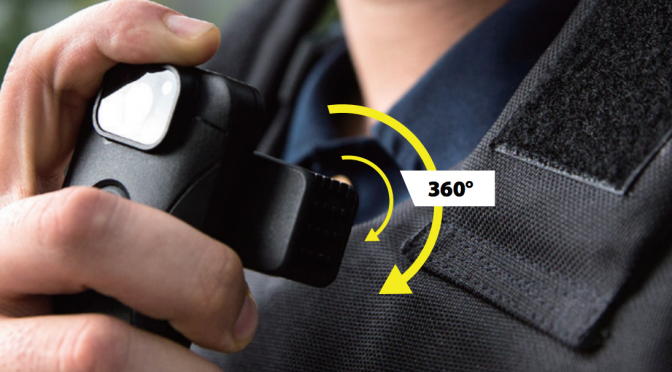
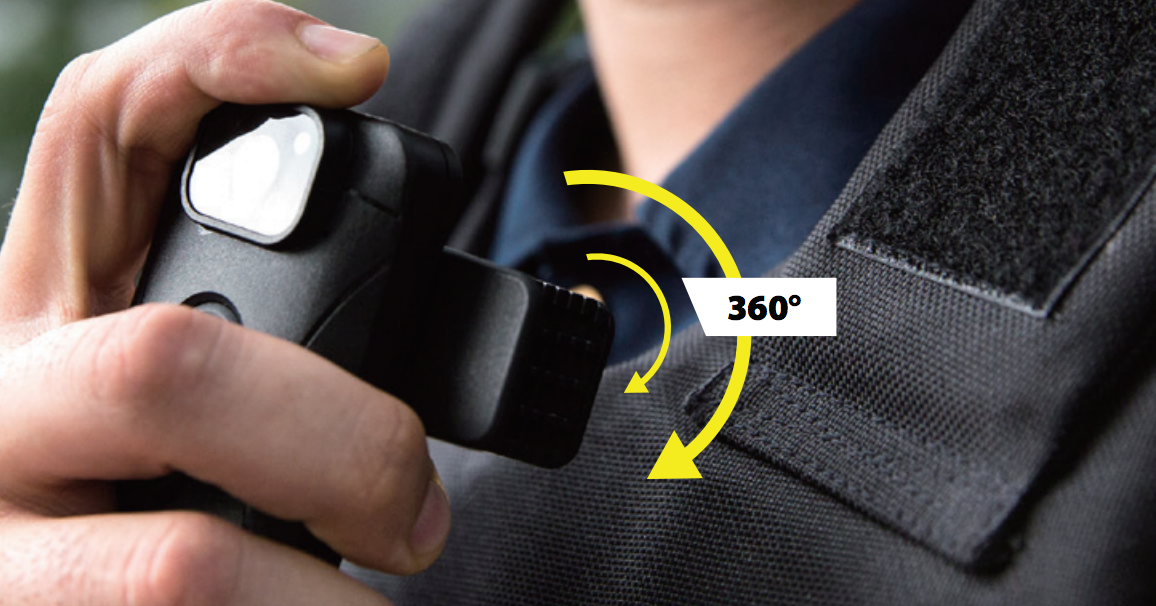
I have been reviewing the Transcend DrivePro Body 10, a really excellent example of such a device, which is easy to set up, extremely simple to wear and operate and produces excellent 1080p video in both daylight and nighttime. The device has an excellent F2.8 160 degree wide angle lens and comes with a 32GB micro SD card included.

https://www.youtube.com/watch?v=0WzGO7-4IEU

Video is split in to manageable sized files which means that en entire video file does not need to be viewed or copied to other media for use in court. It is also time and date stamped with the option of adding additional text to the file which is displayed on the resulting video.

The device is weatherproof and also includes a ‘snap shot’ button for taking 3.3mp image files. Operation of the video is simple and only requires the power button to be depressed to start recording and pressed again to stop.

Don’t forget to listen in to the stream to find out more about the Transcend DrivePro Body 10.

Many thanks to Transcend for providing me with a demo unit.