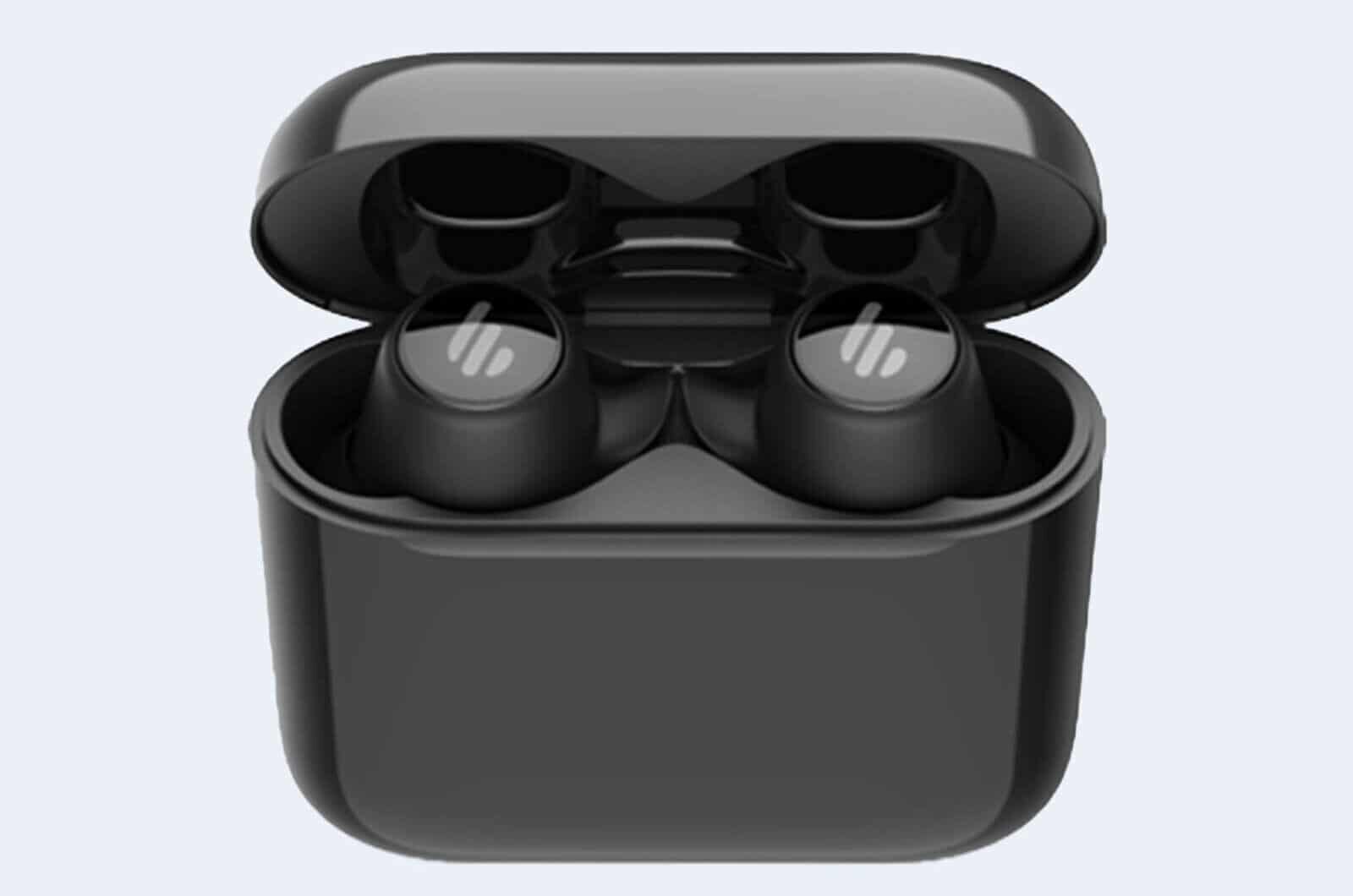
It’s not often I get to directly compare technology, but this month is an exception because I’m reviewing another set of wireless earbuds, this time from Edifier in the guise of the TWS6.
The Edifier TWS6 Earbuds come with Knowles balanced armature drivers which in turn, deliver great sound quality. Without becoming too technical, Knowles is a world-leading manufacturer of ‘balanced armatures’ which use an electronic signal to vibrate a tiny reed that is balanced between two magnets inside a tiny enclosure. The motion of the reed is transferred to a very stiff aluminium diaphragm. This diaphragm is free of unwanted resonances in the audio band, allowing it to produce excellent clarity. They are also exceeding small components which mean that other functions can be added.
The earbuds connect using Bluetooth 5 which means they can also be used for handsfree calls with microphones in both left and right buds and provide excellent clarity using CVC noise cancellation when making calls.
As with most other wireless earbuds, the TWS6 have their own charger case which can itself be charged wirelessly by placing it on a charging pad which features in most modern cars or via USB-C cable. The buds are magnetically docked in the charger meaning they make good contact themselves and provide 8 hours of battery life but can be recharged three times before the case needs recharging itself
Playback can be controlled by tapping either the left or right buds and simply provide stop/start and track skipping, it would have been nice to see some more functionality, but generally, you have your phone at hand when listening to music, so it wasn’t a big deal.
In the box were a large variety of interchangeable earbuds of different sizes including two different sizes of Memory Foam which I found really comfortable and they were less prone to falling out of your ears.
They are IPX5 waterproof and sweatproof, so if you get caught in the rain or overdo it in the gym, they will survive just fine.
As a child of the 80s, I was used to listening to horrible tinny music through headphones, so listening to today’s wireless earbuds in supreme quality still blows me away, especially when they are APTx and Dolby Atmos compatible which makes watching movies really impressive.
The Edifier TWS6 can be purchase through many online retailers for around £90 and thought they are great value for money.
Dash Cams have become a hugely popular and important piece of in-car technology. Not only do they act as an independent witness in court by recording everything that happens both in front of your car as well as behind (if you have a rear-view camera), in fact, Tesla has recently updated their vehicles to support ‘Sentry’ mode to monitor all around the car using their multiple cameras.
422GW Dash Cam
The increase in Dash Cam use has by recognised by insurance companies and police as an extremely helpful accessory in the event of both accidents and other investigations where individuals have gone missing and have been picked up on dashcam.
In the UK, the law states that a Dash Cam must NOT distract the driver or obscure the view of the road. If you decide to share the footage, faces and number plates should be blurred and unrecognisable. so bear this in mind if you decide to upload some footage to Facebook or YouTube.
422GW Dash Cam
NextBase 422GW with the rear camera module.
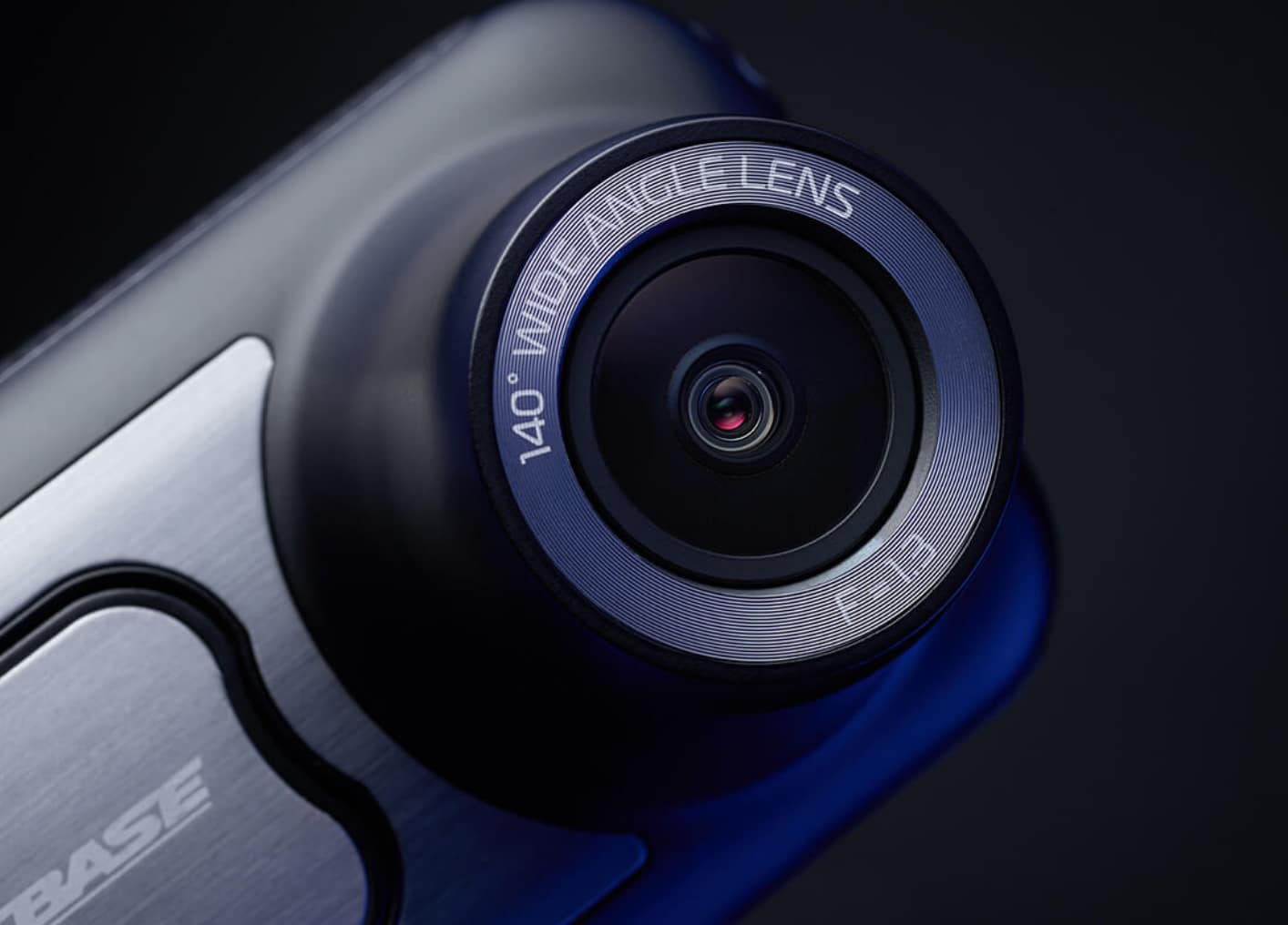
I have spent the last couple of weeks reviewing the NextBase 422GW a dashcam bursting with so many features, it would be impossible to list everything here!
Out of the boxes, the main dashcam and the additional rear camera module are both solidly built devices with a comforting amount of weight about them that feels durable. I also had a NextBase MicroSD card to store my footage. You also receive a very long power cable with 12v connector and the option of using either suction or sticky mount to affix the camera to your windscreen.
Nextbase App connected to 422GW Dash Cam
The 422GW’s features rely heavily on the use of an iOS or Android App which connects over both Bluetooth for general communication and WiFi for downloading videos to your device. It also supports Alexa and Handsfree calling which was quite useful as it allows voice instructions to download the recorded video to your mobile device (if that’s your thing!). You can also enter emergency information into the app which allows the device to automatically contact the emergency services if it detects an accident. Don’t worry, it won’t do this immediately, you do get to intervene before Police or Ambulances are summoned.
The most obvious feature of a dashcam is the quality of the video that it takes. The 422GW packs a F1.3 sensor recording at 1440p at 30 FPS or 1080p at 60 FPS. The quality of the video is excellent even in low light and darkness, I was seriously impressed. If you (like I did) installed the additional rear camera, the unit records both videos at the same time and you can set the rear camera to either record inside the cockpit or the rear window. I was unsure how this would turn out, but again I was really impressed with the results.
422GW Dash Cam – what’s in the box
If you are looking for a dashcam with Crash Protection, Emergency Service Alert, Auto-Sync, Intelligent Parking Monitoring, Alexa and the tool for installing the cable in your vehicle, you won’t go far wrong with this device! At £129 it’s great value too.
Like many of us, I have become used to playing music through my smartphone in hands-free mode, especially when I’m getting ready for work in the morning. Our phones now have sufficient audio production and volume to produce music at a respectable quality, but their physical size limitations mean that they aren’t able to produce similar results to traditional speakers.
Rubber Sealed SD Card and USB Socket
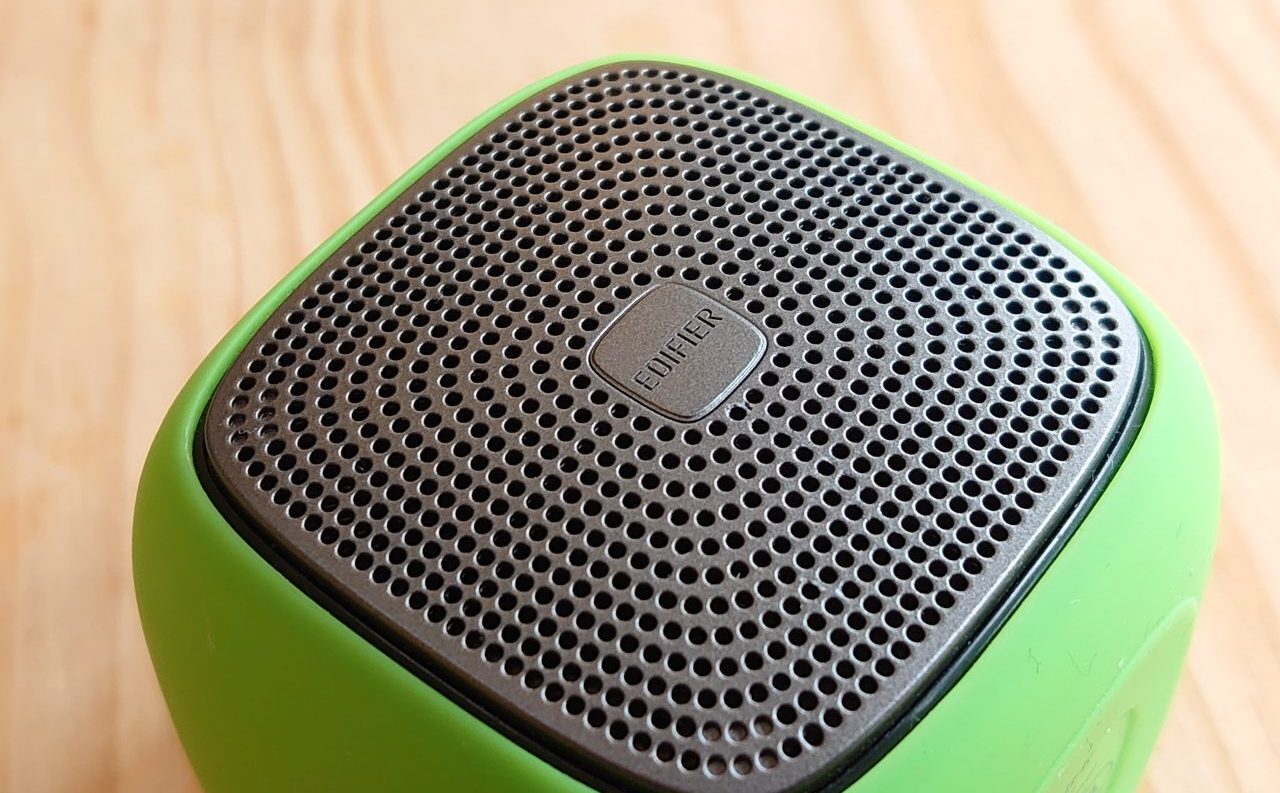
Portable speakers have become a popular addition for the music enthusiasts and casual listeners and we now expect excellent audio quality from extremely low-cost devices and fill the gap where our smartphones fail. So, this month I have been testing the Edifier MP200 Bluetooth 4.1 Portable Speaker.
Edifier MP200
The MP200 is a relatively small cubic speaker measuring 2-inches in each direction. Featuring both IP54 rated splash and dust protection, the speaker is coated in brightly coloured rubberised material with the addition of a hand-string to carry around your wrist or hang in your bathroom. The Micro SD card slot and Micro USB charging port are both sealed with a rubber cap which means it will function appropriately in a bathroom or even outdoors on a camping trip or barbeque courtesy of its IP54 rating. You may have seen IP ratings on your smartphone packaging, it’s a 2 digit rating scale the ‘5’ of IP54 means it is ‘dust protected’, whereas the ‘4’ means it is ‘splash proof’.
Answer, Power and Music Controls
The speaker comes with three buttons on the top which control which allows you to power on the device (with a pleasant start-up sound), pause or stop the music and a ‘call answer’ function when it is paired to your phone (although I’m not sure I would be up for conducting a hands-free call in the shower!). On the side of the speaker up two further volume up and down buttons. All these buttons situated underneath the rubberised material and easy to operate.
Edifier is quoting 12 hours playing time between charges which fits in well with my experience of using the speaker for a few minutes every morning and not needing to charge it for weeks. So it should happily provide entertainment for many hours at a time.
Audio quality, the speaker really shines and provides an incredibly impressive full range of sound and when cranked up, it doesn’t lose quality. I’ve used several of these kinds of this type speaker and I was really impressed with the MP200.
The audiophiles, the specs are as follows:-
RMS 5.5W
Noise Level: ≥30dB(A)
Freq. Response: 150Hz~14kHz
Input Sens: Bluetooth / USB audio streaming: 300 ± 50mFFS
Input Type: microSD card / Bluetooth 4.1 / USB audio streaming
Speaker Unit: 2 inches (48 mm)
Range: 10 metres (Bluetooth 4.1)
The MP200 is a fabulous speaker, available in seven colours and at £29.99, it’s a bargain (and a great gift idea for the up and coming festivities).
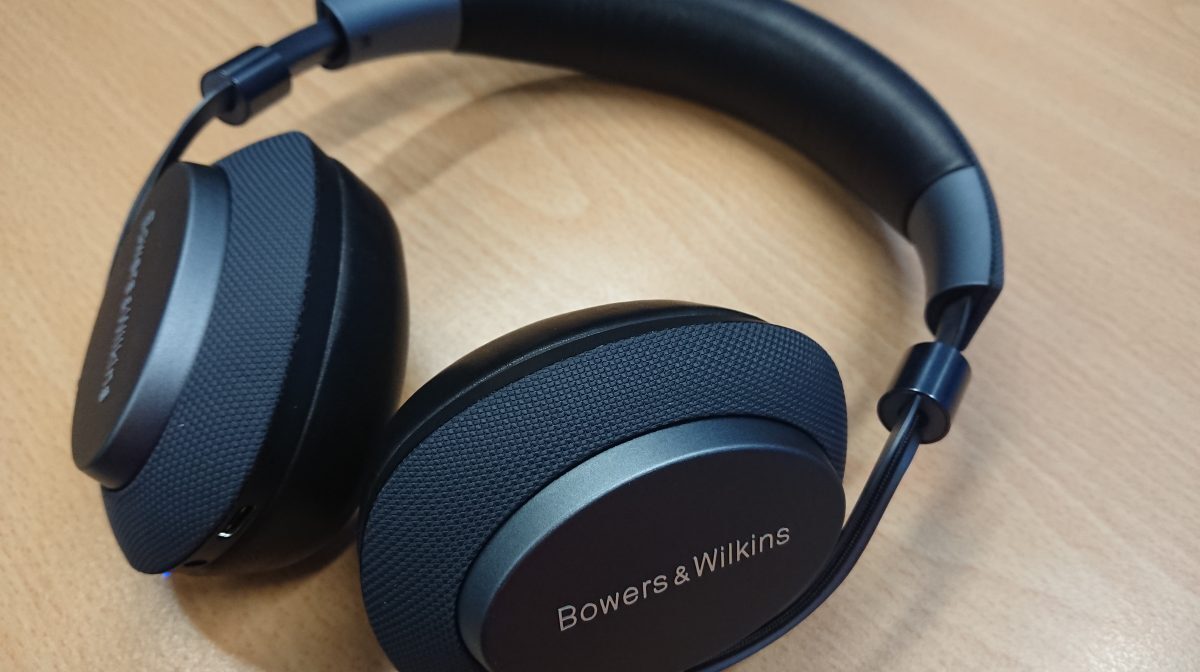
I spend a lot of time working in a shared office space, so it’s important to be able to shut out unwanted background noise when I want to be able concentrate. So, when a pair of Bowers & Wilkins PX Headphones landed on my desk for review, I was excited to find a high end pair of phones that would completely remove background noise from my workplace, but also provide with a superior Bluetooth™ Audio experience, enhanced by aptX-HD® technology.
The B&W PX headphones are predominantly Bluetooth™ driven, although you can connect up manually using a 3.5mm jack cable supplied with them. Thus, they must be paired to each device and this proved fairly straightforward using the supplied instructions. In order to make full use of the noise cancelling an personalised experience, it was also necessary to download the B&W PX app which is available for both iOS and Android. In my case, I downloaded the Android app to run with my Sony Xperia XZ Premium. The app itself was developed in conjunction with Coderus who very kindly worked with me on the app for my Tesla road trip last year, so I was looking forward to both testing the headphones and also reviewing their app at the same time.
After downloading the B&W PX app, I set about trying out the different environmental settings available and I have to say I was immediately impressed. I was able to choose my desired audio profile and also the noise cancellation settings. As noise can sometimes prove an issue here in the office, I got stuck in straight away with testing these features.
Noise Cancellation
The headphones are activated by simply placing them on your head and immediately after the noice cancellation kicks in.
[videopress feWQm6SX]
Initially you are given three customisable options for noise cancellation, allowing you to pick Office, City or Flight, these three option will give you a preprogrammed cancellation profile based on the background noise you are likely to experience in each of these modes. Interestingly, City worked best for my office. The settings automatically pick the most common voice passthrough settings for the headphones, either off (my preferred setting), Natural or Amplified. All three settings worked great and I liked being able to filter out general noise and still be part of a conversation.
Other options include ‘Wear Sensor’, so when placed on the head, the phones automatically switch on and connect to bluetooth with further adjustment using the ‘Sensitivity’ options.
Aside from the Environment filters, the app also shows you the current battery and firmware status. Yes, we live in a world where improvements to the operation of the headphones can be rolled out to owners, something I experienced with the Tesla Model S.
If you are lucky enough to own a modern Qualcomm compatible mobile device, you can also take advantage of the aptX-HD which is another name for High Definition Bluetooth® wireless audio. This will improve the sound quality of the headphones giving you 24bit sound quality over Bluetooth.
Bowers and Wilkins PX
Comfort
Without doubt, these are the most comfortable headphones I have ever worn, these absolutely reek of quality and fit brilliants over my ears. Even switched off, they still muffle ambient noise brilliantly.
Real World Use
As expected of a set of high end headphones, the sound quality was rich and bright with great bass and treble production. When testing out audio equipment I am particularly fond of playing Metallic Spheres by The Orb, featuring Dave Gilmour, an album which cries out to be played on high end audio equipment.
I wasn’t disappointed. The B&W PX headphones picked up the layered soundscape of the album majestically and I was happy putting them through their paces more than once during my review.
In Summary
Bowers & Wilkins have produced a superb set of high end Bluetooth Headphones. They have excelled on all fronts, from the excellent build quality, superior sound quality to the intuitive app which makes synchronising the phones a doddle. If your budget stretches to around £329 and you want to listen to music as the artist intended, the B&W PX Bluetooth Headphones are a perfect option available in Space Grey or Soft Gold.
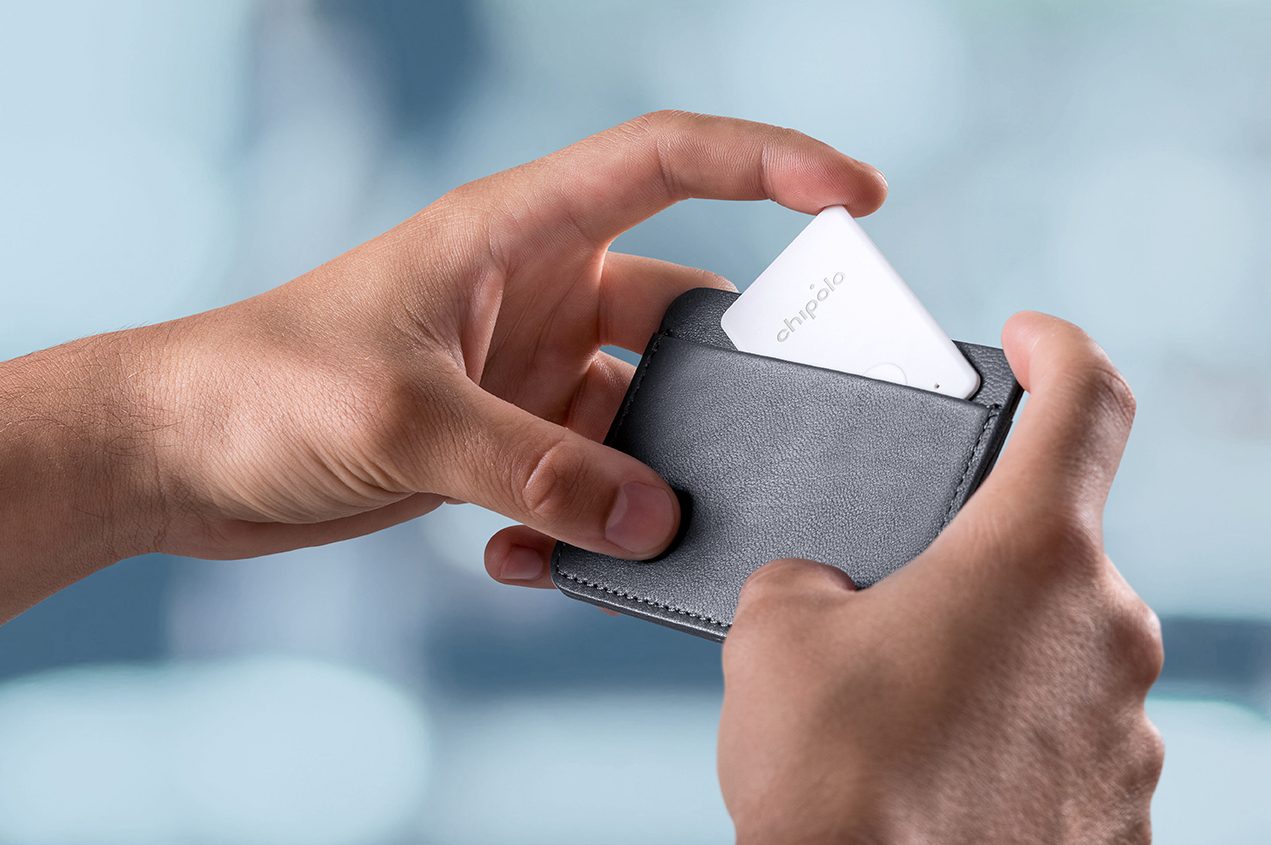
The Chipolo Card is a really nice looking device, designed to help track personal items. It’s unique low profile design lends itself to slotting into your wallet or purse and the speaker is loud enough to be heard however deep it becomes buried in your money and receipts. Even cooler, if you do lose your wallet and team of other Chipolo users can help you find it again!
Chipolo Card showing dimensions
The device was born from a Kickstarter crowdfunding campaign which raised nearly 2000% of its original target of $15,000! Now, five years later Chipolo sell three different types of Chipolo tracker, the Classic, the Plus and the Card. I was sent all three to test, but this review discusses the Chipolo Card, an ideal size to slip in my wallet.
The Card’s dimensions of 36mm x 68mm x 2.15mm make it perfect to slide into a wallet and tucked deep down in mine to keep it unobtrusive and nice and safe. When tucked in your wallet, it’s not obvious it’s there, so if you are unlucky to have it stolen, you might be lucky for it to be unnoticed by a thief and thus help you find it again.
[videopress YT08NUJ0]
Out of the box, the Chipolo must be paired with either your iOS or Android device, this is very simple using the dedicated phone app and within an instant my device was working. I was able to name the Chipolo and also assign it a relevant icon to distinguish it from the others. In my case, I named it Wallet and assigned it with a wallet icon. The devices are paired using low power Bluetooth virtually guaranteeing a long battery life of at least a year. You can also assign a ringtone to the device which will help you recognise it in a noisy room.
Once setup, the app constantly regularly communicates with the Chipolo over low-power Bluetooth and saves it’s position to your account. You can also share your Chipolo with other users where the item is precious or might be something available to more than one person.
[videopress beKm2RrY]
Now, getting to the nitty gritty of actually losing personal items. Being easily distracted, I am constantly looking for my keys or wallet and with this in mind the Chipolo’s have been amazing! I have a habit of leaving my wallet in my bag and then spending half an hour trying to remember where it is! Problem solved! Now all I need to do it press the RING button on my phones Chipolo Widget and immediately I can hear it ring.
So, armed with by trusty Chipolo and smart phone, no more losing my wallet around the house. There are also some nice little touches too, you can also use the Chipolo to trigger the camera on your smartphone to take selfies. Position the phone, get comfortable with your friends, double click the button on the tracker and hey presto! Instant Selfie.
But, what about REALLY losing something, away from home? Well, I have experienced this too, whilst the Chipolo app happily provides tracking for your own devices, it also monitors for devices that have been lost by other users on the network. So, should you lose your item and searching for it using the app proves fruitless, you can then mark the item as LOST. Should another Chipolo user happen to pass within range of the tracker, it notifies the owner that it has been found and provides feedback to the person that actually found it! It’s a great use of ‘crowd’ networking or as Chipolo call it “Community Search”. So as the network grows, so does the chances of finding your lost items.
Chipolo – Thank You. You helped somebody find a lost Chipolo! How cool is that?
The Chipolo Card gives you a device that fits easily into your wallet or purse, being 2.15mm . It has a 200ft range from your smart device, the speaker is 95dB. The battery will last a year and the device is water-resistant.
Priced at around £25, I think they are great value and look out for the new ‘FRUIT’ editions with provide added fun!!
Chipolo Fruit Edition
Thanks to the guys at Chipolo for providing me with the Chipolo Card for review!!
[amazon_link asins=’B0782ZY1WM,B00J236VZE,B01N6ADLKA,B00L177Z7M,B077P275W7,B00L177Z5Y,B01MQPLQS9′ template=’ProductCarousel’ store=’thgama03-21′ marketplace=’UK’ link_id=’d3d829c7-8e5a-11e8-b870-f77b8a145388′]
It is always particularly interesting to test technology that has been developed by leaders in their particular sector, so I was very excited about visiting Orbitsound in London to have a demonstration of their ONE P70W Speakers.
Orbitsound was founded by Ted Fletcher, the inventor of Airsound™ technology. Ted has been working for many years as a musician, audio engineer, electronics designer and studio designer, to give the listener a more realistic, more immersive sound experience. These years of experience in the industry led to the release in 2017 of the Orbitsound ONE P70, the worlds first multi-orientation speaker, meaning regardless of where you stand, it sound remains the same.
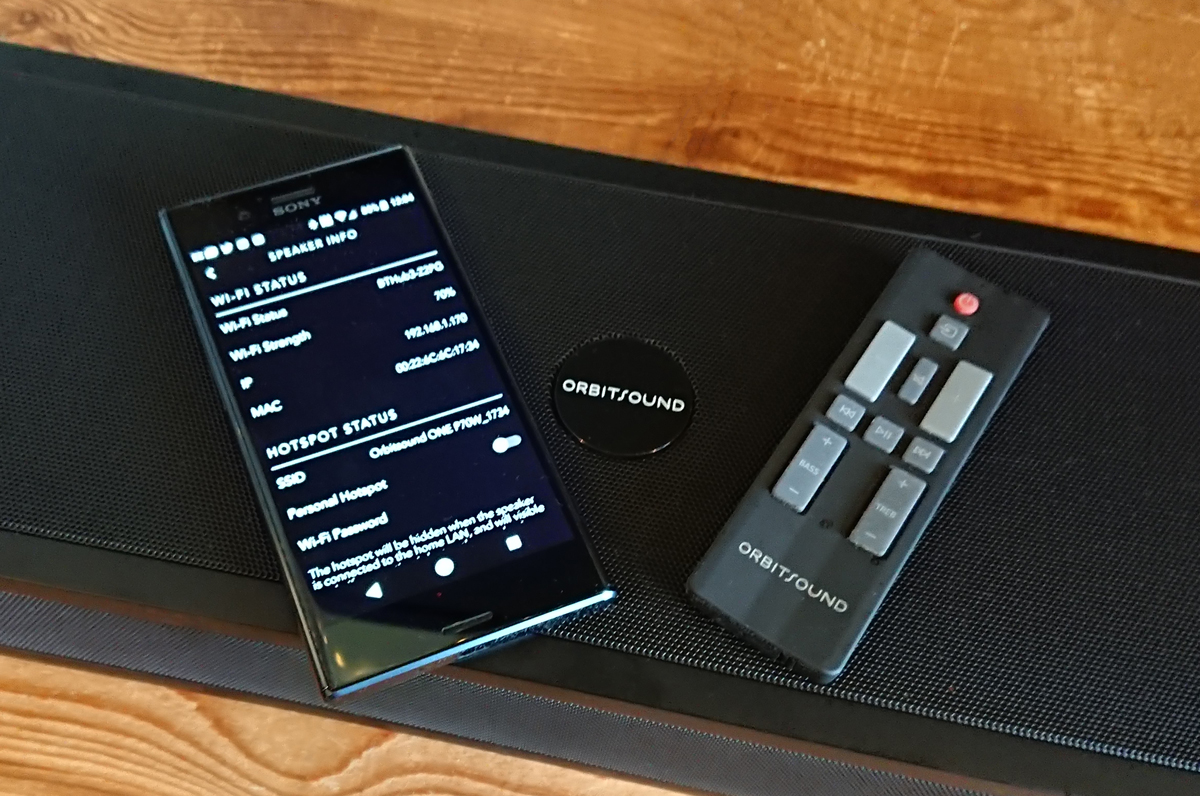
The controls for the Orbitsound ONE P70W are found at the side of the speaker
The P70W is designed in such as way that it can be shelf or wall-mounted. It has a narrow design (700mm wide x 173mm deep x 77mm high), this allows for comfortably mounting below a flat screen television or on a wall as a ‘party’ speaker. It’s built from wood and steel and can be purchased in matte black, bambo or bone white weighing in a 5.1kg.
Sound is provided by two (front and top) 2″ ‘Orbitsound MK4 drivers’, a Sub-bass low-profile 5.25″ driver and 2X2 Airsound Orbitsound MK4 drivers. By positioning the main speakers both front and top mean that sound production is maintains regardless of how the speaker mounted.
Connectivity is provided by Bluetooth, Optical cable, 3.5mm stereo jack and the Wi-Fi. The Wi-Fi feature is the most impressive as it allows streaming of audio from a variety of sources without the loss of quality associated with Bluetooth, effectively allowing for uncompressed playback of music. It also allows for multi-speaker / multi-room playback with perfectly synchronised sound and zero delay. This is achieved by using the Orbitsound Smartphone app (Android and iOS) which supports streaming providers and internet radio stations and allows you to ‘group’ sets of speakers to create one virtual speaker. When I was given a demonstration of this at the Orbitsound offices, 3 separate speakers, both wall and shelf mounted were grouped together using the app. I was then asked to close my eyes to try and decide where I thought the sound was coming from. It was unearthly as it sounded like it was coming out of thin air, very impressive!
The Orbitsound App running on Android. Streaming from Tunein
The app currently supports TuneIn, iHeartRadio, Spotify, Tidal, Napster, Apple Music (iOS only) and of course your own device stored music. If you are absolutely focused on using other services such as Google Play Music or Amazon, then you can of course stream using Bluetooth. I used the speak in conjunction with my Amazon Dot, as well as my iMac and Xperia XZ Premium, all worked flawlessly.
I was also able to connect the speaker to my Freesat HD box using the supplied optical cable. This worked great, although the Freesat box had a bug with Netflix which meant it would only broadcast Dolby sound. This was a simple configuration on the Freesat box and all was working again.
The speaker comes with very nicely designed remote control and you can also use you own remote control using the speakers ‘learning mode’. I was able to control the speaker using my TV remote within a couple of seconds of setup.
The people at Orbitsound definitely had the environment in mind when they designed the P70W as it is built to power-down components that aren’t used, but power up instantly when required.
Quite a bit of thought has gone into small details on the P70W with the inclusion of reversible LED information display and Orbitsound badge. This might seem small things but they count as you really wouldn’t want to be showing off your new speaker to friends and have the badge upside down. integrated wall mounting and 200mm VESA bosses and bolts are included to allow you to get going straightaway with unnecessary visits to AV stores to buy mounting kits. There is also a protective sleeve for the speaker, to protect it when not in use.
The speaker also comes with a standard power cord, aux cable, quick-start guide and safety and warranty information, all packaged up in a very smart box. The useful inclusion of a carry handle was helpful too, as I carried a demonstration unit to the train station.
The Orbitsound P70W feels like a speaker that can fit many needs, be that as a Sound-bar for your TV, a party speaker for gatherings of people and the facility to extend your listening experience to multiple speakers. The smart design of the speakers means that it they would sit very comfortably in a professional or public environment. The whole family has really enjoy the quality and versatility of the speaker and we’ll be sad to see it go.
At £399, the Orbitsound P70W is great value for buyers looking for a richer smoother sound regardless of their position in the room.
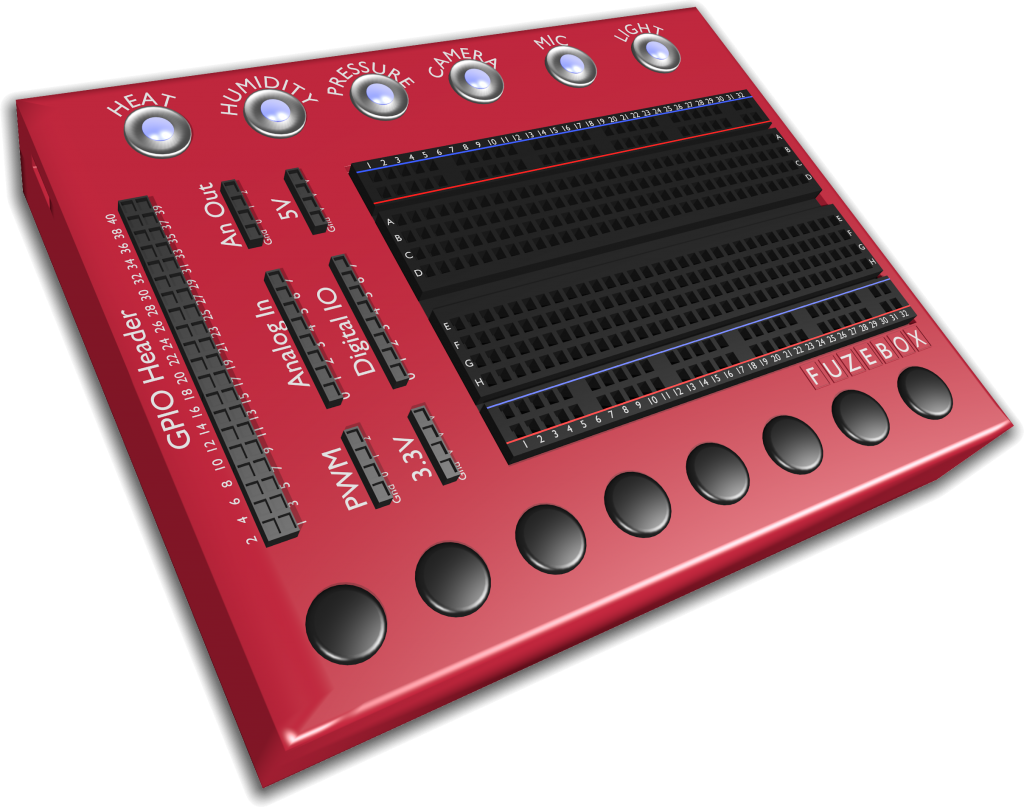
For the first time just about any computing device can be used to program games and apps, control robotic devices, interact with sensors and experiment with electronics. The FUZEBOX doesn’t care if you have Windows, OSx, iOS, Android or Linux, or if you are using a phone, tablet, laptop or PC. It simply connects to your device via USB, Bluetooth or WiFi and allows you to get coding straight away.
Loaded with sensors such as heat, humidity, light, pressure, a microphone and camera, infra-red, gyro and more, you can transform the FUZEBOX into almost anything. For example, a thermometer, weather station, games controller, TV remote, motion sensing camera, spirit level, tilting maze puzzle game, synthesiser keyboard and much more – you write the code, you make it happen!
Passionate about coding, the FUZE team have designed the FUZEBOX to make coding accessible for anyone. Schools teaching coding now don’t need separate computers for the children to use, all the need to do is plug in the FUZEBOX to existing equipment. The language used with the FUZEBOX – FUZE BASIC, provides the perfect stepping stone between Scratch and Python, and puts sensors right at children’s fingertips so they can interact with the sensors and code they have written themselves.
Not just a cool coding gadget, the FUZE team want the FUZEBOX to inspire our younger generations to understand and love coding.
Digital Radio is now firmly established in our lives with more and more stations switching to DAB and the hardware finding itself in our homes and more importantly in our vehicles, the choice of stations is now bigger than it’s ever been. The move to DAB has been much slower than the recent transition to Digital TV and the consequent switch off of analogue services, mainly due to the availability, simplicity of installation and pricing of Digital TV boxes, something that is not quite so practical with radio.
To help with this transition in our homes, Pure have been working hard to squeeze multiple technologies into their already well known range of DAB radios. I’ve been testing the Pure Evoke F3 with Bluetooth for the last month and really like the additions.
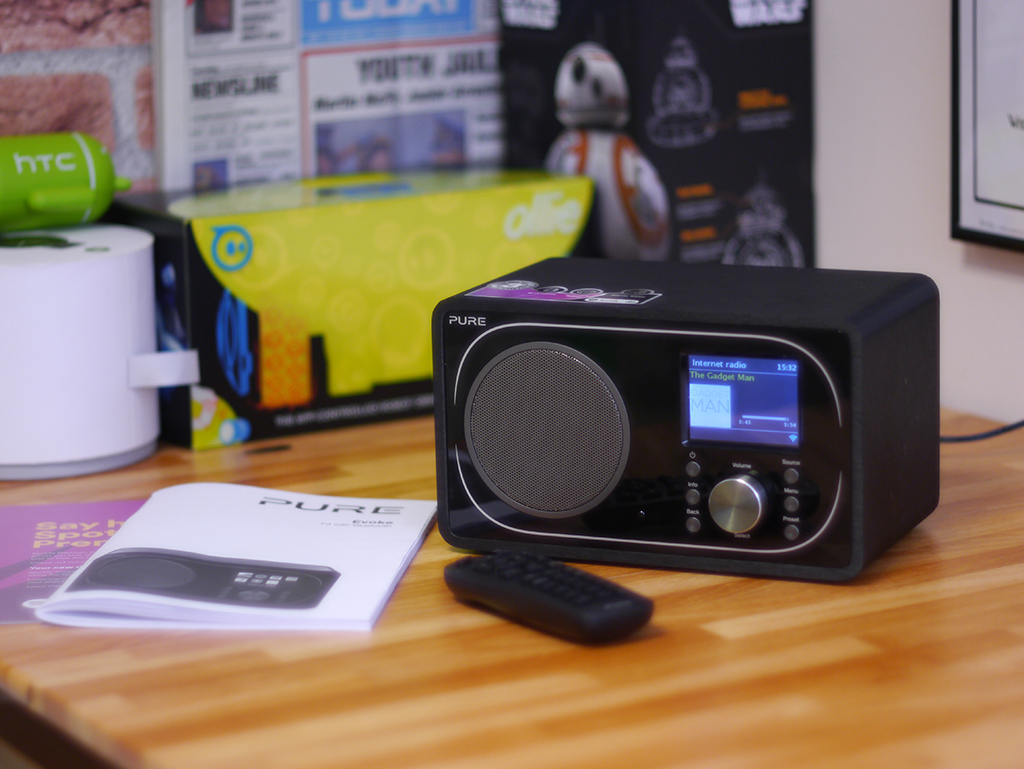
Pure Evoke F3 with Bluetooth – Traditional Looks
Out of the box, the Evoke F3 looks very much a traditional modern DAB digital radio, it’s a good size and weight, but it’s so much more than just a DAB radio, Pure have included traditional FM, Bluetooth connectivity, Internet Radio and Podcasts, Spotify Premium streaming, Aux in, Line out and network browsing of your locally stored music.
This is possible by adding WiFi connectivity to allow you to browse in excess of 25,000 radio stations across the world and more than 100,000 podcasts including BBC listen again content and Spotify Premium. It should be noted that if you want to make use of the Spotify function, you will need to subscribe to their £9.99 per month service.
Pure Evoke F3 with Bluetooth – Rear View
You can stream your own music from your mobile phone using Bluetooth or via line in. If you want to get an even meatier sound from the device, it can be plugged into an amp via the 3.5mm line out socket.
Setting up the radio was really straightforward and connecting to a WiFi network is really straightforward, the radio is controlled from the front panel buttons or a separate remote control. You can also link the radio to Pure’s ‘Connect’ web service which makes organising playlists and stations much easier. The sound quality is very good for the price and the smart design means that it will sit happily in a kitchen, office or bedroom without standing out too much.
Pure Evoke F3 with Bluetooth – Tuned to The Gadget Man
The radio has alarm and sleep functions built, so you can wake up to the wonders of your favourite Balearic Dance station or simply an alarm tone if you prefer. The colour display is not mobile phone quality as it was a little washed out, but nothing that ruins the experience and is perfectly adequate for day to day use.
The Pure Evoke F3 is good value at about £129, which is pretty competitive especially given the enormous amount of functionality included, I thought it was a great piece of kit.
Thanks to Nick at BT Shop for providing the radio for review